







Question: early Visual Clearly Visual Basic, 3rd Edition Programming with Microsoft Visual Basic 2012 by Diane Zak Year: 2013 Pages: 674 ISBN: 978-1285034107, 1285084101 Complete Exercise
 early Visual
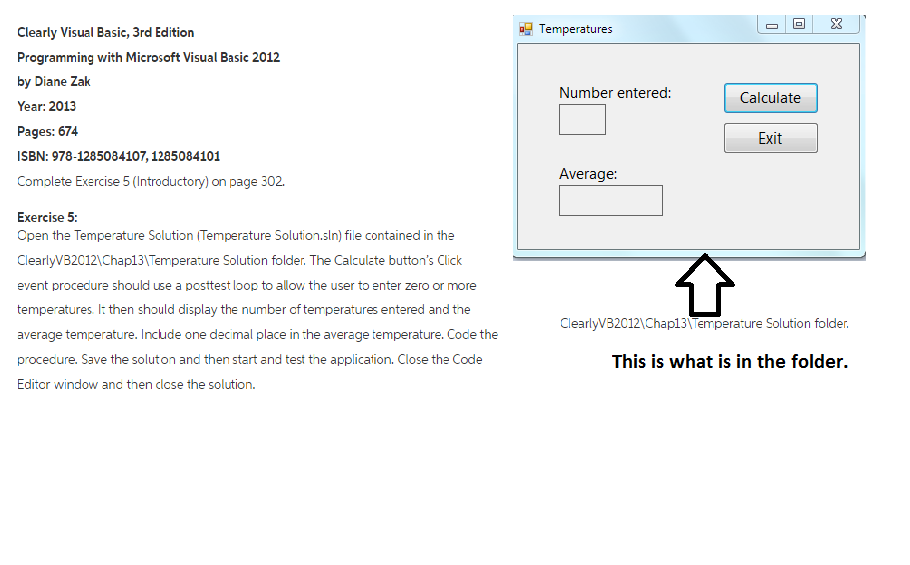
Clearly Visual Basic, 3rd Edition Programming with Microsoft Visual Basic 2012 by Diane Zak Year: 2013 Pages: 674 ISBN: 978-1285034107, 1285084101 Complete Exercise 5 (Introductory) on page 302. Open the Temperature Solution Temperature Solution. sln) file contained in the ClearlyVB2C12\Chap13\Temperature Solution folder. The Calculate button's Click event procedure should use a posttest loop to allow the user to enter zero or more temperatures then should display the number of temperatures entered and the average temperature. Include one decimal place in the average temperature. Code the procedure. Save the solution and then start and test the application. Close the Code Editor window and then close the solution
Step by Step Solution
There are 3 Steps involved in it

Get step-by-step solutions from verified subject matter experts
 Study Help