







Question: Easy GUI Java code need done ASAP! 1) Create a class called DVDCollectionApp which will represent the graphical user interface (i.e., GUI) for a DVDCollection
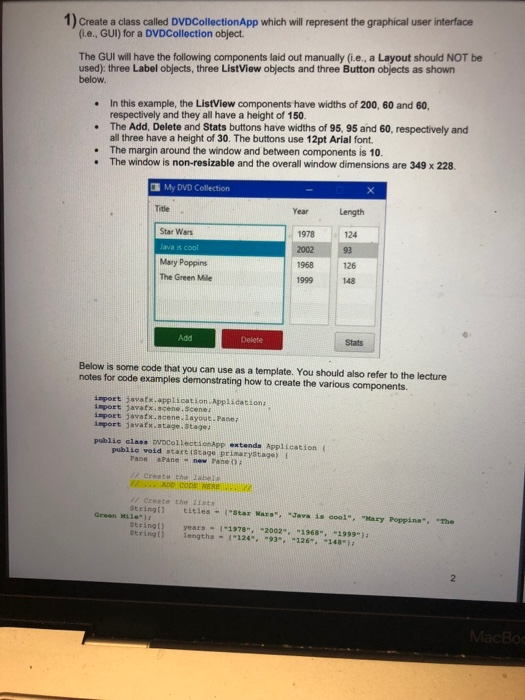
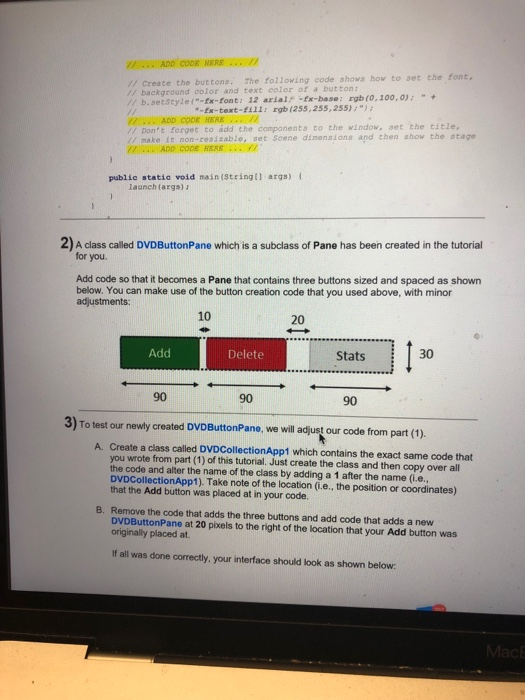
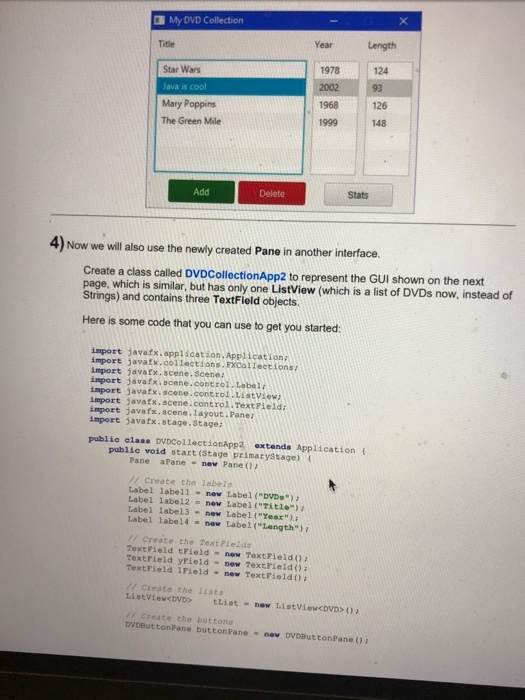
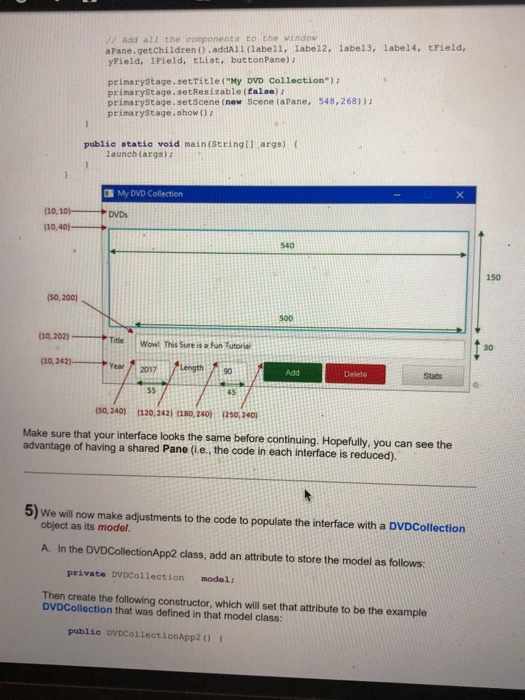
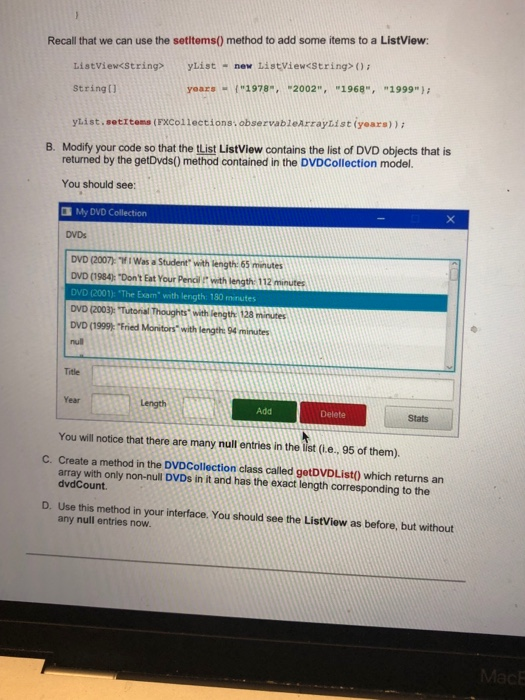
1) Create a class called DVDCollectionApp which will represent the graphical user interface (i.e., GUI) for a DVDCollection object The GUI will have the following components laid out manually (e., a Layout should NOT be used): three Label objects, three ListView objects and three Button objects as shown below. In this example, the ListView components have widths of 200, 60 and 60, . .The Add, Delete and Stats buttons have widths of 95, 95 and 60, respectively and . The margin around the window and between components is 10. respectively and they all have a height of 150. all three have a height of 30. The buttons use 12pt Arial font The window is non-resizable and the overall window dimensions are 349 x 228. My DVD Collection Title Year Length Star Wars lava is cool Mary Poppins The Green Mile 1978 124 126 1968 1999 148 Add Stats Below is some code that you can use as a template. You should also refer to the lecture notes for code examples demonstrating how to create the various components. import javatx.application-Applidation: import javatx.acene. Scenea import javatx.scene layout Pane import javafx.stage, Stage public class pVDCollectionApp extends Application ( publio void start(Stage prinaryStage) t Pane aPane h inew Pane Da Creato the Jab Create the Z1sta Stringt tstles (Star Mazs" Java is cool", "Mary Poppins", "The Green Mile" Beringt)years - (-1278-, -2002-, -1968-, "1999-) stringt) lengths -124. 931261481
Step by Step Solution
There are 3 Steps involved in it

Get step-by-step solutions from verified subject matter experts
 Study Help