







Question: Edit question The purpose of this assignment is to create a functional/interactive GUI Dialog Boxes using either Java, C+t, Visual Basic, or any other language
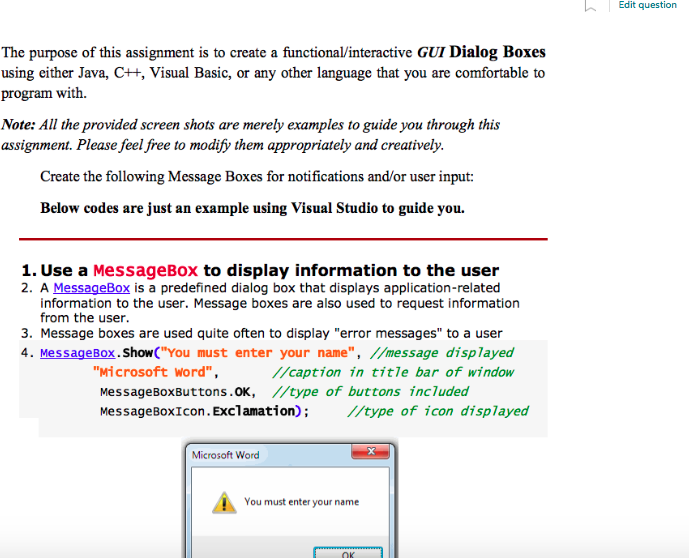
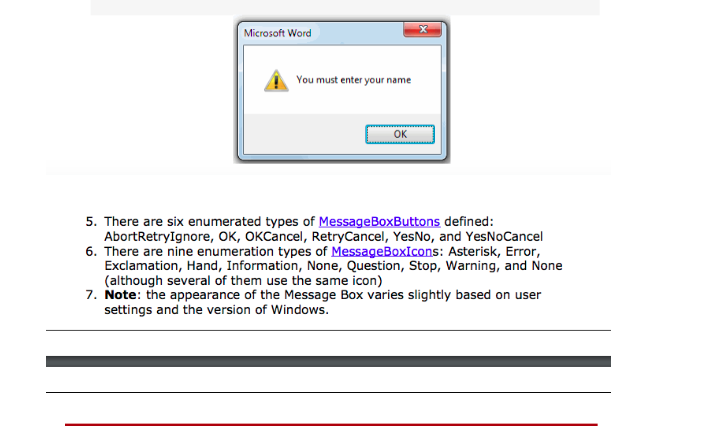
Edit question The purpose of this assignment is to create a functional/interactive GUI Dialog Boxes using either Java, C+t, Visual Basic, or any other language that you are comfortable to program with. Note: All the provided screen shots are merely examples to guide you through this assignment. Please feel free to modify them appropriately and creatively. Create the following Message Boxes for notifications and/or user input: Below codes are just an example using Visual Studio to guide you. 1. Use a MessageBox to display information to the user 2. A MessageBox is a predefined dialog box that displays application-related information to the user. Message boxes are also used to request information from the user. 3. Message boxes are used quite often to display "error messages" to a user 4. MessageBox.ShowC" You must enter your name", //message displayed "wicrosoft word /caption in title bar of window MessageBoxButtons.oK, /type of buttons includea MessageBoxIcon. Exclamation) I/type of icon displayed Microsoft Word You must enter your name
Step by Step Solution
There are 3 Steps involved in it

Get step-by-step solutions from verified subject matter experts
 Study Help