







Question: Edit the java code. Description The Mathvector.java file contains a class (MathVector). This class allows you to create objects in your program that can contain
 Edit the java code.
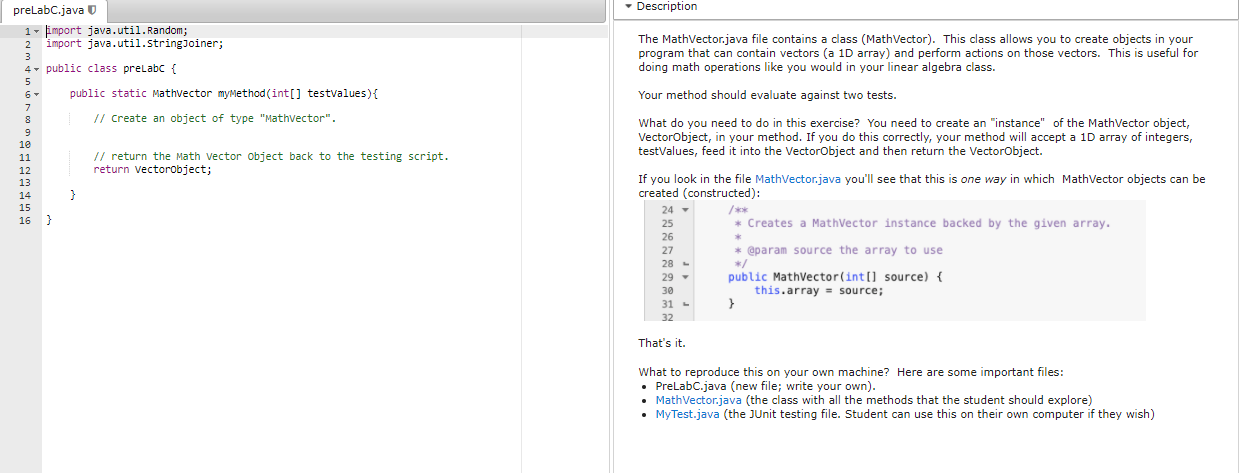
Description The Mathvector.java file contains a class (MathVector). This class allows you to create objects in your program that can contain vectors (a 1D array) and perform actions on those vectors. This is useful for doing math operations like you would in your linear algebra class. Your method should evaluate against two tests. preLabC.java 1- 1- import java.util. Random; 2 import java.util.StringJoiner; 3 4- public class prelabc { 5 6 public static Mathvector myMethod (int[] testvalues) { 7 8 // Create an object of type "Mathvector". 9 1e 11 // return the Math Vector Object back to the testing script. 12 return Vectorobject; 13 14 15 16 What do you need to do in this exercise? You need to create an "instance of the MathVector object, VectorObject, in your method. If you do this correctly, your method will accept a 10 array of integers, testValues, feed it into the VectorObject and then return the VectorObject. If you look in the file MathVector.java you'll see that this is one way in which MathVector objects can be created (constructed): 24 /** 25 * Creates a MathVector instance backed by the given array. 26 27 * @param source the array to use 28 - 29 public MathVector(int[] source) { 30 this.array source; 31 - } 32 That's it. What to reproduce this on your own machine? Here are some important files: PreLabC.java (new file; write your own). MathVector.java (the class with all the methods that the student should explore) MyTest.java (the JUnit testing file. Student can use this on their own computer if they wish)
Step by Step Solution
There are 3 Steps involved in it

Get step-by-step solutions from verified subject matter experts
 Study Help