







Question: Edit the Java script on the left.(No need for other files) A MathVector object will be passed to your method. Return its contents as a
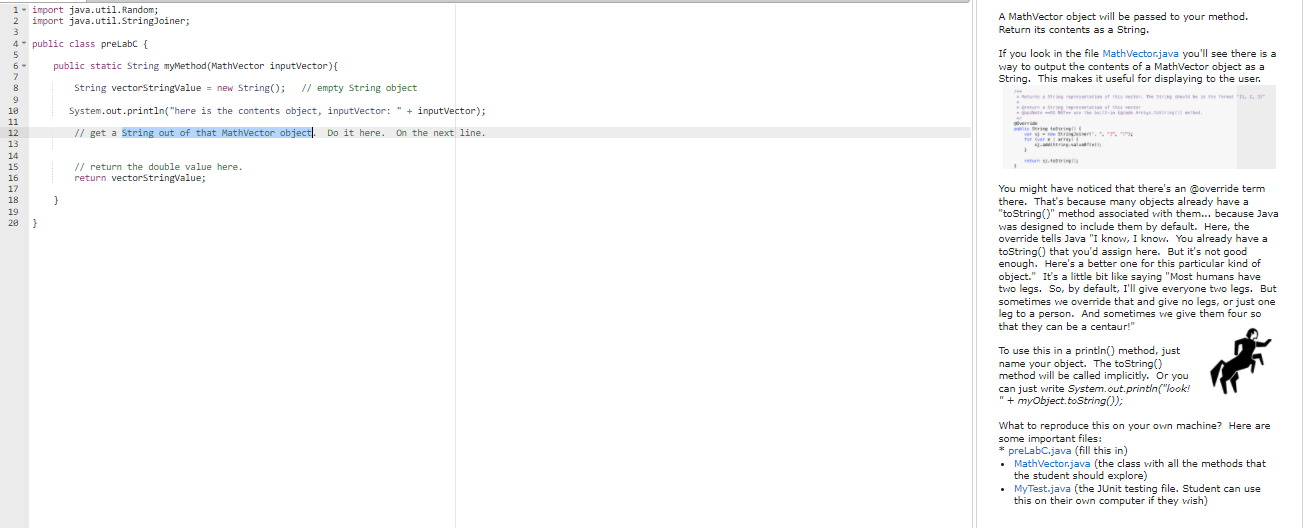 Edit the Java script on the left.(No need for other files)
A MathVector object will be passed to your method. Return its contents as a String. If you look in the file MathVector.java you'll see there is a way to output the contents of a MathVector object as a String. This makes it useful for displaying to the user. 8 9 1. import java.util. Random; 2 import java.util.StringJoiner; 3 4- public class preLabC { 5 6 public static String myMethod(Mathvector inputvector) { 7 String vectorStringvalue = new String(); // empty String object 10 System.out.println("here is the contents object, inputVector: " + inputVector); 11 12 // get a string out of that Mathvector object. Do it here. On the next line. 13 14 15 // return the double value here. 16 return vectorStringValue; 17 18 } 19 29 } RS Torre er..." You might have noticed that there's an override term there. That's because many objects already have a "toString" method associated with them... because Java was designed to include them by default. Here, the override tells Java "I know, I know. You already have a toString that you'd assign here. But it's not good enough. Here's a better one for this particular kind of object." It's a little bit like saying "Most humans have two legs. So, by default, I'll give everyone two legs. But sometimes we override that and give no legs, or just one leg to a person. And sometimes we give them four so that they can be a centaur!" To use this in a println() method, just name your object. The toString() method will be called implicitly. Or you can just write System.out.println("look! " + myObject.toString(); What to reproduce this on your own machine? Here are some important files: * preLabC.java (fill this in) Mathvector.java (the class with all the methods that the student should explore) MyTest.java (the JUnit testing file. Student can use this on their own computer if they wish)
Step by Step Solution
There are 3 Steps involved in it

Get step-by-step solutions from verified subject matter experts
 Study Help