







Question: Employee Payroll Entry & Report Markup & Styles The markup is provided for you with a file called employees.html. Notice the link to the CSS,
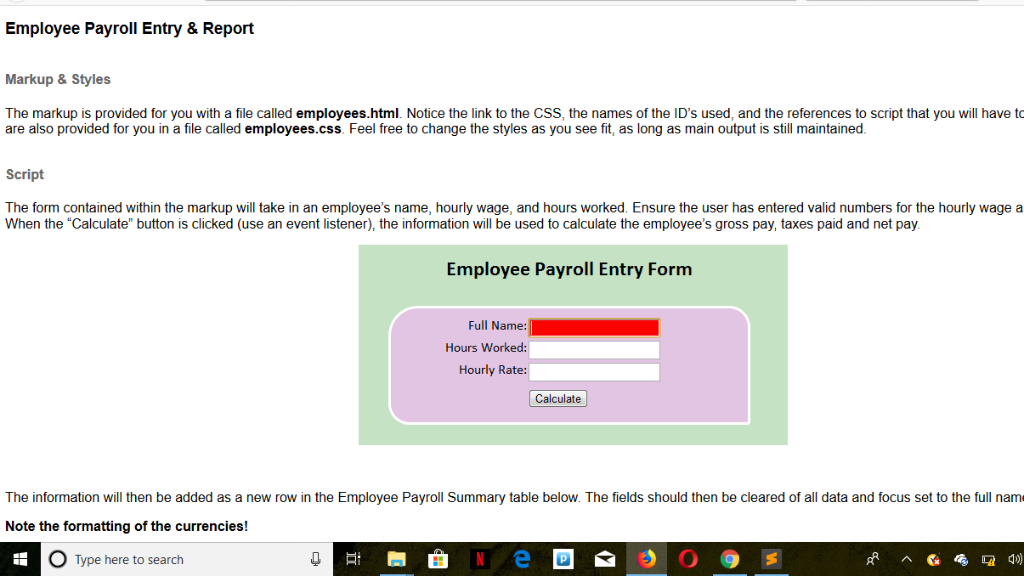
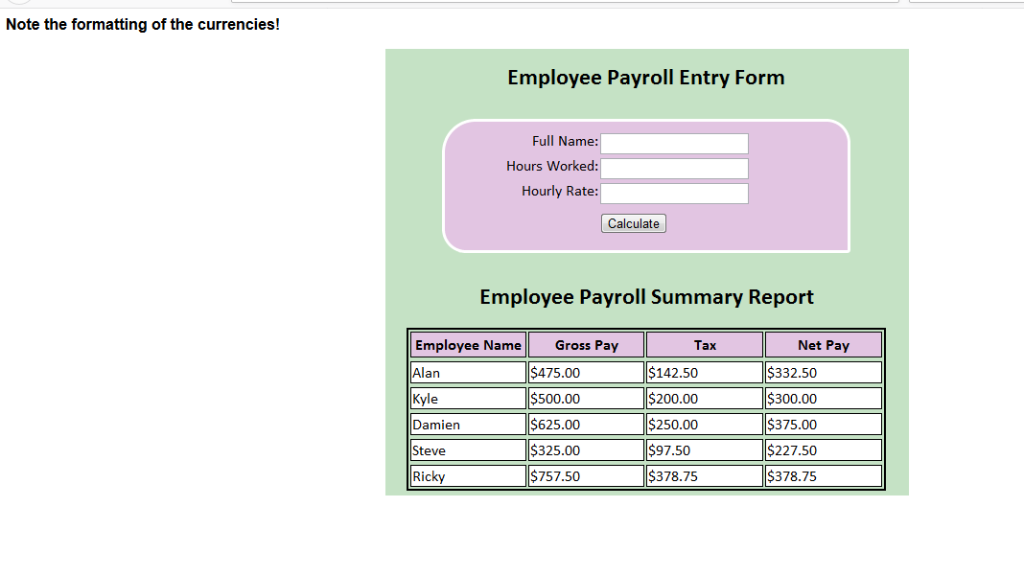
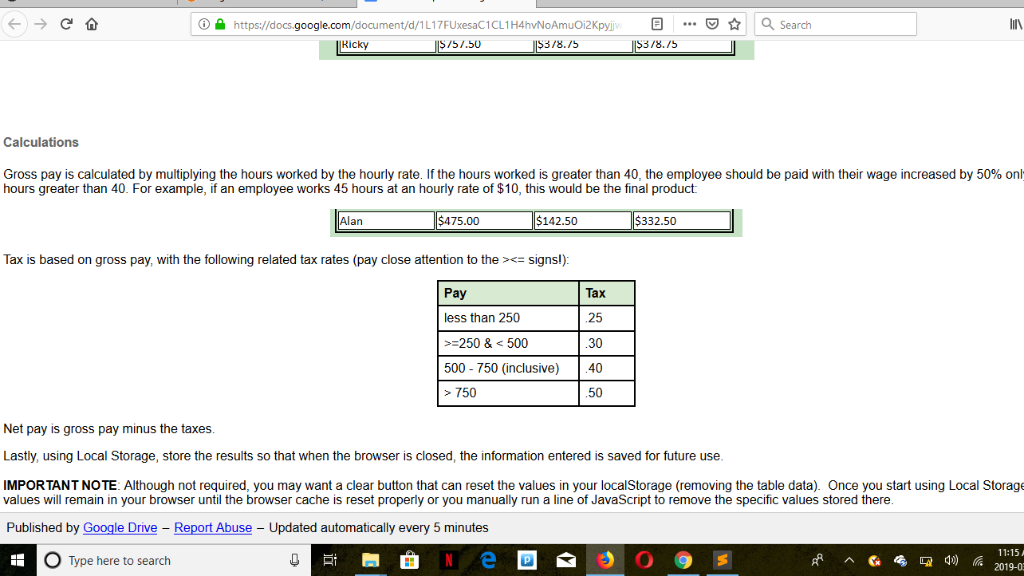
Employee Payroll Entry & Report Markup & Styles The markup is provided for you with a file called employees.html. Notice the link to the CSS, the names of the ID's used, and the references to script that you will have to are also provided for you in a file called employees.css. Feel free to change the styles as you see fit, as long as main output is still maintained The form contained within the markup will take in an employee's name, hourly wage, and hours worked. Ensure the user has entered valid numbers for the hourly wage a When the "Calculate" button is clicked (use an event listener), the information will be used to calculate the employee's gross pay, taxes paid and net pay. Employee Payroll Entry Form Full Name: Hours Worked Hourly Rate Calculate The information will then be added as a new row in the Employee Payroll Summary table below. The fields should then be cleared of all data and focus set to the full name Note the formatting of the currencies! O Type here to search Note the formatting of the currencies! Employee Payroll Entry Fornm Full Name: Hours Worked Hourly Rate Calculate Employee Payroll Summary Report Employee Name Alan Kyle Damien Steve Ricky Net Pay Gross Pay $475.00 500.00 $625.00 $325.00 $757.50 Tax $142.50 200.00 $250.00 97.50 $378.75 $332.50 300.00 $375.00 $227.50 $378.75 enttps://docs.google.com 3/8./5 asearch document/d/1 L1 7FUxesaC1CL1H4hvNoAmuOi2Kpyiv Ricky .. 751.50 3/8.15 Calculations Gross pay is calculated by multiplying the hours worked by the hourly rate. If the hours worked is greater than 40 the employee should be paid with their wage increased by 50% on hours greater than 40. For example, if an employee works 45 hours at an hourly rate of $10, this would be the final product Alan 475.00 142.50 332.50 Tax is based on gross pay, with the following related tax rates (pay close attention to thesigns!) Pay Tax 25 30 40 50 less than 250 250 &500 500- 750 (inclusive) > 750 Net pay is gross pay minus the taxes Lastly, using Local Storage, store the results so that when the browser is closed, the information entered is saved for future use IMPORTANT NOTE: Although not required, you may want a clear button that can reset the values in your localStorage (removing the table data). Once you start using Local Storage values will remain in your browser until the browser cache is reset properly or you manually run a line of JavaScript to remove the specific values stored there Published by Google Drive Report Abuse - Updated automatically every 5 minutes 11:15A 2019-0 Type here to search
Step by Step Solution
There are 3 Steps involved in it

Get step-by-step solutions from verified subject matter experts
 Study Help