







Question: Enter a function in cell 612 to calculate the standard deviation of column c. Enter a function in cell 613 to calculate the variance between
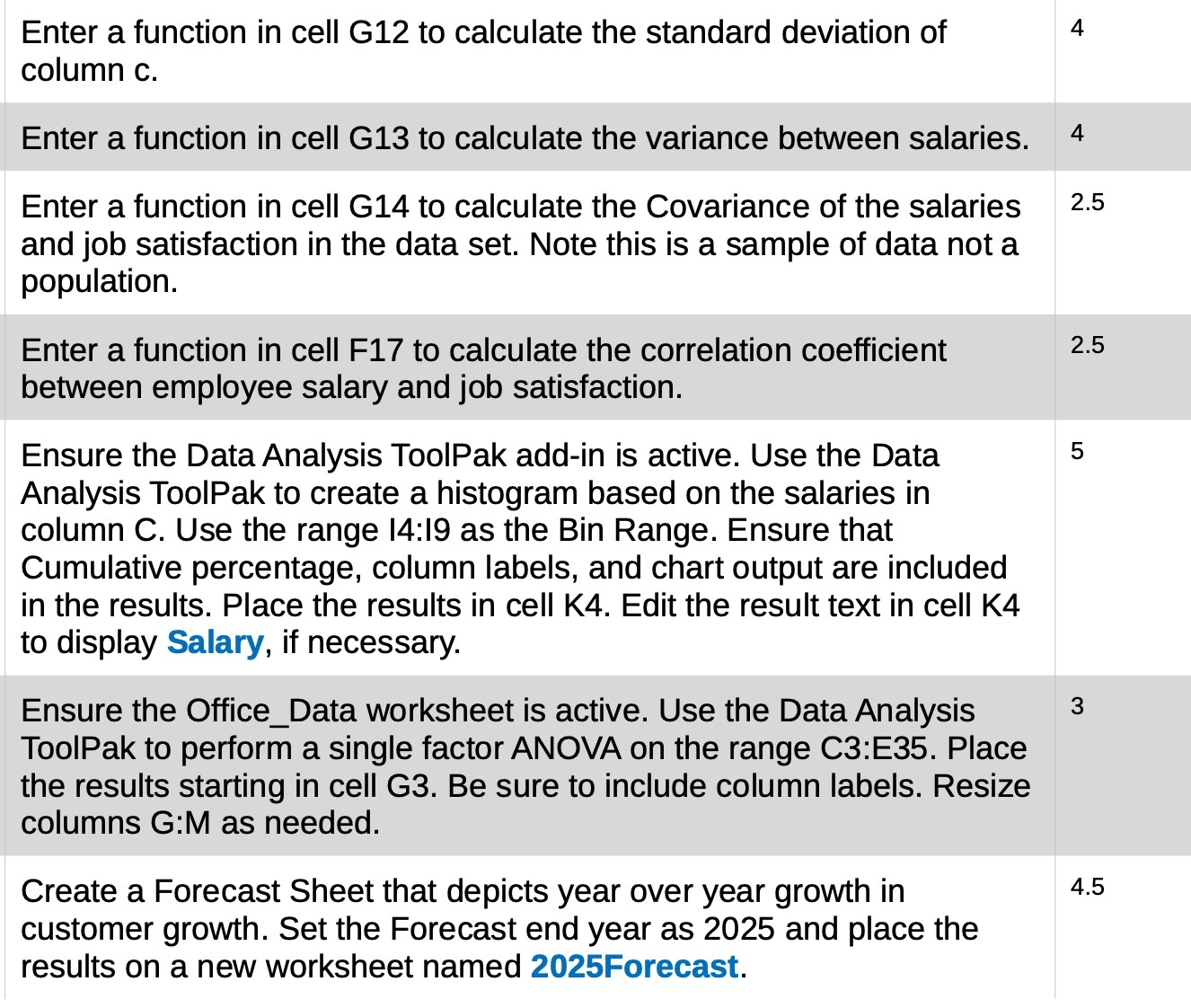
Enter a function in cell 612 to calculate the standard deviation of column c. Enter a function in cell 613 to calculate the variance between salaries. Enter a function in cell G14 to calculate the Covariance of the salaries and job satisfaction in the data set. Note this is a sample of data not a population. Enter a function in cell F17 to calculate the correlation coefficient between employee salary and job satisfaction. Ensure the Data Analysis ToolPak add-in is active. Use the Data Analysis ToolPak to create a histogram based on the salaries in column C. Use the range I4:|9 as the Bin Range. Ensure that Cumulative percentage, column labels, and chart output are included in the results. Place the results in cell K4. Edit the result text in cell K4 to display Salary, if necessary. Ensure the Office_Data worksheet is active. Use the Data Analysis ToolPak to perform a single factor ANOVA on the range C3:E35. Place the results starting in cell G3. Be sure to include column labels. Resize columns G:M as needed. Create a Forecast Sheet that depicts year over year growth in customer growth. Set the Forecast end year as 2025 and place the results on a new worksheet named 2025Forecast. 2.5 2.5 4.5
Step by Step Solution
There are 3 Steps involved in it

Get step-by-step solutions from verified subject matter experts
 Study Help