







Question: Create a Spring Boot project. You will need Lombok, Spring Web, Thymeleaf, H2 database, Java Mail Sender, Spring Security and Spring Data JDBC as
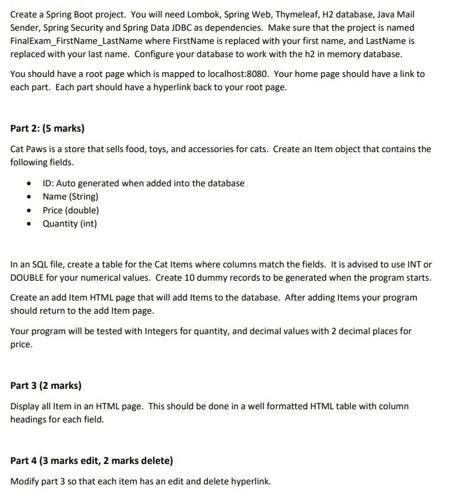
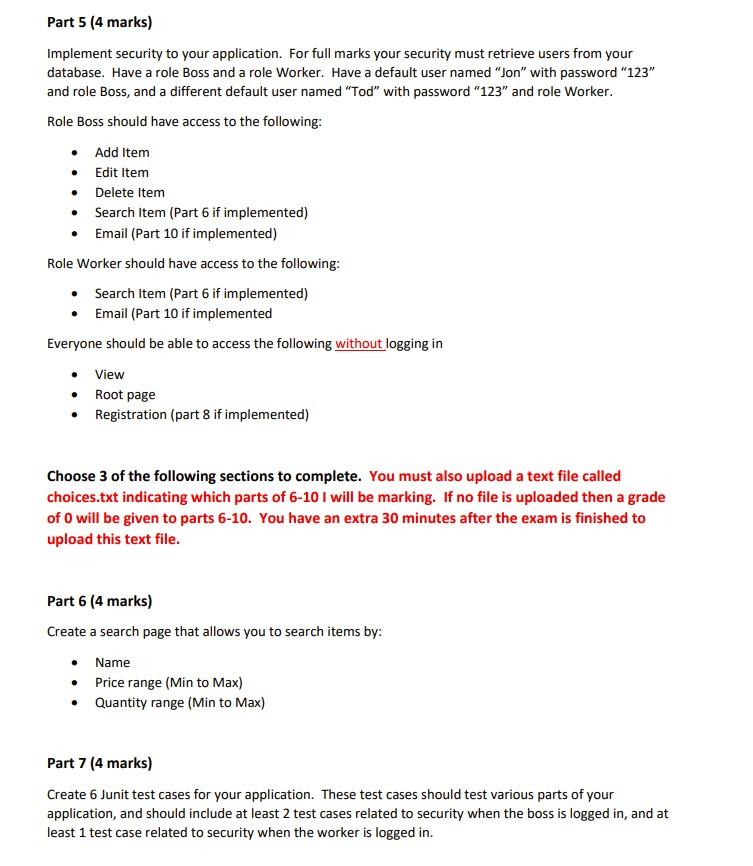
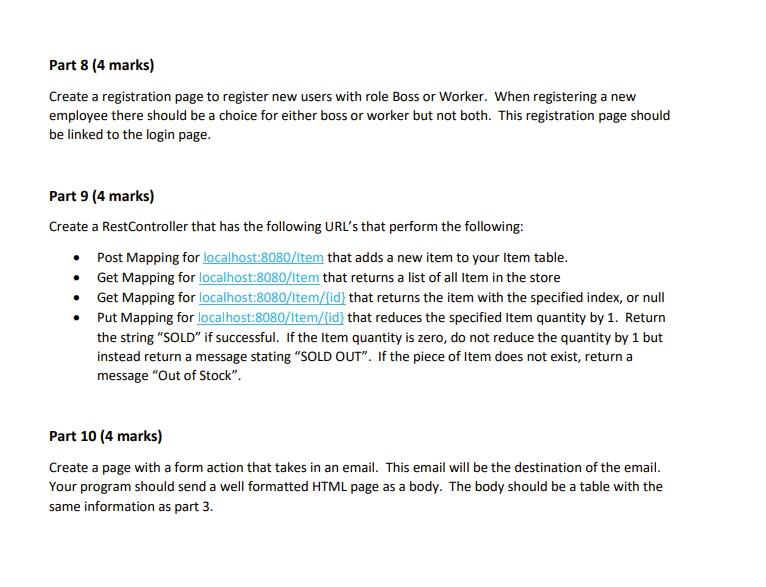
Create a Spring Boot project. You will need Lombok, Spring Web, Thymeleaf, H2 database, Java Mail Sender, Spring Security and Spring Data JDBC as dependencies. Make sure that the project is named Final Exam_FirstName_LastName where FirstName is replaced with your first name, and LastName is replaced with your last name. Configure your database to work with the h2 in memory database. You should have a root page which is mapped to localhost:8080. Your home page should have a link to each part. Each part should have a hyperlink back to your root page. Part 2: (5 marks) Cat Paws is a store that sells food, toys, and accessories for cats. Create an Item object that contains the following fields. ID: Auto generated when added into the database Name (String) Price (double) Quantity (int) In an SQL file, create a table for the Cat Items where columns match the fields. It is advised to use INT or DOUBLE for your numerical values. Create 10 dummy records to be generated when the program starts. Create an add Item HTML page that will add Items to the database. After adding Items your program should return to the add Item page. Your program will be tested with Integers for quantity, and decimal values with 2 decimal places for price. Part 3 (2 marks) Display all Item in an HTML page. This should be done in a well formatted HTML table with column headings for each field. Part 4 (3 marks edit, 2 marks delete) Modify part 3 so that each item has an edit and delete hyperlink. Part 5 (4 marks) Implement security to your application. For full marks your security must retrieve users from your database. Have a role Boss and a role Worker. Have a default user named "Jon" with password "123" and role Boss, and a different default user named "Tod" with password "123" and role Worker. Role Boss should have access to the following: Add Item Edit Item Delete Item Search Item (Part 6 if implemented) Email (Part 10 if implemented) Role Worker should have access to the following: Search Item (Part 6 if implemented) Email (Part 10 if implemented Everyone should be able to access the following without logging in View Root page Registration (part 8 if implemented) Choose 3 of the following sections to complete. You must also upload a text file called choices.txt indicating which parts of 6-10 I will be marking. If no file is uploaded then a grade of 0 will be given to parts 6-10. You have an extra 30 minutes after the exam is finished to upload this text file. Part 6 (4 marks) Create a search page that allows you to search items by: Name Price range (Min to Max) Quantity range (Min to Max) Part 7 (4 marks) Create 6 Junit test cases for your application. These test cases should test various parts of your application, and should include at least 2 test cases related to security when the boss is logged in, and at least 1 test case related to security when the worker is logged in. Part 8 (4 marks) Create a registration page to register new users with role Boss or Worker. When registering a new employee there should be a choice for either boss or worker but not both. This registration page should be linked to the login page. Part 9 (4 marks) Create a RestController that has the following URL's that perform the following: Post Mapping for localhost:8080/Item that adds a new item to your Item table. Get Mapping for localhost:8080/Item that returns a list of all Item in the store Get Mapping for localhost:8080/Item/{id} that returns the item with the specified index, or null Put Mapping for localhost:8080/Item/{id} that reduces the specified Item quantity by 1. Return the string "SOLD" if successful. If the Item quantity is zero, do not reduce the quantity by 1 but instead return a message stating "SOLD OUT". If the piece of Item does not exist, return a message "Out of Stock". Part 10 (4 marks) Create a page with a form action that takes in an email. This email will be the destination of the email. Your program should send a well formatted HTML page as a body. The body should be a table with the same information as part 3.
Step by Step Solution
There are 3 Steps involved in it
Creating a Spring Boot project with the specified dependencies and configurations is a stepbystep process Heres a guide to help you set up the project as described Step 1 Set Up the Project 1 Open you... View full answer

Get step-by-step solutions from verified subject matter experts
 Study Help