







Question: Equipment needed Chips 74LS83 and other assorted TTL chips Logic Trainer Multisim Software Pre-lab: A) Using two 4-Bit Binary Full Adder chips (7483) and any
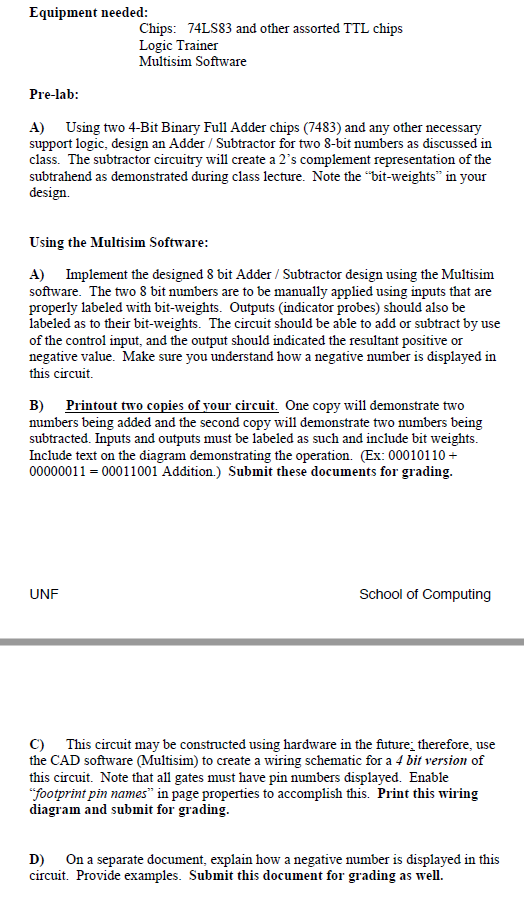
Equipment needed Chips 74LS83 and other assorted TTL chips Logic Trainer Multisim Software Pre-lab: A) Using two 4-Bit Binary Full Adder chips (7483) and any other necessary support logic, design an Adder / Subtractor for two 8-bit numbers as discussed in class. The subtractor circuitry will create a 2's complement representation of the subtrahend as demonstrated during class lecture. Note the "bit-weights" in your design Using the Multisim Software: A) Implement the designed 8 bit Adder / Subtractor design using the Multisim software. The two 8 bit numbers are to be manually applied using inputs that are properly labeled with bit-weights. Outputs (indicator probes) should also be labeled as to their bit-weights. The circuit should be able to add or subtract by use of the control input, and the output should indicated the resultant positive or negative value. Make sure you understand how a negative number is displayed in this circuit. B) Printout two copies of vour circu numbers being added and the second copy will demonstrate two numbers being subtracted. Inputs and outputs must be labeled as such and include bit weights. Include text on the diagram demonstrating the operation. (Ex: 00010110+ 00000011-00011001 Addition.) Submit these documents for grading it. One copy will demonstrate two UNF School of omputing C) This circuit may be constructed using hardware in the future; therefore, use the CAD software (Multisim) to create a wiring schematic for a 4 bit version of this circuit. Note that all gates must have pin numbers displayed. Enable footprint pin names" in page properties to accomplish this. Print this wiring diagram and submit for grading D) On a separate document, explain how a negative number is displayed in this circuit. Provide examples. Submit this document for grading as wel. Equipment needed Chips 74LS83 and other assorted TTL chips Logic Trainer Multisim Software Pre-lab: A) Using two 4-Bit Binary Full Adder chips (7483) and any other necessary support logic, design an Adder / Subtractor for two 8-bit numbers as discussed in class. The subtractor circuitry will create a 2's complement representation of the subtrahend as demonstrated during class lecture. Note the "bit-weights" in your design Using the Multisim Software: A) Implement the designed 8 bit Adder / Subtractor design using the Multisim software. The two 8 bit numbers are to be manually applied using inputs that are properly labeled with bit-weights. Outputs (indicator probes) should also be labeled as to their bit-weights. The circuit should be able to add or subtract by use of the control input, and the output should indicated the resultant positive or negative value. Make sure you understand how a negative number is displayed in this circuit. B) Printout two copies of vour circu numbers being added and the second copy will demonstrate two numbers being subtracted. Inputs and outputs must be labeled as such and include bit weights. Include text on the diagram demonstrating the operation. (Ex: 00010110+ 00000011-00011001 Addition.) Submit these documents for grading it. One copy will demonstrate two UNF School of omputing C) This circuit may be constructed using hardware in the future; therefore, use the CAD software (Multisim) to create a wiring schematic for a 4 bit version of this circuit. Note that all gates must have pin numbers displayed. Enable footprint pin names" in page properties to accomplish this. Print this wiring diagram and submit for grading D) On a separate document, explain how a negative number is displayed in this circuit. Provide examples. Submit this document for grading as wel
Step by Step Solution
There are 3 Steps involved in it

Get step-by-step solutions from verified subject matter experts
 Study Help