







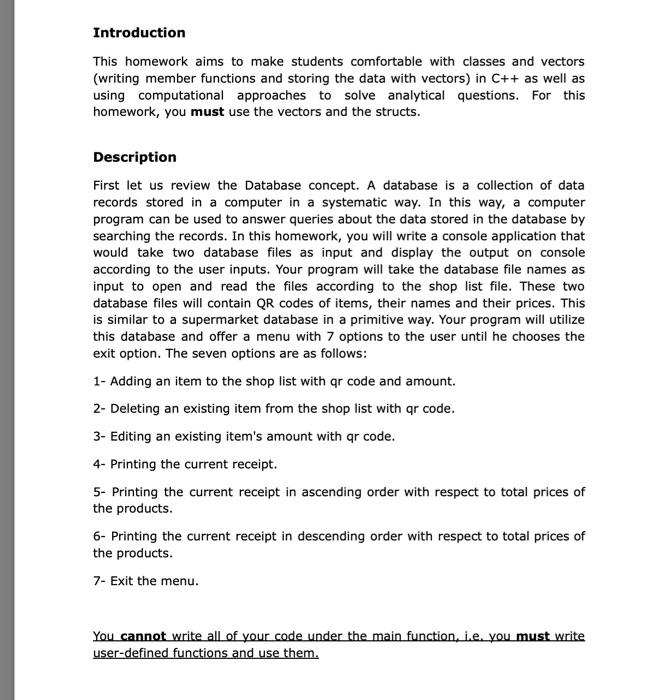
Question: everything that needed is given below can you write me the code according to the samples and the structure that i have provided Sample Runs
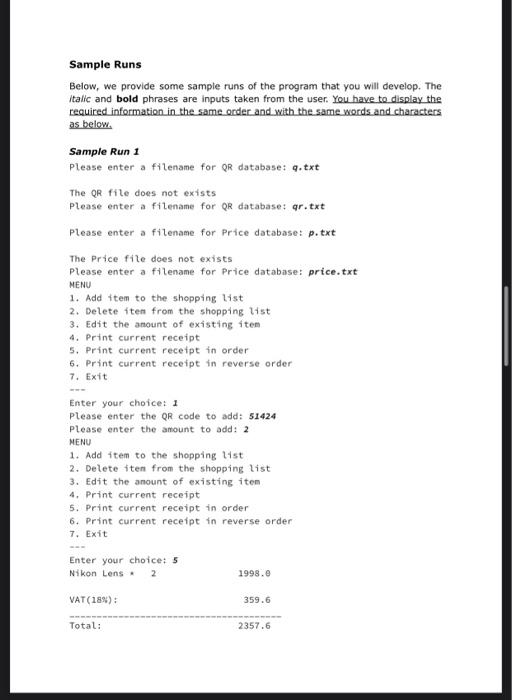
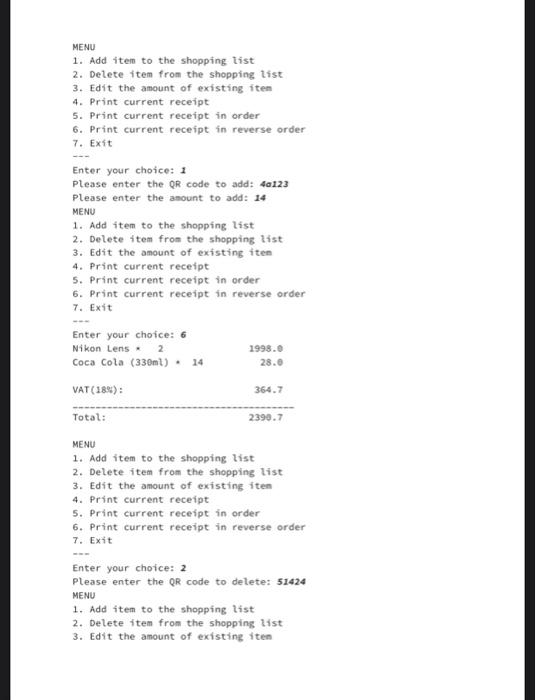
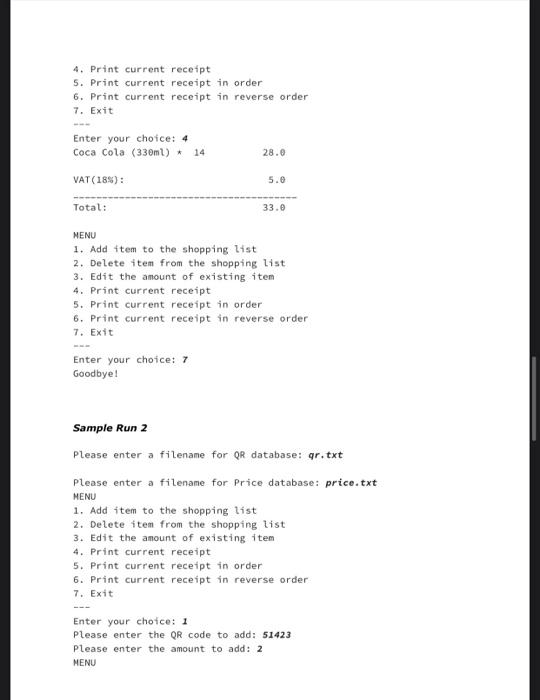
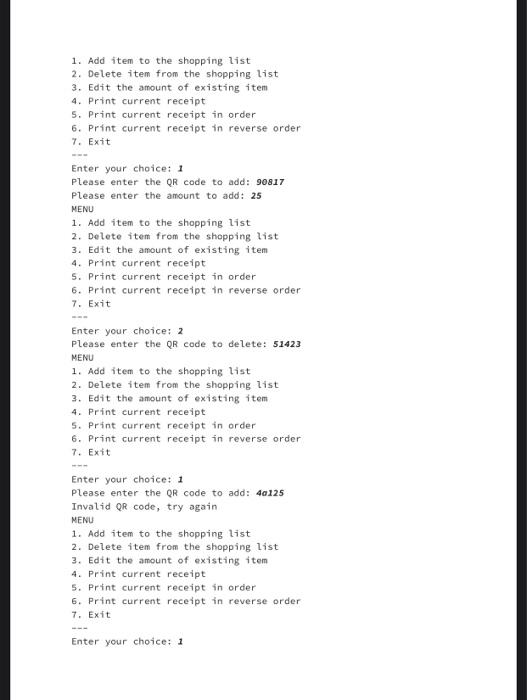
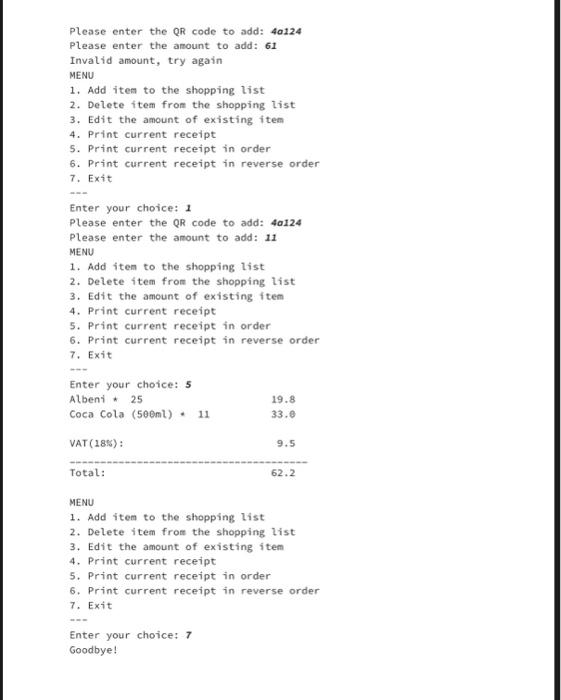
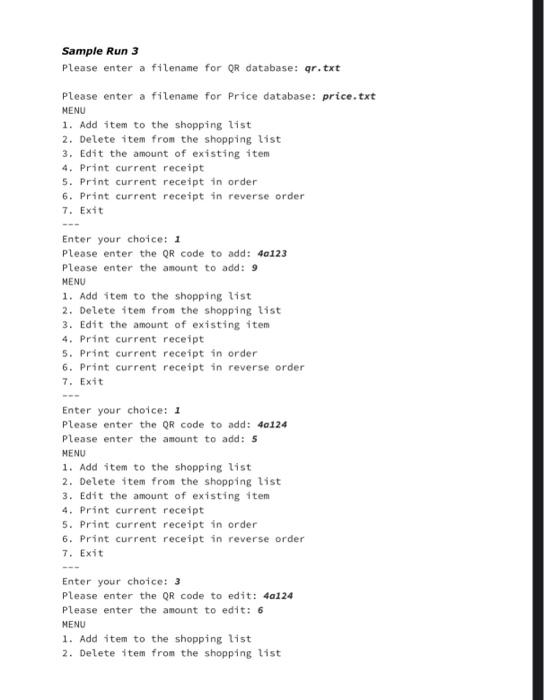
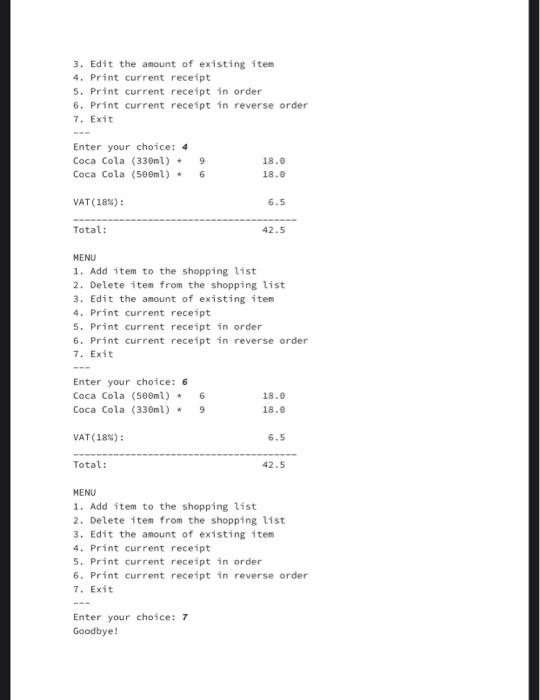
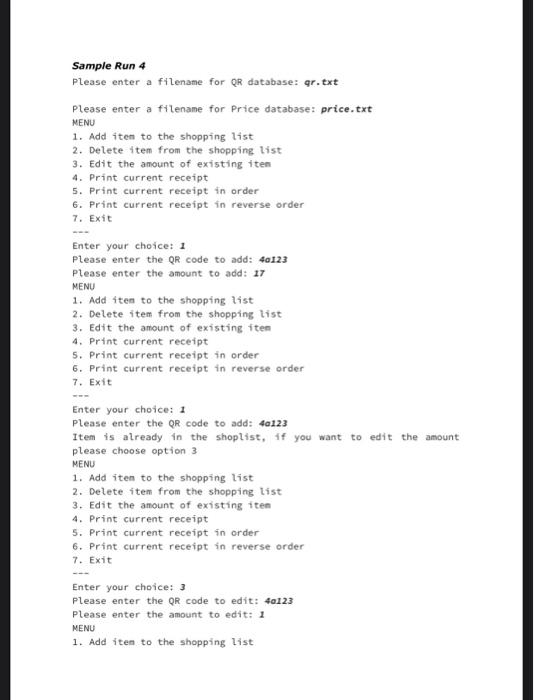
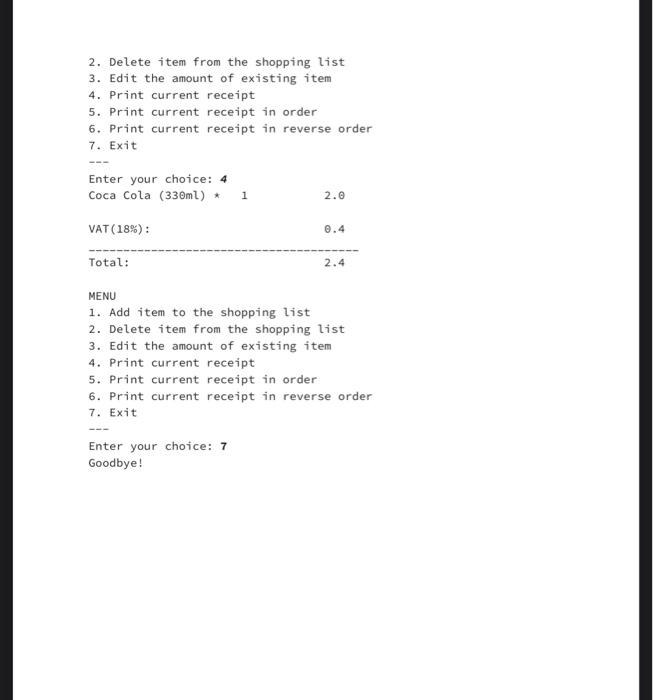
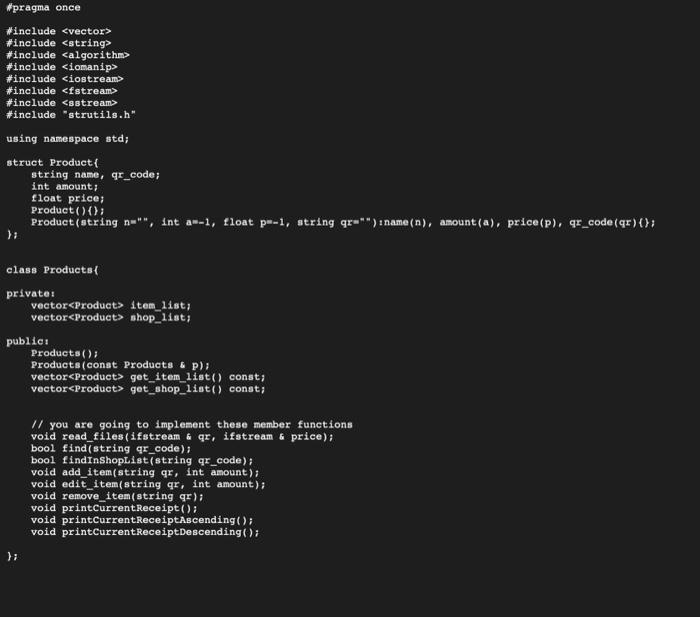
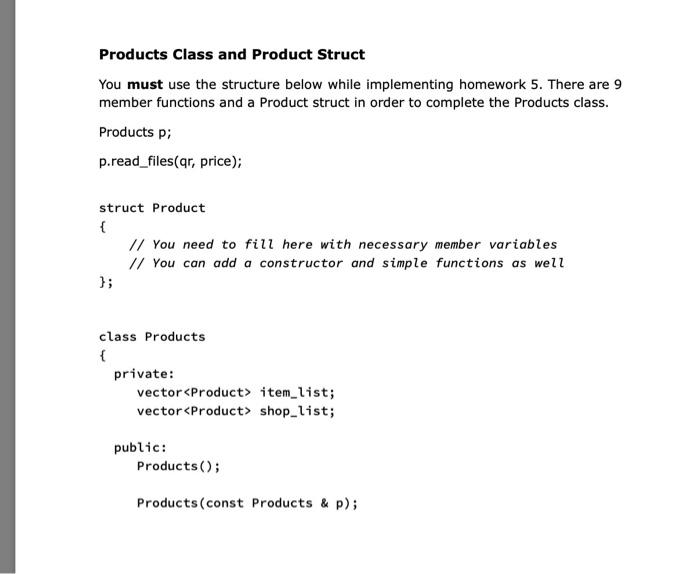
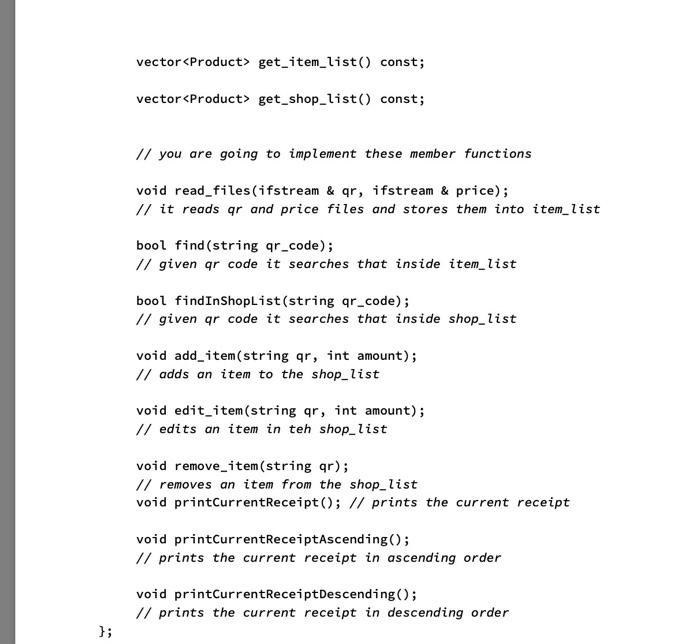
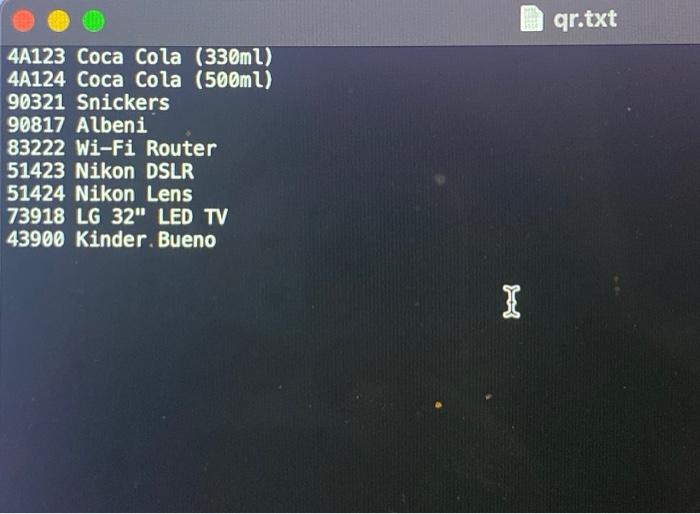
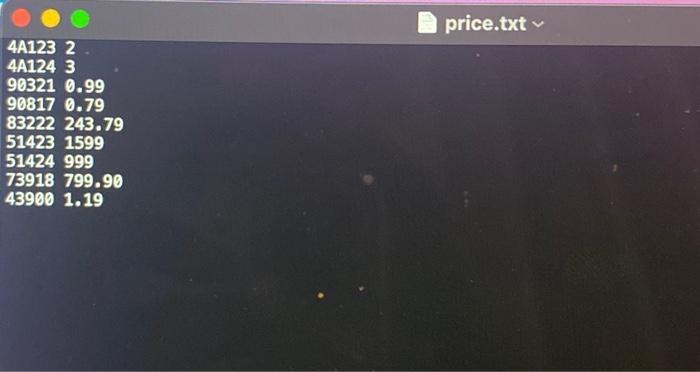
Sample Runs Below, we provide some sample runs of the program that you will develop. The Italic and bold phrases are inputs taken from the user. You have to display the required information in the same order and with the same words and characters as below. Sample Run 1 Please enter a filename for QR database: q.txt The QR file does not exists Please enter a filename for QR database: qr.txt Please enter a filename for Price database: p.txt The Price file does not exists Please enter a filename for Price database: price.txt MENU 1. Add item to the shopping list 2. Delete item from the shopping list 3. Edit the amount of existing item 4. Print current receipt 5. Print current receipt in order 6. Print current receipt in reverse order 7. Exit www Enter your choice: 11 Please enter the QR code to add: 51424 Please enter the amount to add: 2 MENU 1. Add item to the shopping list 2. Delete item from the shopping list 3. Edit the amount of existing item. 4. Print current receipt 5. Print current receipt in order 6. Print current receipt in reverse order 7. Exit Enter your choice: 5 Nikon Lens 2 1998.0 VAT (18%): Total: 359.6 2357.6
Step by Step Solution
There are 3 Steps involved in it

Get step-by-step solutions from verified subject matter experts
 Study Help