


Question: Exam requirement and instructions: *Laptop with working Multisim software Exam procedure: read carefully Use Multisim to simulate the circuit below and fill the table below,
Exam requirement and instructions: *Laptop with
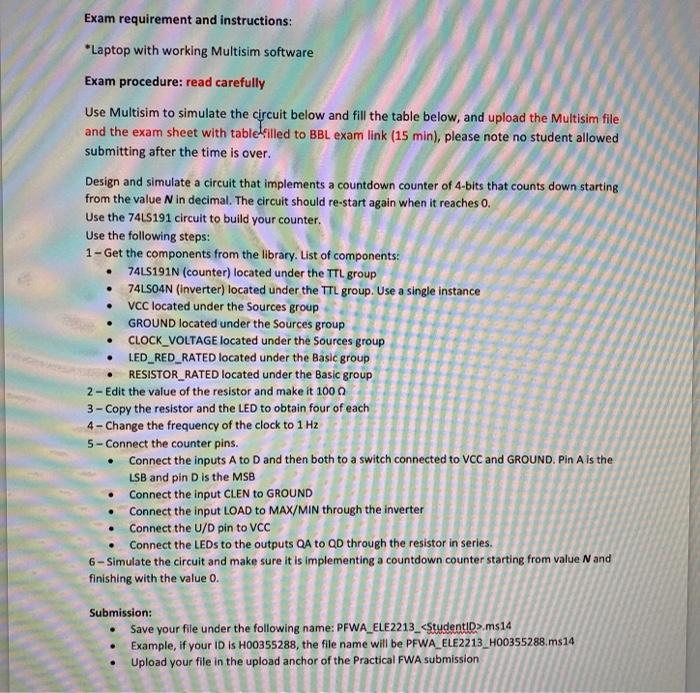
Exam requirement and instructions: *Laptop with working Multisim software Exam procedure: read carefully Use Multisim to simulate the circuit below and fill the table below, and upload the Multisim file and the exam sheet with table filled to BBL exam link (15 min), please note no student allowed submitting after the time is over. Design and simulate a circuit that implements a countdown counter of 4-bits that counts down starting from the value N in decimal. The circuit should re-start again when it reaches 0. Use the 74LS191 circuit to build your counter. Use the following steps: 1 - Get the components from the library. List of components: 74LS191N (counter) located under the TTL group 74LSO4N (Inverter) located under the TTL group. Use a single instance VCC located under the Sources group GROUND located under the Sources group CLOCK_VOLTAGE located under the Sources group LED_RED_RATED located under the Basic group RESISTOR_RATED located under the Basic group 2 - Edit the value of the resistor and make it 1000 3 - Copy the resistor and the LED to obtain four of each 4 - Change the frequency of the clock to 1 Hz 5 - Connect the counter pins. Connect the inputs A to D and then both to a switch connected to VCC and GROUND. Pin A is the LSB and pin D is the MSB Connect the input CLEN to GROUND Connect the input LOAD to MAX/MIN through the inverter Connect the U/D pin to VCC Connect the LEDs to the outputs QA to QD through the resistor in series. 6-Simulate the circuit and make sure it is implementing a countdown counter starting from value N and finishing with the value 0. . Submission: Save your file under the following name: PFWA_ELE2213_ ms14 Example, if your ID is H00355288, the file name will be PFWA_ELE2213_H00355288.ms14 Upload your file in the upload anchor of the Practical FWA submission Exam requirement and instructions: *Laptop with working Multisim software Exam procedure: read carefully Use Multisim to simulate the circuit below and fill the table below, and upload the Multisim file and the exam sheet with table filled to BBL exam link (15 min), please note no student allowed submitting after the time is over. Design and simulate a circuit that implements a countdown counter of 4-bits that counts down starting from the value N in decimal. The circuit should re-start again when it reaches 0. Use the 74LS191 circuit to build your counter. Use the following steps: 1 - Get the components from the library. List of components: 74LS191N (counter) located under the TTL group 74LSO4N (Inverter) located under the TTL group. Use a single instance VCC located under the Sources group GROUND located under the Sources group CLOCK_VOLTAGE located under the Sources group LED_RED_RATED located under the Basic group RESISTOR_RATED located under the Basic group 2 - Edit the value of the resistor and make it 1000 3 - Copy the resistor and the LED to obtain four of each 4 - Change the frequency of the clock to 1 Hz 5 - Connect the counter pins. Connect the inputs A to D and then both to a switch connected to VCC and GROUND. Pin A is the LSB and pin D is the MSB Connect the input CLEN to GROUND Connect the input LOAD to MAX/MIN through the inverter Connect the U/D pin to VCC Connect the LEDs to the outputs QA to QD through the resistor in series. 6-Simulate the circuit and make sure it is implementing a countdown counter starting from value N and finishing with the value 0. . Submission: Save your file under the following name: PFWA_ELE2213_ ms14 Example, if your ID is H00355288, the file name will be PFWA_ELE2213_H00355288.ms14 Upload your file in the upload anchor of the Practical FWA submission

Step by Step Solution

There are 3 Steps involved in it

1 Expert Approved Answer
Step: 1 Unlock blur-text-image

Question Has Been Solved by an Expert!

Get step-by-step solutions from verified subject matter experts

Step: 2 Unlock
Step: 3 Unlock

Students Have Also Explored These Related General Management Questions!