







Question: Examine the following Graphical User Interface (GUI) and answer the question below: Student Registration Systems Student Registration System Student No: Full Name: Age: Programme: Convert
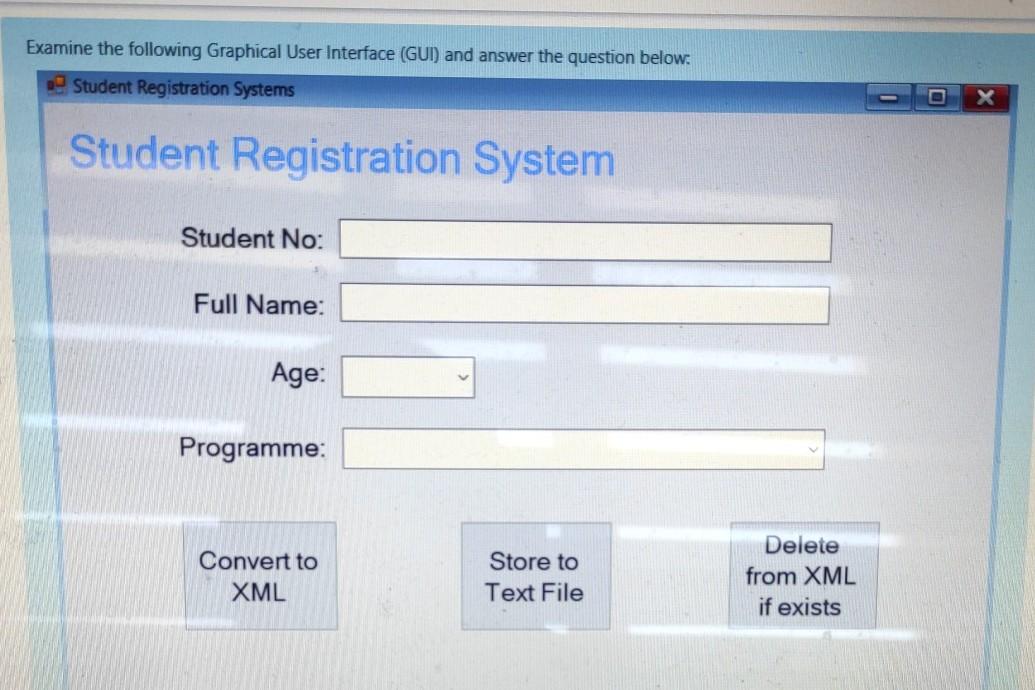
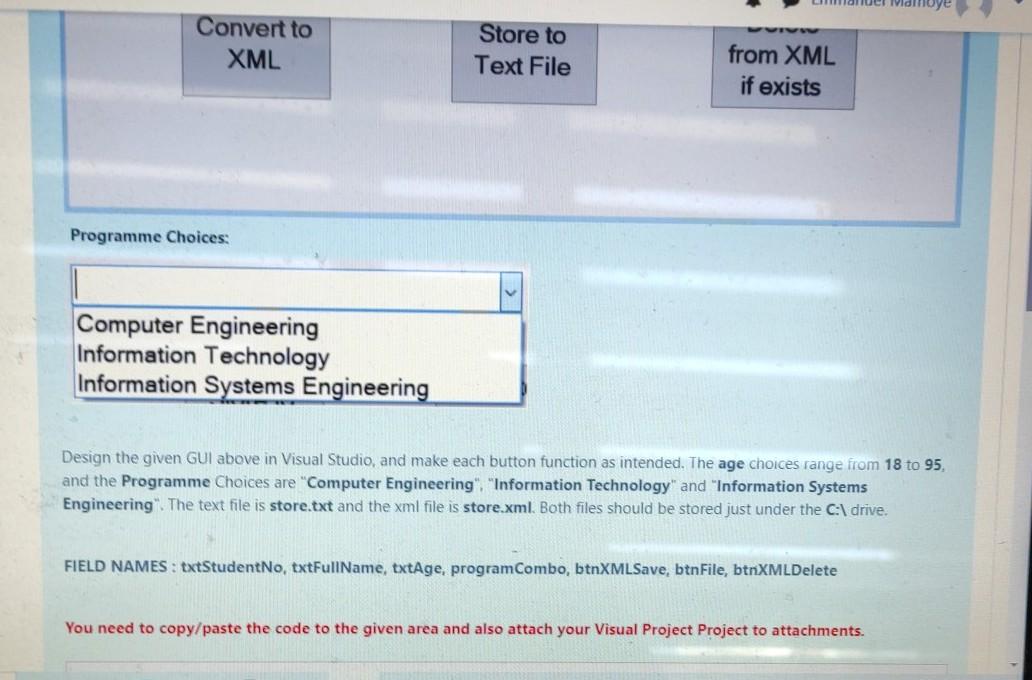
Examine the following Graphical User Interface (GUI) and answer the question below: Student Registration Systems Student Registration System Student No: Full Name: Age: Programme: Convert to XML Store to Text File Delete from XML if exists Convert to XML Store to Text File from XML if exists Programme Choices: Computer Engineering Information Technology Information Systems Engineering Design the given GUI above in Visual Studio, and make each button function as intended. The age choices range from 18 to 95, and the Programme Choices are "Computer Engineering" "Information Technology" and "Information Systems Engineering". The text file is store.txt and the xml file is store.xml. Both files should be stored just under the C:\ drive. FIELD NAMES : txtStudentNo, txtFullName, txtAge, program Combo, btnXMLSave, btnFile, btnXMLDelete You need to copy/paste the code to the given area and also attach your Visual Project Project to attachments
Step by Step Solution
There are 3 Steps involved in it

Get step-by-step solutions from verified subject matter experts
 Study Help