







Question: Example 4 Calculating returns in Excel is a relatively simple matter since we only need to input basic equations. Consider the information from the Video
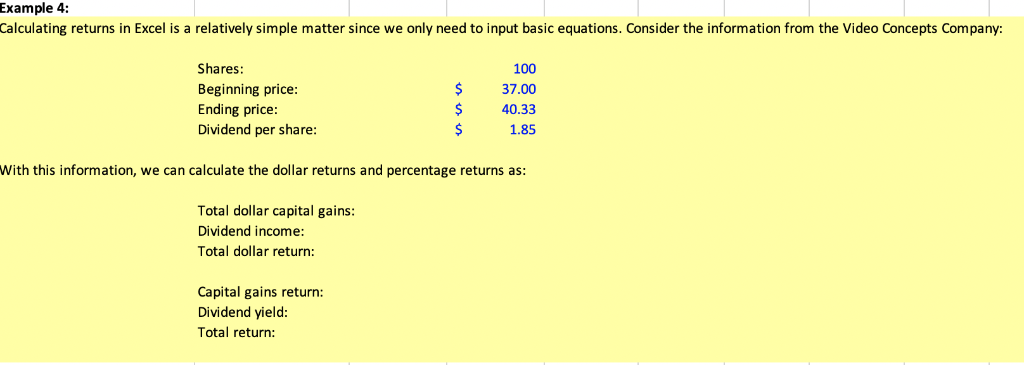
Example 4 Calculating returns in Excel is a relatively simple matter since we only need to input basic equations. Consider the information from the Video Concepts Company: Shares: 100 Beginning price: 37.00 Ending price 40.33 Dividend per share: 1.85 With this information, we can calculate the dollar returns and percentage returns as: Total dollar capital gains: Dividend income: Total dollar return: Capital gains return: Dividend vield: Total return
Step by Step Solution
There are 3 Steps involved in it
1 Expert Approved Answer
Step: 1 Unlock

Question Has Been Solved by an Expert!
Get step-by-step solutions from verified subject matter experts
Step: 2 Unlock
Step: 3 Unlock
 Study Help