







Question: Exce File Edit Vie Insert Format Tools Data Window Help 98% Sat 4:37 PM a E a vlookupprojectinstructionsfinal Search Shee Home ert Page Layout Formulas
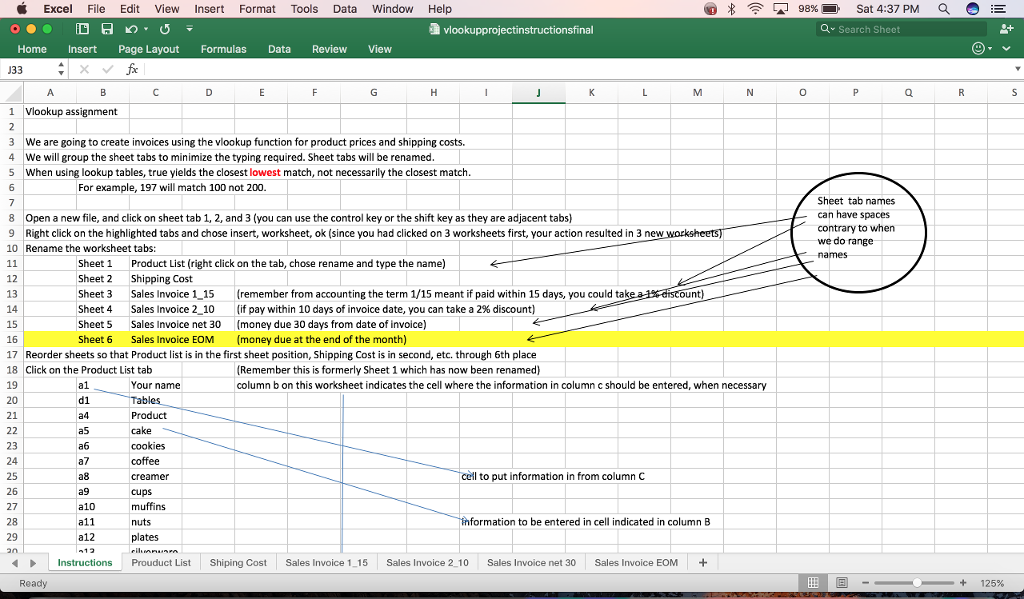
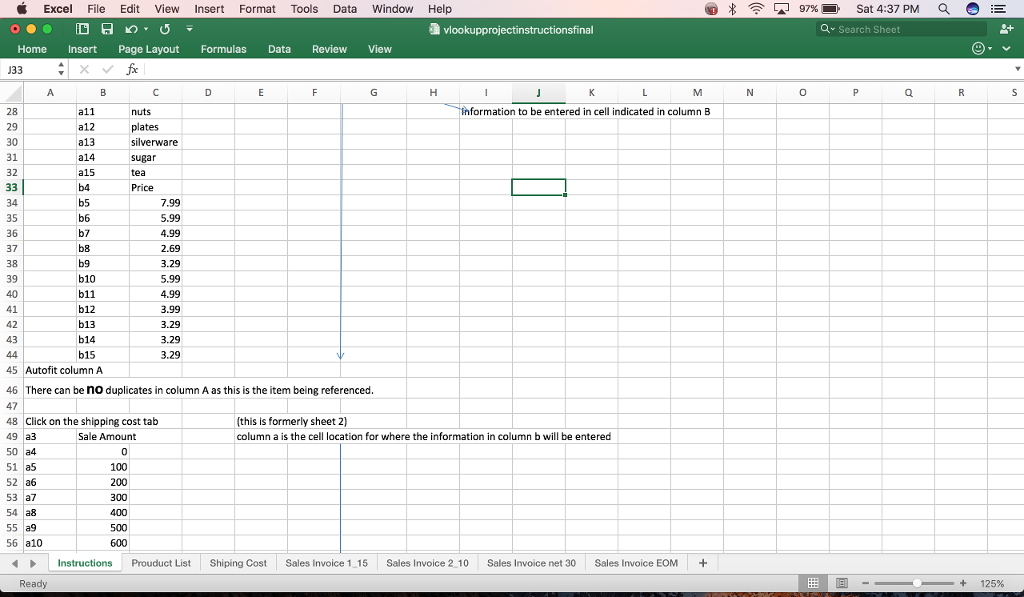
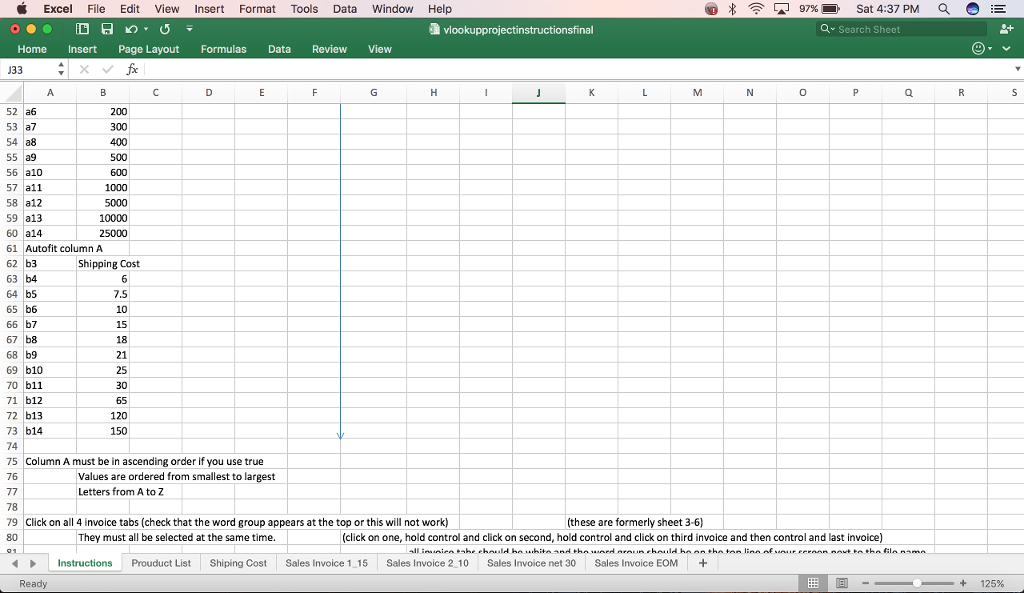
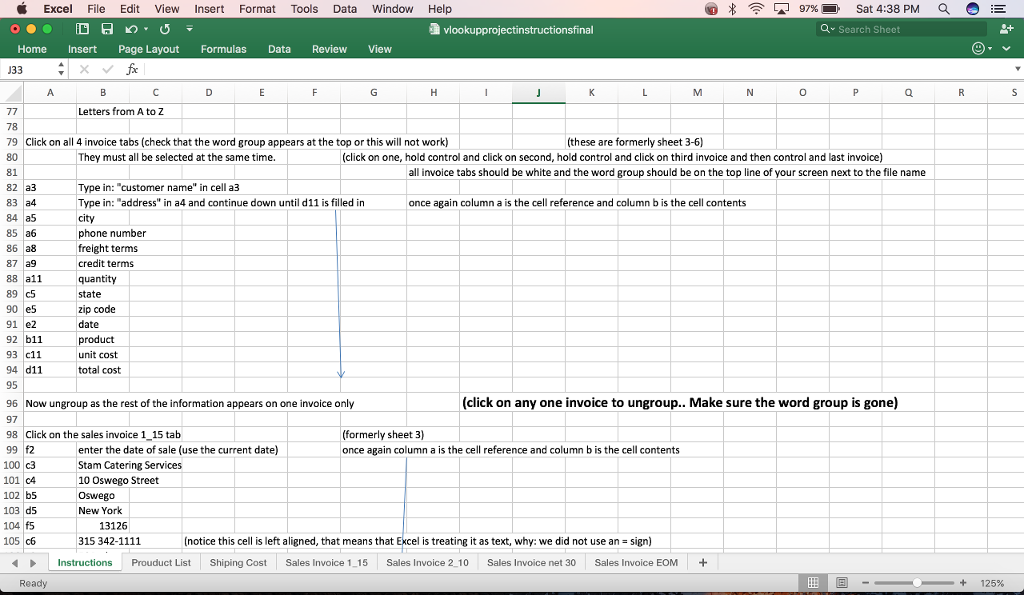
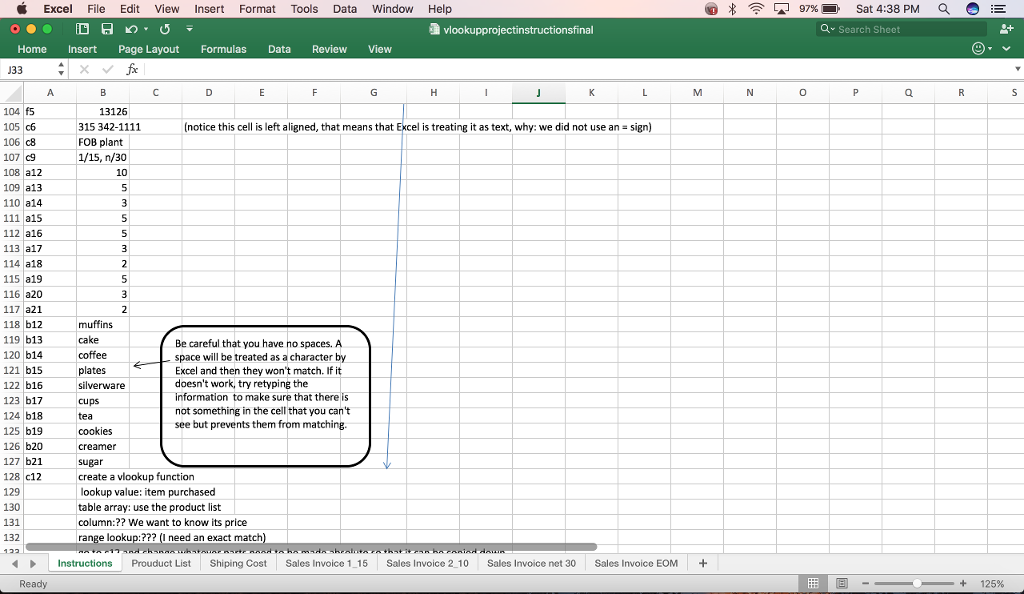
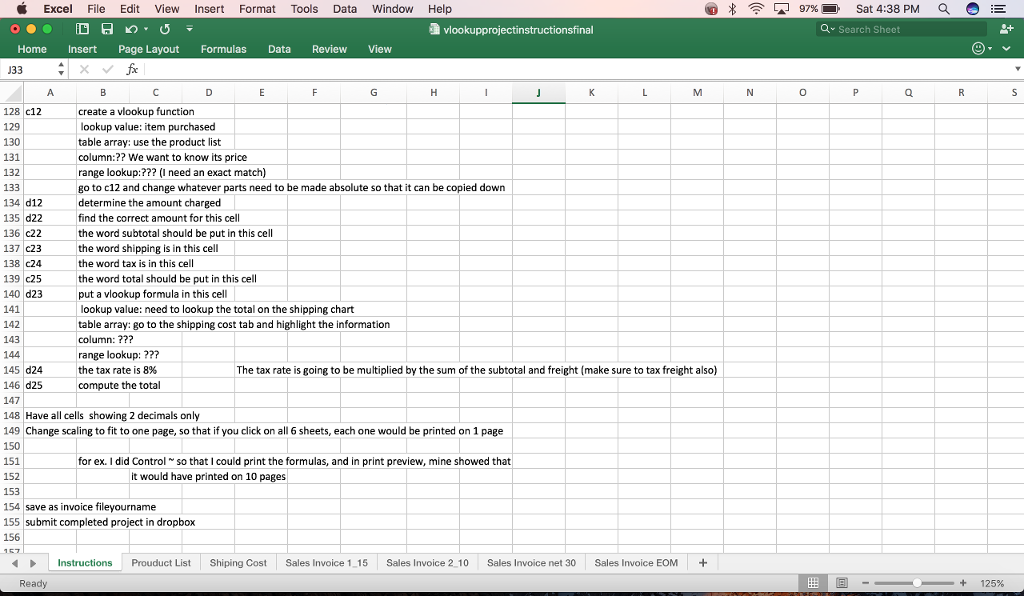
Exce File Edit Vie Insert Format Tools Data Window Help 98% Sat 4:37 PM a E a vlookupprojectinstructionsfinal Search Shee Home ert Page Layout Formulas Data Review View 33 1 Vlookup assignment We are going to create invoices using the vlookup function for product prices and shipping costs We will group the sheet tabs to minimize the typing required. Sheet tabs will be renamed When using lookup tables, true yields the closest lowest match, not necessarily the closest match For example, 197 will match 100 not 200 Sheet tab names can have spaces Open a new file, and click on sheet tab 1, 2, and 3 (you can use the control key or the shift key as they are adjacent tabs T contrary to when Right click on the highlighted tabs and chose insert, worksheet, ok ce you had clicked on 3 worksheets first, your actio resulted in 3 new n we do range 10 Rename the worksheet tabs: 11 sheet 1 Product List (right click on the tab, chose rename and type the name Sheet 2 Shipping Cost 12 Sheet 3 Sales Invoice 1.15 remember from accounting the term 1/15 meant if paid within 15 days, you could tak 14 Sheet 4 Sales Invoice 2 10 (if pay within 10 days of invoice date, you can take a 2% discount) Sheet 5 Sales Invoice net 30 money due 30 days from date of invoice) Sheet 6 Sales Invoice EOM money due at the end of the month 16 17 Reorder sheets so that Product list is in the first sheet position, Shipping Cost is in second, etc. through 6th place 18 Click on the Product List tab (Remember this is formerly Sheet 1 which has now been renamed) column b on this worksheet indicates th cell where the information in column c should be entered, when necessary e 19 Your name 20 d1. Product cookies coffee 25 a8 Creamer cell to put information in from column C muffins. formation to be entered in cell indicated in column B 28 29 plates nstructions Prouduct List Shiping Cos Sales invoice 1 Sales Invoice 2 10 Sales Invoice net 30 Sales invoice EOM Ready 25%
Step by Step Solution
There are 3 Steps involved in it

Get step-by-step solutions from verified subject matter experts
 Study Help