







Question: Excel Chapter 3 Challenge Yourself 3 . 4 Purpose: The objective of this assignment is to learn various Excel functions that the student will apply
Excel Chapter Challenge Yourself
Purpose:
The objective of this assignment is to learn various Excel functions
that the student will apply to record data about completed and
planned college courses.
Skills needed to complete this project:
Finding Errors Using Trace Precedents and Trace Dependents Skill
Finding Data Using the VLOOKUP Function Skill
Using the Function Arguments Dialog to Enter Functions Skill
Checking Formulas for Errors Skill
Creating Formulas Referencing Data from Other Worksheets Skill
Finding Data Using the XLOOKUP Function Skill
Calculating Loan Payments Using the PMT Function Skill
Using Date and Time Functions Skill
Finding Minimum and Maximum Values Skill
Using Formula AutoComplete to Enter Functions Skill
Calculating Averages Skill
Using the Logical Function IF Skill
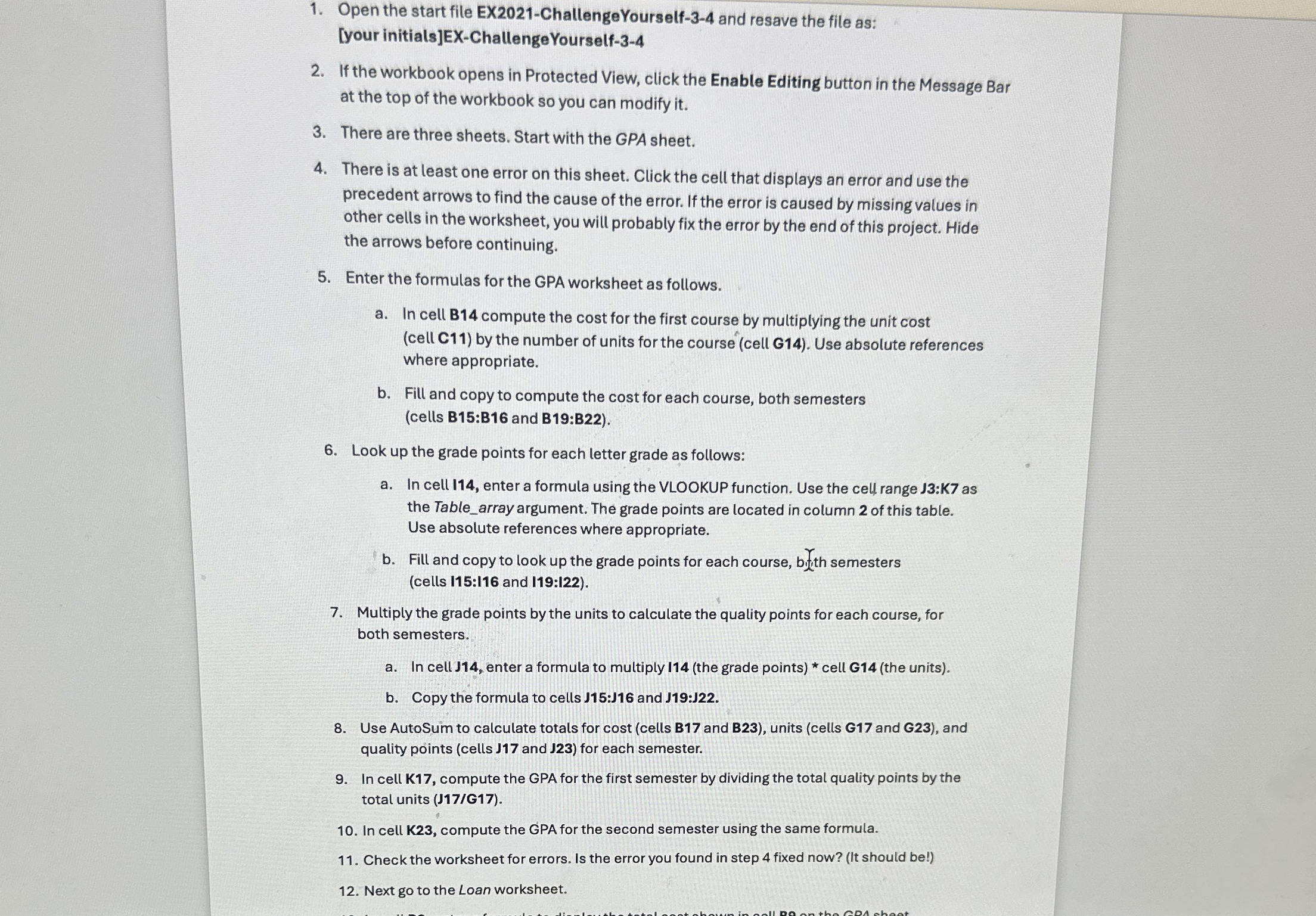
Open the start file EXChallengeYourself and resave the file as:
your initialsEXChallengeYourself
If the workbook opens in Protected View, click the Enable Editing button in the Message Bar
at the top of the workbook so you can modify it
There are three sheets. Start with the GPA sheet.
There is at least one error on this sheet. Click the cell that displays an error and use the
precedent arrows to find the cause of the error. If the error is caused by missing values in
other cells in the worksheet, you will probably fix the error by the end of this project. Hide
the arrows before continuing.
Enter the formulas for the GPA worksheet as follows.
a In cell B compute the cost for the first course by multiplying the unit cost
cell C by the number of units for the course cell G Use absolute references
where appropriate.
b Fill and copy to compute the cost for each course, both semesters
cells B:B and B:B
Look up the grade points for each letter grade as follows:
a In cell I enter a formula using the VLOOKUP function. Use the cell range J:K as
the Tablearray argument. The grade points are located in column of this table.
Use absolute references where appropriate.
b Fill and copy to look up the grade points for each course, byith semesters
cells I:I and I:I
Multiply the grade points by the units to calculate the quality points for each course, for
both semesters.
a In cell J enter a formula to multiply Ithe grade points cell Gthe units
b Copy the formula to cells J:J and J:J
Use AutoSum to calculate totals for cost cells B and B units cells G and G and
quality points cells and for each semester.
In cell K compute the GPA for the first semester by dividing the total quality points by the
total units JG
In cell K compute the GPA for the second semester using the same formula.
Check the worksheet for errors. Is the error you found in step fixed now? It should be
Next go to the Loan worksheet.
Step by Step Solution
There are 3 Steps involved in it
1 Expert Approved Answer
Step: 1 Unlock

Question Has Been Solved by an Expert!
Get step-by-step solutions from verified subject matter experts
Step: 2 Unlock
Step: 3 Unlock
 Study Help