







Question: Excel - Chapter 3- Creating and Editing Charts Matching Drag the letter from the list on the right to its matching term in the list
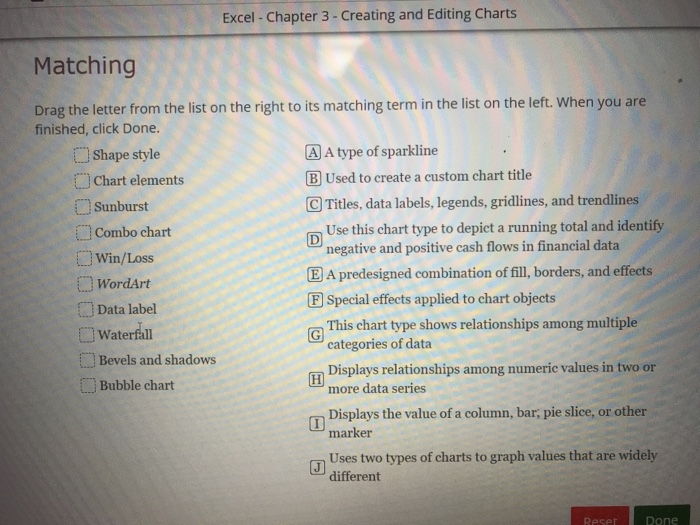
Excel - Chapter 3- Creating and Editing Charts Matching Drag the letter from the list on the right to its matching term in the list on the left. When you are finished, click Done. Shape style CO Chart elements A type of sparkline Used to create a custom chart title Sunburst CTitles, data labels, legends, gridlines, and trendlines Use this chart type to depict a running total and identify negative and positive cash flows in financial data Combo chart win/Loss WordArt Data label Waterfall EA predesigned combination of fill, borders, and effects F Special effects applied to chart objects This chart type shows relationships among multiple categories of data Bevels and shadows Bubble chart Displays relationships among numeric values in two or more data series Displays the value of a column, bar, pie slice, or other marker Uses two types of charts to graph values that are widely different Reset Done
Step by Step Solution
There are 3 Steps involved in it

Get step-by-step solutions from verified subject matter experts
 Study Help