







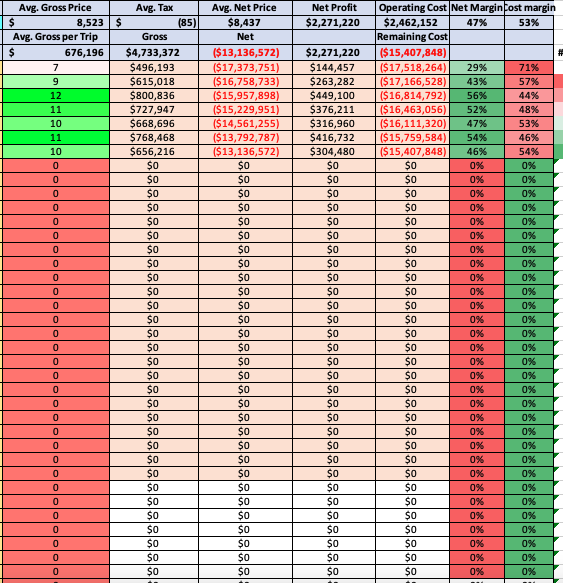
Question: Excel: How do you make the minimum number in conditional formatting greater than zero? So in the first and last two columns, I need help
Excel: How do you make the minimum number in conditional formatting greater than zero?
So in the first and last two columns, I need help figuring out how to exclude the zero as the minimum number. In other words, I want to make it so that adding a number greater than 0 adds to the conditional formatting.
Step by Step Solution
There are 3 Steps involved in it
1 Expert Approved Answer
Step: 1 Unlock

Question Has Been Solved by an Expert!
Get step-by-step solutions from verified subject matter experts
Step: 2 Unlock
Step: 3 Unlock
 Study Help