







Question: EXCEL In cell E2, enter a formula using the HLOOKUP function to determine a staff members base salary (which is based on the number of
EXCEL 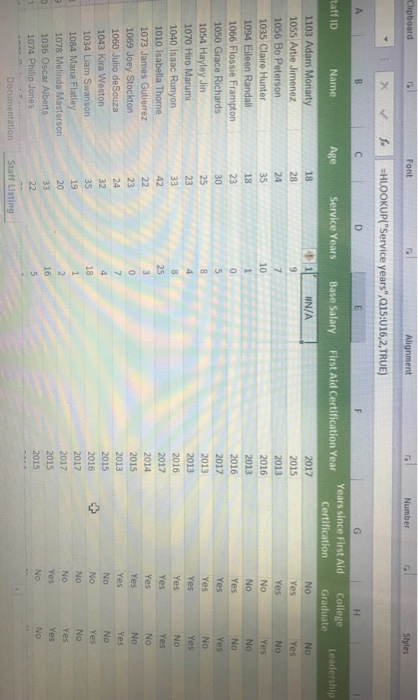
In cell E2, enter a formula using the HLOOKUP function to determine a staff members base salary (which is based on the number of years of service).
1) use a structured reference to look up the value in the service years column. Retrieve the value in the 2nd row of the table in the range Q15:U16. Since base salary is tiered based on the number of years of service, find an approximate match.
2) fill the formula into the range E3:E31, if necessary.
NOTE: I entered =
HLOOKUP(service years,Q15:U16,2,TRUE)
But it sent an error #N/A
Step by Step Solution
There are 3 Steps involved in it
1 Expert Approved Answer
Step: 1 Unlock

Question Has Been Solved by an Expert!
Get step-by-step solutions from verified subject matter experts
Step: 2 Unlock
Step: 3 Unlock
 Study Help