







Question: excel sheet formulas required 2. Complete a budget. There are two columns, expected and actual. Expected is what you thought you were going to receive.
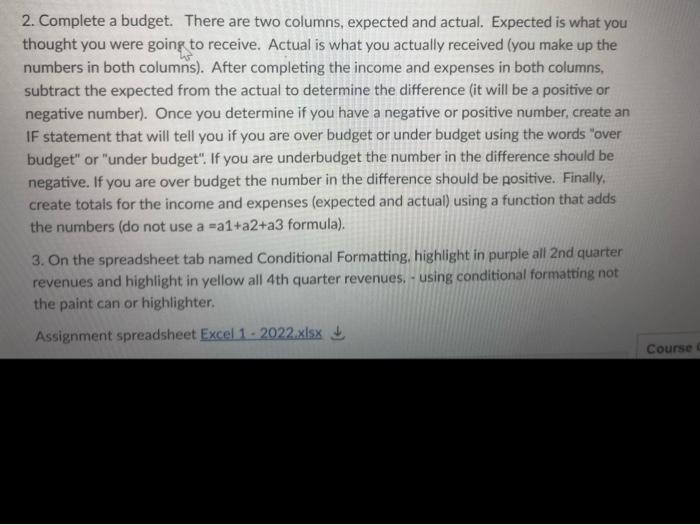
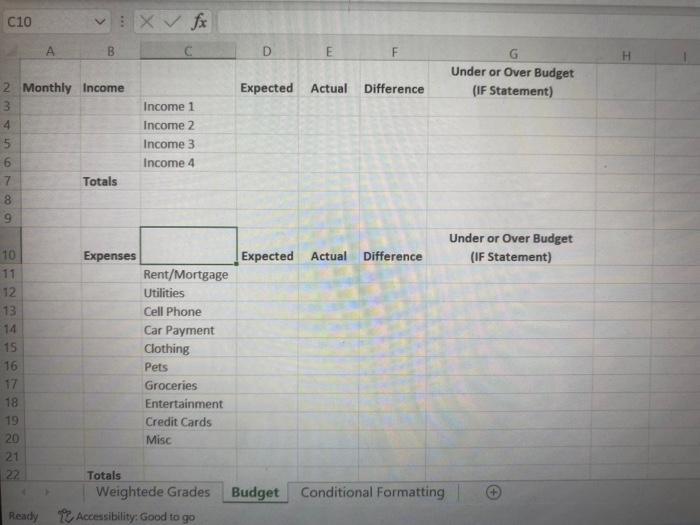
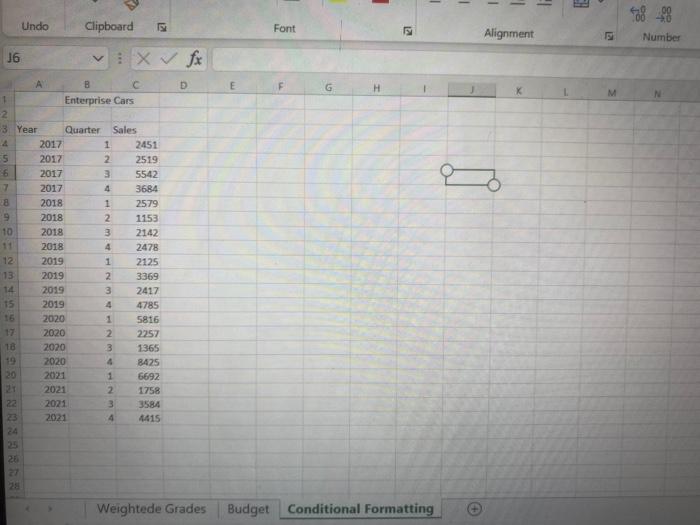
2. Complete a budget. There are two columns, expected and actual. Expected is what you thought you were going to receive. Actual is what you actually received (you make up the numbers in both columns). After completing the income and expenses in both columns, subtract the expected from the actual to determine the difference (it will be a positive or negative number). Once you determine if you have a negative or positive number, create an IF statement that will tell you if you are over budget or under budget using the words "over budget" or "under budget". If you are underbudget the number in the difference should be negative. If you are over budget the number in the difference should be positive. Finally, create totals for the income and expenses (expected and actual) using a function that adds the numbers (do not use a =a1+a2+a3 formula). 3. On the spreadsheet tab named Conditional Formatting, highlight in purple all 2nd quarter revenues and highlight in yellow all 4th quarter revenues. - using conditional formatting not the paint can or highlighter. Assignment spreadsheet Excel 1-2022.xlsx Course C10 3456789 012 BM1516718 12021 22 2 Monthly Income 11 13 14 A 19 VEX fx B Totals Expenses Totals Income 1 Income 2 Income 3 Income 4 Rent/Mortgage Utilities Cell Phone Car Payment Clothing Pets Groceries Entertainment Credit Cards Misc D Ready Accessibility: Good to go E F Expected Actual Difference Expected Actual Difference Weightede Grades Budget Conditional Formatting G Under or Over Budget (IF Statement) Under or Over Budget (IF Statement) H 16 6 1 2 -3 Year A 55 7 28 19 10 11 12 13 14 15 16 18 PAANANASAN 20 21 22 23 24 25 26 27 Undo 28 A 2017 2017 2017 2017 2018 2018 2018 2018 2019 2019 Clipboard Enterprise Cars 2019 2019 2020 2020 2020 2020 2021 2021 2021 2021 Quarter Sales INT 2 1 2451 2519 3 5542 4 3684 2579 1153 2142 2478 2125 2 3369 3 2417 4 4785 5816 2257 1365 8425 1 6692 2 1758 3 3584 4 4415 1 C 2 3 4 1 1 2 3 4 121 X fx D Weightede Grades Font G 121 1 I I Budget Conditional Formatting Alignment 12 RE > 538488 Number
Step by Step Solution
There are 3 Steps involved in it

Get step-by-step solutions from verified subject matter experts
 Study Help