







Question: Excel spreadsheet listed below and graph with category names: Add chart Layout Style 3 - include both Category Name and Percentage (inside end) Apply the
Excel spreadsheet listed below and graph with category names:

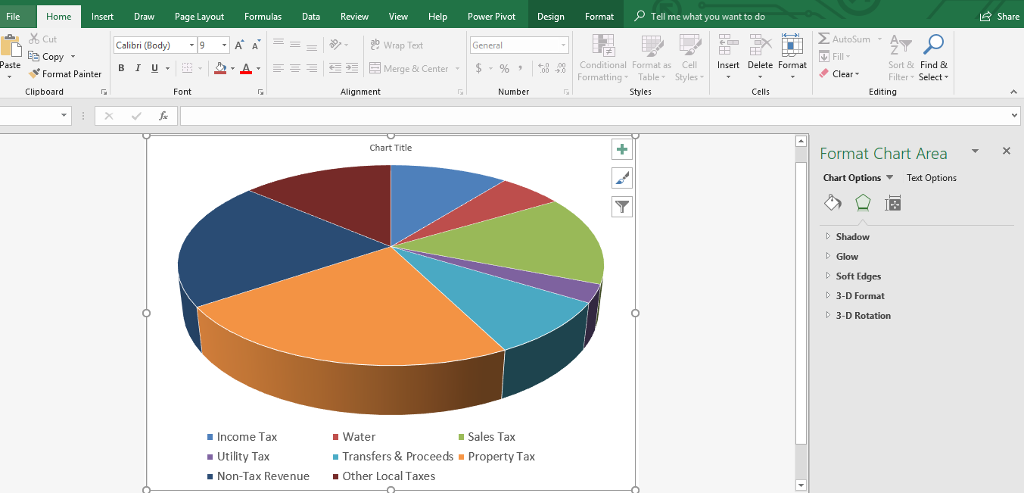
Add chart "Layout Style 3" - include both Category Name and Percentage (inside end) Apply the Circle bevell shape effect to the top and bottom of the pie chart Modify the shape effect, so that top and bottom bevels each have a height and width of 512 pt,and then set the surface material of the chart to Plastic Add chart "Layout Style 3" - include both Category Name and Percentage (inside end) Apply the Circle bevell shape effect to the top and bottom of the pie chart Modify the shape effect, so that top and bottom bevels each have a height and width of 512 pt,and then set the surface material of the chart to Plastic
Step by Step Solution
There are 3 Steps involved in it

Get step-by-step solutions from verified subject matter experts
 Study Help