







Question: Excel VBA Macros 1. The Problem 1 worksheet in the Excel template is set up to solve the following optimization problem Maximize z = 3x1
Excel VBA Macros
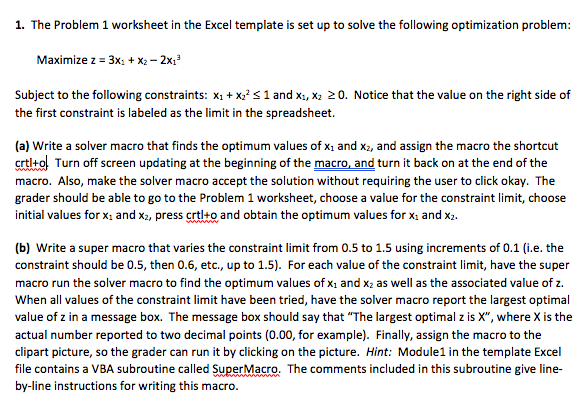
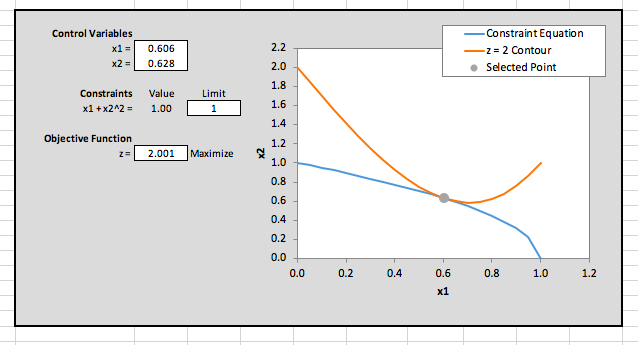
1. The Problem 1 worksheet in the Excel template is set up to solve the following optimization problem Maximize z = 3x1 + x2-2x13 Subject to the following constraints: x1 + x22S1 and xi, X2 20. Notice that the value on the right side of the first constraint is labeled as the limit in the spreadsheet. (a) Write a solver macro that finds the optimum values of x1 and x2, and assign the macro the shortcut crtlto Turn off screen updating at the beginning of the macro, and turn it back on at the end of the macro. Also, make the solver macro accept the solution without requiring the user to click okay. The grader should be able to go to the Problem 1 worksheet, choose a value for the constraint limit, choose initial values for xi and x2, press crtlo and obtain the optimum values for x and x (b) Write a super macro that varies the constraint limit from 0.5 to 1.5 using increments of 0.1 (i.e. the constraint should be 0.5, then 0.6, etc., up to 1.5). For each value of the constraint limit, have the super macro run the solver macro to find the optimum values of x1 and x2 as well as the associated value of z. When all values of the constraint limit have been tried, have the solver macro report the largest optimal value of z in a message box. The message box should say that "The largest optimal z is X", where X is the actual number reported to two decimal points (0.00, for example). Finally, assign the macro to the clipart picture, so the grader can run it by clicking on the picture. Hint: Module1 in the template Excel file contains a VBA subroutine called SuperMacro. The comments included in this subroutine give line- by-line instructions for writing this macro 1. The Problem 1 worksheet in the Excel template is set up to solve the following optimization problem Maximize z = 3x1 + x2-2x13 Subject to the following constraints: x1 + x22S1 and xi, X2 20. Notice that the value on the right side of the first constraint is labeled as the limit in the spreadsheet. (a) Write a solver macro that finds the optimum values of x1 and x2, and assign the macro the shortcut crtlto Turn off screen updating at the beginning of the macro, and turn it back on at the end of the macro. Also, make the solver macro accept the solution without requiring the user to click okay. The grader should be able to go to the Problem 1 worksheet, choose a value for the constraint limit, choose initial values for xi and x2, press crtlo and obtain the optimum values for x and x (b) Write a super macro that varies the constraint limit from 0.5 to 1.5 using increments of 0.1 (i.e. the constraint should be 0.5, then 0.6, etc., up to 1.5). For each value of the constraint limit, have the super macro run the solver macro to find the optimum values of x1 and x2 as well as the associated value of z. When all values of the constraint limit have been tried, have the solver macro report the largest optimal value of z in a message box. The message box should say that "The largest optimal z is X", where X is the actual number reported to two decimal points (0.00, for example). Finally, assign the macro to the clipart picture, so the grader can run it by clicking on the picture. Hint: Module1 in the template Excel file contains a VBA subroutine called SuperMacro. The comments included in this subroutine give line- by-line instructions for writing this macro
Step by Step Solution
There are 3 Steps involved in it

Get step-by-step solutions from verified subject matter experts
 Study Help