







Question: Exception handling (try-catch and throw) + Classes + static members + copy constructors + GUI Exercise 2: A librarian needs to keep track of the
Exception handling (try-catch and throw) + Classes + static members + copy constructors + GUI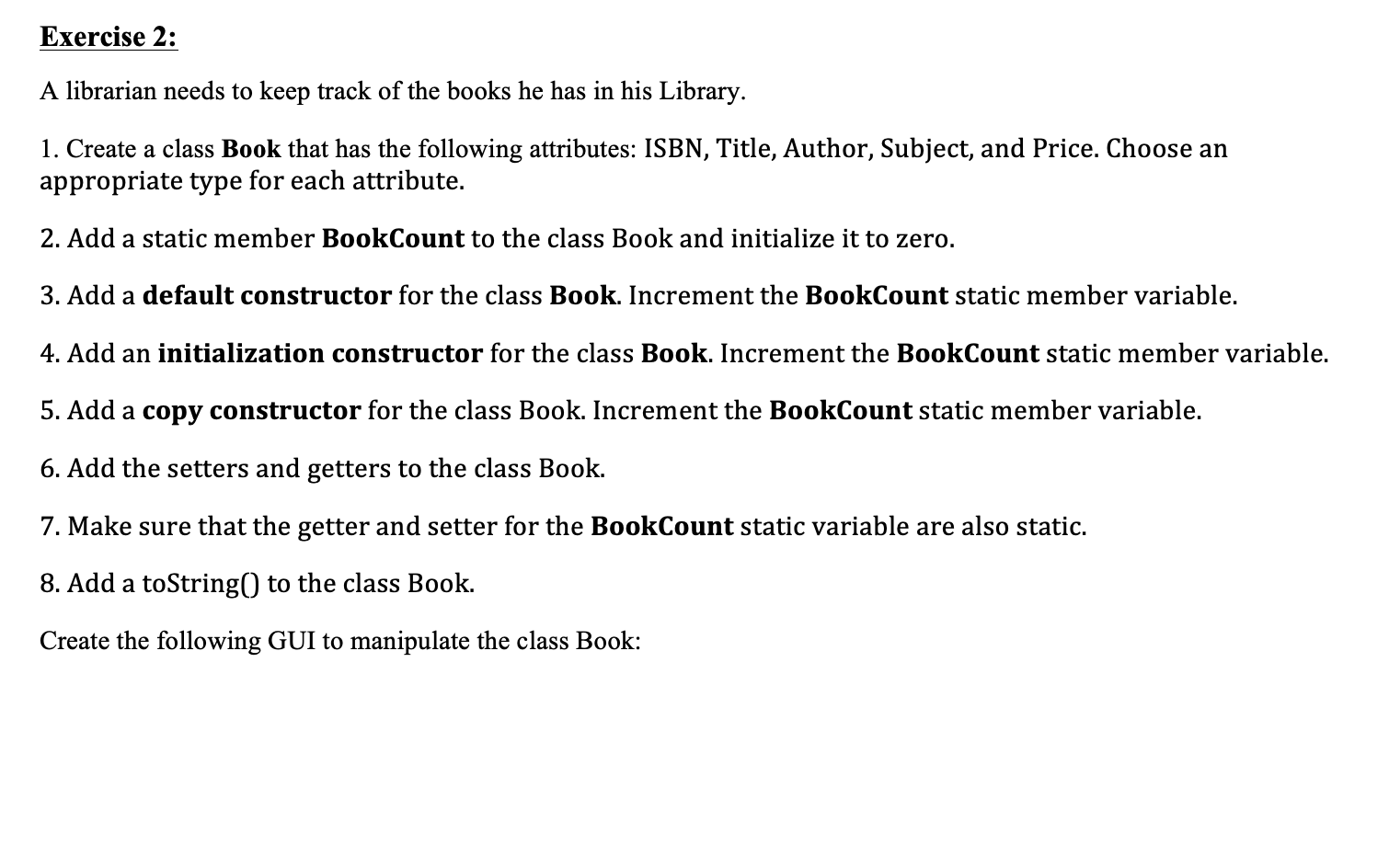
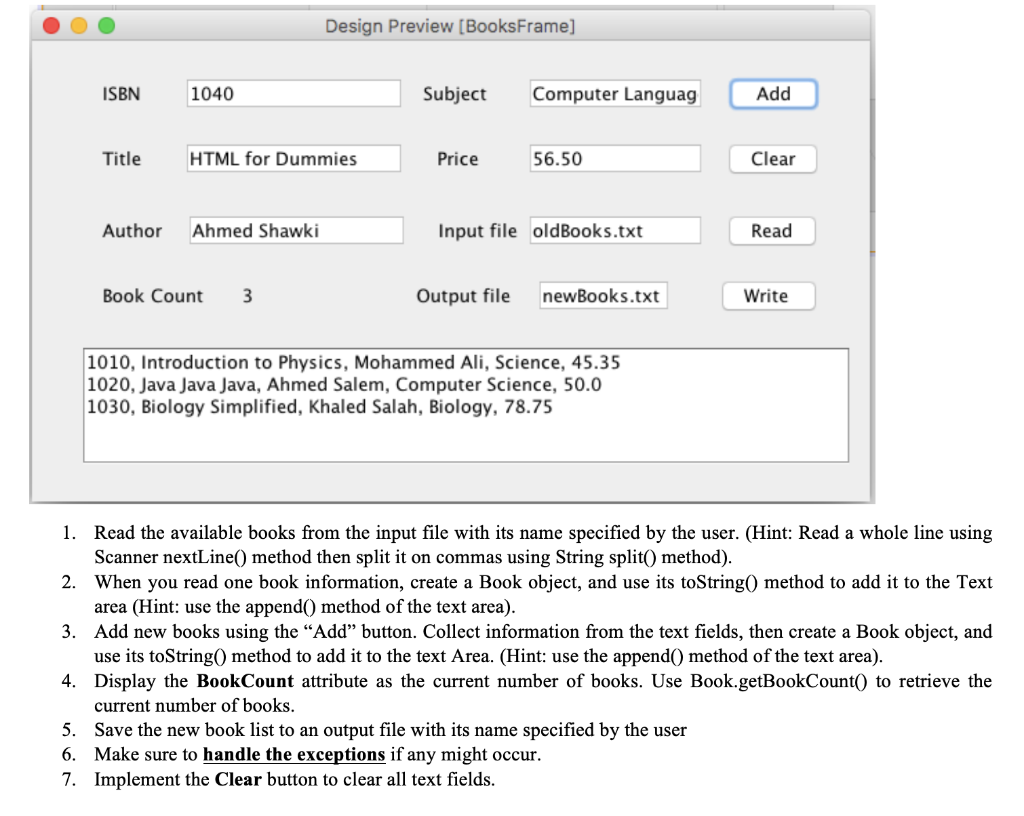
Exercise 2: A librarian needs to keep track of the books he has in his Library. 1. Create a class Book that has the following attributes: ISBN, Title, Author, Subject, and Price. Choose an appropriate type for each attribute. 2. Add a static member BookCount to the class Book and initialize it to zero. 3. Add a default constructor for the class Book. Increment the BookCount static member variable. 4. Add an initialization constructor for the class Book. Increment the BookCount static member variable. 5. Add a copy constructor for the class Book. Increment the BookCount static member variable. 6. Add the setters and getters to the class Book. 7. Make sure that the getter and setter for the BookCount static variable are also static. 8. Add a toString() to the class Book. Create the following GUI to manipulate the class Book: Design Preview [BooksFrame] ISBN 1040 Subject Computer Languag Add Title HTML for Dummies Price 56.50 Clear Author Ahmed Shawki Input file oldBooks.txt Read Book Count 3 Output file newBooks.txt Write 1010, Introduction to Physics, Mohammed Ali, Science, 45.35 1020, Java Java Java, Ahmed Salem, Computer Science, 50.0 1030, Biology Simplified, Khaled Salah, Biology, 78.75 1. Read the available books from the input file with its name specified by the user. (Hint: Read a whole line using Scanner nextLine() method then split it on commas using String split() method). 2. When you read one book information, create a Book object, and use its toString() method to add it to the Text area (Hint: use the append() method of the text area). 3. Add new books using the Add button. Collect information from the text fields, then create a Book object, and use its toString() method to add it to the text Area. (Hint: use the append() method of the text area). 4. Display the BookCount attribute as the current number of books. Use Book.getBookCount() to retrieve the current number of books. 5. Save the new book list to an output file with its name specified by the user 6. Make sure to handle the exceptions if any might occur. 7. Implement the Clear button to clear all text fields. Exercise 2: A librarian needs to keep track of the books he has in his Library. 1. Create a class Book that has the following attributes: ISBN, Title, Author, Subject, and Price. Choose an appropriate type for each attribute. 2. Add a static member BookCount to the class Book and initialize it to zero. 3. Add a default constructor for the class Book. Increment the BookCount static member variable. 4. Add an initialization constructor for the class Book. Increment the BookCount static member variable. 5. Add a copy constructor for the class Book. Increment the BookCount static member variable. 6. Add the setters and getters to the class Book. 7. Make sure that the getter and setter for the BookCount static variable are also static. 8. Add a toString() to the class Book. Create the following GUI to manipulate the class Book: Design Preview [BooksFrame] ISBN 1040 Subject Computer Languag Add Title HTML for Dummies Price 56.50 Clear Author Ahmed Shawki Input file oldBooks.txt Read Book Count 3 Output file newBooks.txt Write 1010, Introduction to Physics, Mohammed Ali, Science, 45.35 1020, Java Java Java, Ahmed Salem, Computer Science, 50.0 1030, Biology Simplified, Khaled Salah, Biology, 78.75 1. Read the available books from the input file with its name specified by the user. (Hint: Read a whole line using Scanner nextLine() method then split it on commas using String split() method). 2. When you read one book information, create a Book object, and use its toString() method to add it to the Text area (Hint: use the append() method of the text area). 3. Add new books using the Add button. Collect information from the text fields, then create a Book object, and use its toString() method to add it to the text Area. (Hint: use the append() method of the text area). 4. Display the BookCount attribute as the current number of books. Use Book.getBookCount() to retrieve the current number of books. 5. Save the new book list to an output file with its name specified by the user 6. Make sure to handle the exceptions if any might occur. 7. Implement the Clear button to clear all text fields
Step by Step Solution
There are 3 Steps involved in it

Get step-by-step solutions from verified subject matter experts
 Study Help