







Question: Executive Summary WHAT IS IT? The executive summary is a condensed synopsis of a longer document. It is placed at the beginning of the document
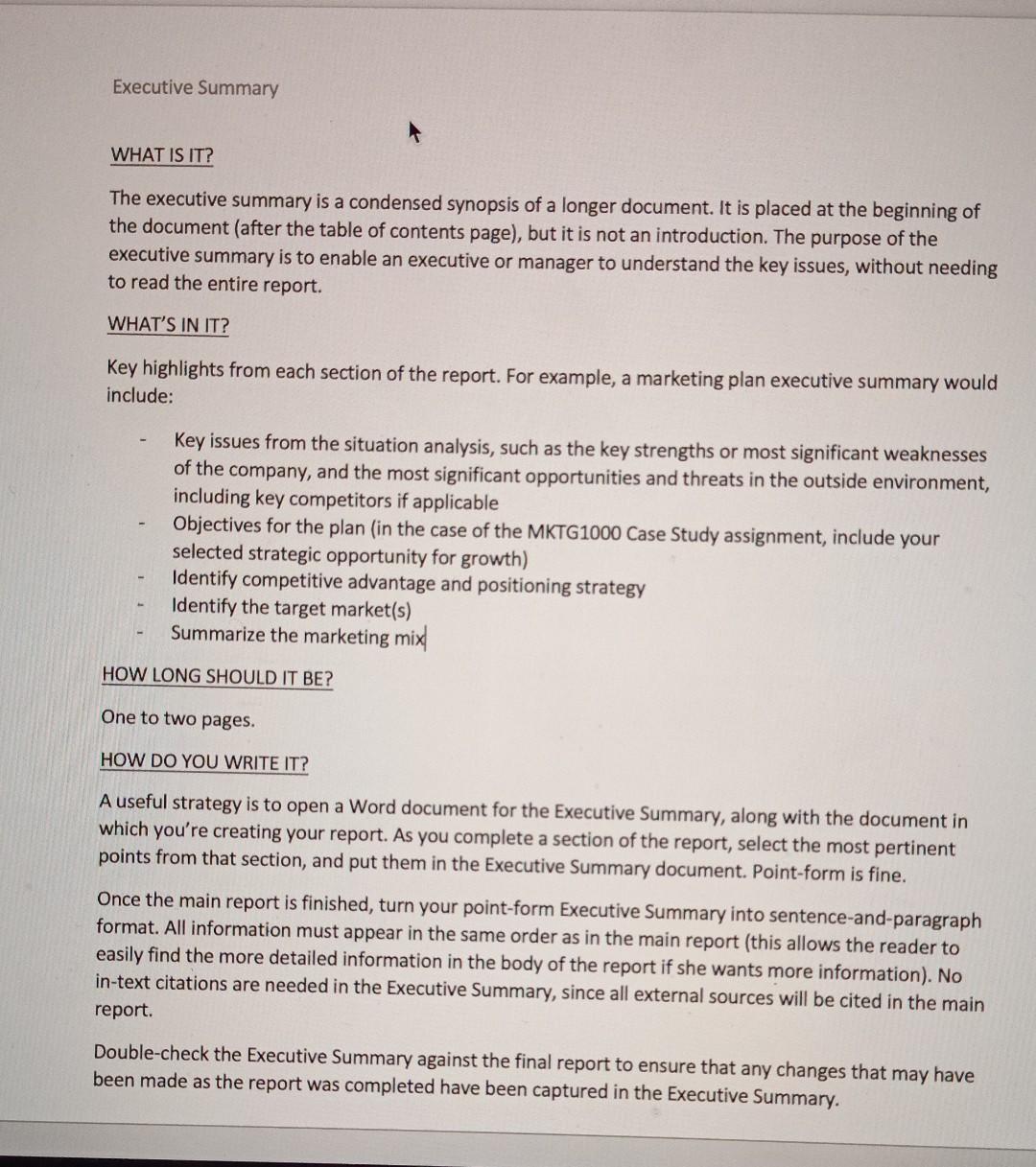
Executive Summary WHAT IS IT? The executive summary is a condensed synopsis of a longer document. It is placed at the beginning of the document (after the table of contents page), but it is not an introduction. The purpose of the executive summary is to enable an executive or manager to understand the key issues, without needing to read the entire report. WHAT'S IN IT? Key highlights from each section of the report. For example, a marketing plan executive summary would include: - Key issues from the situation analysis, such as the key strengths or most significant weaknesses of the company, and the most significant opportunities and threats in the outside environment, including key competitors if applicable Objectives for the plan in the case of the MKTG1000 Case Study assignment, include your selected strategic opportunity for growth) Identify competitive advantage and positioning strategy Identify the target market(s) Summarize the marketing mix HOW LONG SHOULD IT BE? One to two pages. HOW DO YOU WRITE IT? A useful strategy is to open a Word document for the Executive Summary, along with the document in which you're creating your report. As you complete a section of the report, select the most pertinent points from that section, and put them in the Executive Summary document. Point-form is fine. Once the main report is finished, turn your point-form Executive Summary into sentence-and-paragraph format. All information must appear in the same order as in the main report (this allows the reader to easily find the more detailed information in the body of the report if she wants more information). No in-text citations are needed in the Executive Summary, since all external sources will be cited in the main report. Double-check the Executive Summary against the final report to ensure that any changes that may have been made as the report was completed have been captured in the Executive Summary. Executive Summary WHAT IS IT? The executive summary is a condensed synopsis of a longer document. It is placed at the beginning of the document (after the table of contents page), but it is not an introduction. The purpose of the executive summary is to enable an executive or manager to understand the key issues, without needing to read the entire report. WHAT'S IN IT? Key highlights from each section of the report. For example, a marketing plan executive summary would include: - Key issues from the situation analysis, such as the key strengths or most significant weaknesses of the company, and the most significant opportunities and threats in the outside environment, including key competitors if applicable Objectives for the plan in the case of the MKTG1000 Case Study assignment, include your selected strategic opportunity for growth) Identify competitive advantage and positioning strategy Identify the target market(s) Summarize the marketing mix HOW LONG SHOULD IT BE? One to two pages. HOW DO YOU WRITE IT? A useful strategy is to open a Word document for the Executive Summary, along with the document in which you're creating your report. As you complete a section of the report, select the most pertinent points from that section, and put them in the Executive Summary document. Point-form is fine. Once the main report is finished, turn your point-form Executive Summary into sentence-and-paragraph format. All information must appear in the same order as in the main report (this allows the reader to easily find the more detailed information in the body of the report if she wants more information). No in-text citations are needed in the Executive Summary, since all external sources will be cited in the main report. Double-check the Executive Summary against the final report to ensure that any changes that may have been made as the report was completed have been captured in the Executive Summary
Step by Step Solution
There are 3 Steps involved in it
1 Expert Approved Answer
Step: 1 Unlock

Question Has Been Solved by an Expert!
Get step-by-step solutions from verified subject matter experts
Step: 2 Unlock
Step: 3 Unlock
 Study Help