







Question: Exercise 02: Create the database tables in SQL or ACCESS: DEPARTMENT DATA EMPLOYEE DATA PROJECT DATA ASSIGMMENT DATA 1. Using access or SQL DBMS of
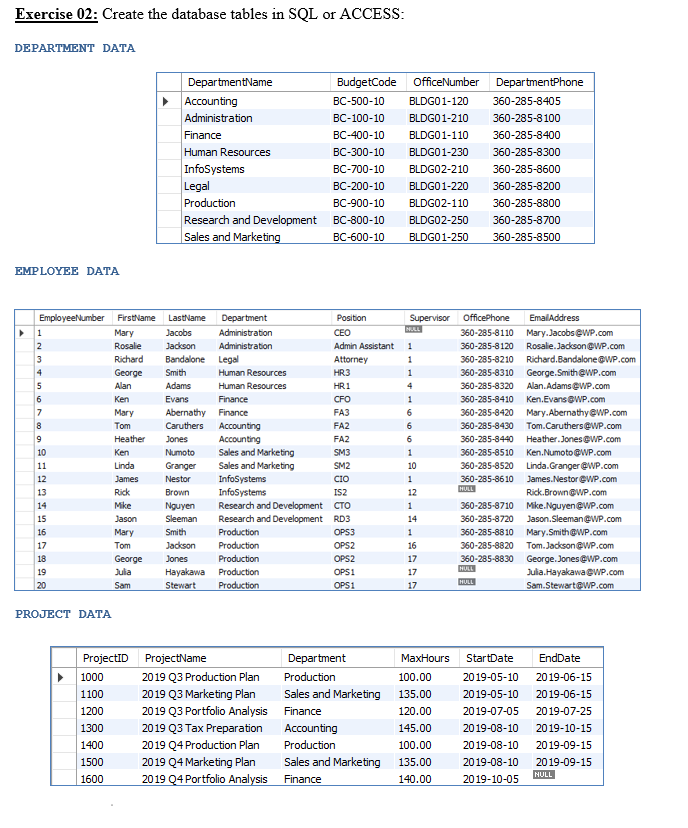
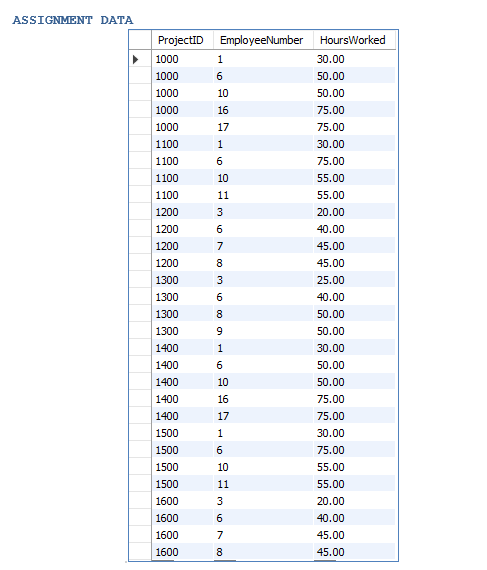
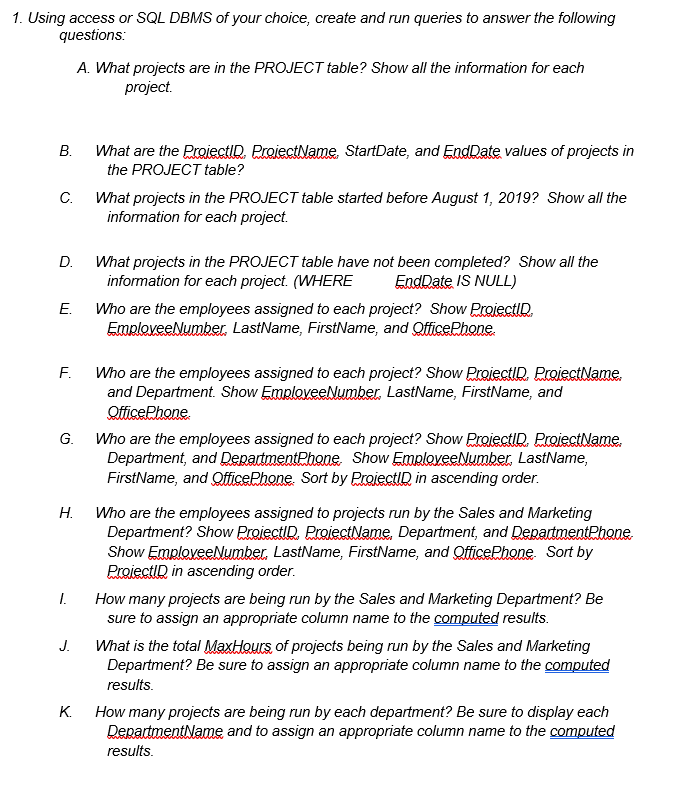
Exercise 02: Create the database tables in SQL or ACCESS: DEPARTMENT DATA EMPLOYEE DATA PROJECT DATA ASSIGMMENT DATA 1. Using access or SQL DBMS of your choice, create and run queries to answer the following questions: A. What projects are in the PROJECT table? Show all the information for each project. B. What are the ProjectlD ProjectName StartDate, and EndDate values of projects in the PROJECT table? C. What projects in the PROJECT table started before August 1, 2019? Show all the information for each project. D. What projects in the PROJECT table have not been completed? Show all the information for each project. (WHERE EndDate /S NULL) E. Who are the employees assigned to each project? Show ProjectlD. EmploveeNumber, LastName, FirstName, and QfficePhone F. Who are the employees assigned to each project? Show ProjectlD ProjectName and Department. Show EmploveeNumber, LastName, FirstName, and QfficePhone G. Who are the employees assigned to each project? Show Projectld ProjectName Department, and DepartmentPhope Show EmploveeNumber LastName, FirstName, and SfficePhone. Sort by ProiectlD in ascending order. H. Who are the employees assigned to projects run by the Sales and Marketing Department? Show ProjectlD ProjectName, Department, and DepartmentPhope Show EmploveeNumber, LastName, FirstName, and OfficePhone. Sort by Projectld in ascending order. 1. How many projects are being run by the Sales and Marketing Department? Be sure to assign an appropriate column name to the computed results. J. What is the total MaxHours of projects being run by the Sales and Marketing Department? Be sure to assign an appropriate column name to the computed results K. How many projects are being run by each department? Be sure to display each DepartmentName and to assign an appropriate column name to the computed results
Step by Step Solution
There are 3 Steps involved in it

Get step-by-step solutions from verified subject matter experts
 Study Help