







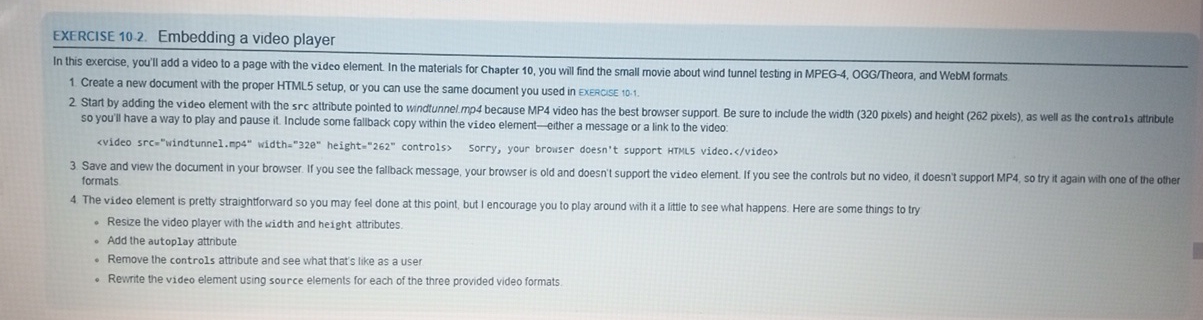
Question: EXERCISE 1 0 . 2 . Embedding a video player In this exercise, you'll add a video to a page with the video element. In
EXERCISE Embedding a video player
In this exercise, you'll add a video to a page with the video element. In the materials for Chapter you will find the small movie about wind funnel testing in MPEG OGGTheora and WebM formats
Create a new document with the proper HTML setup, or you can use the same document you used in ExERCSE
Start by adding the video element with the src altribute pointed to windtunnel.mp because MP video has the best browser support. Be sure to include the width pixels and height pixels as well as the controls attinbute so you'll have a way to play and pause it Include some fallback copy within the video elementeither a message or a link to the video:
Save and view the document in your browser. If you see the fallback message, your browser is old and doesn't support the video element. If you see the controls but no video, it doesn't support MP so try it again with one of the ofther formats
The video element is pretty straightlonward so you may feel done at this point, but I encourage you to play around with it a little to see what happens. Here are some things to try
Resize the video player with the width and height attributes.
Add the autoplay attnbute
Remove the controls attribute and see what that's like as a user
Rewrite the video element using source elements for each of the three provided video formats.
Step by Step Solution
There are 3 Steps involved in it
1 Expert Approved Answer
Step: 1 Unlock

Question Has Been Solved by an Expert!
Get step-by-step solutions from verified subject matter experts
Step: 2 Unlock
Step: 3 Unlock
 Study Help