







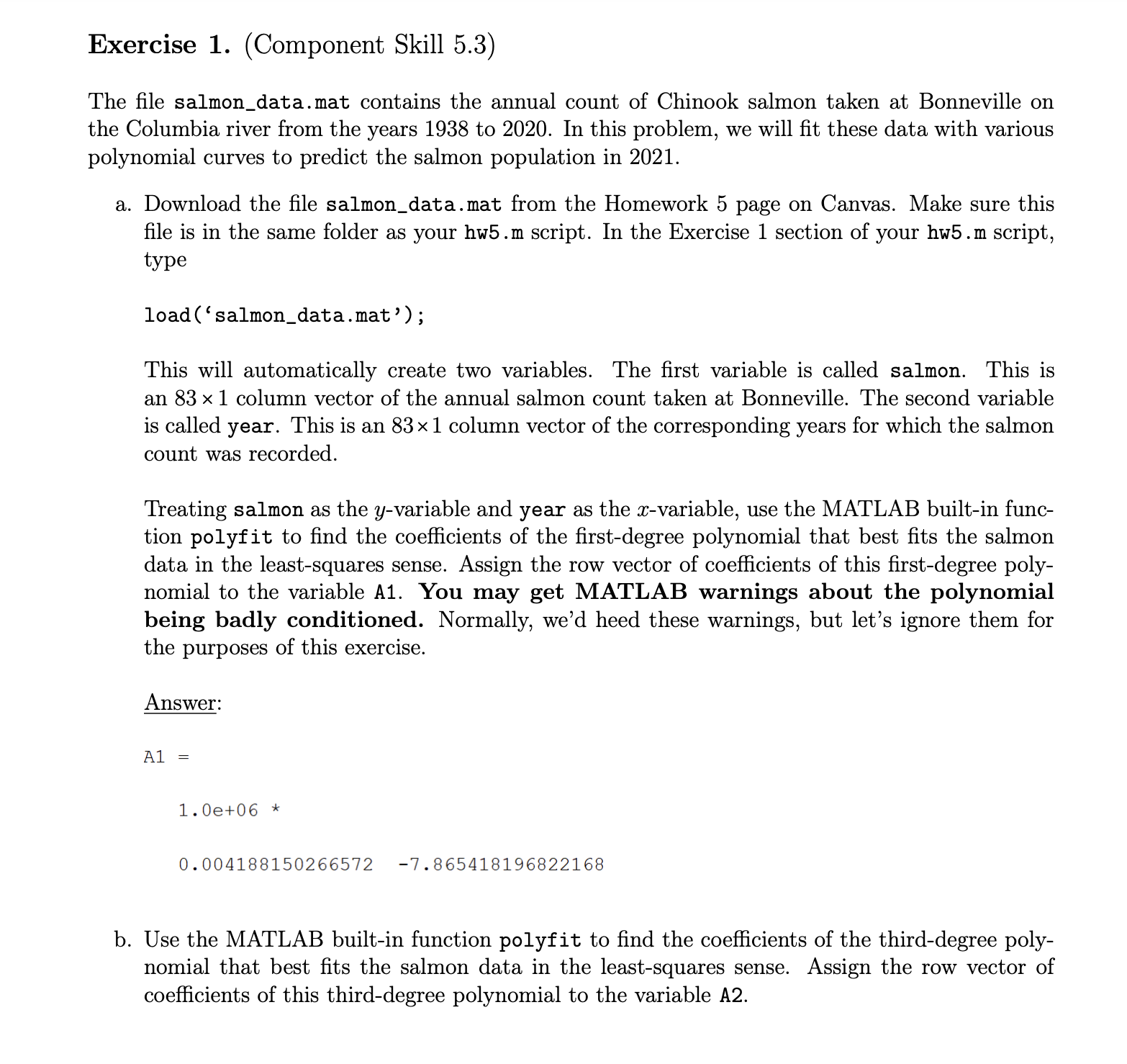
Question: Exercise 1 . ( Component Skill 5 . 3 ) USE MATLAB AND SHOW THE CODE PLEASE The file salmon _ data.mat contains the annual
Exercise Component Skill USE MATLAB AND SHOW THE CODE PLEASE
The file salmondata.mat contains the annual count of Chinook salmon taken at Bonneville on
the Columbia river from the years to In this problem, we will fit these data with various
polynomial curves to predict the salmon population in
a Download the file salmondata.mat from the Homework page on Canvas. Make sure this
file is in the same folder as your hwm script. In the Exercise section of your hwm script,
type
loadsalmondata.mat';
This will automatically create two variables. The first variable is called salmon. This is
an column vector of the annual salmon count taken at Bonneville. The second variable
is called year. This is an column vector of the corresponding years for which the salmon
count was recorded.
Treating salmon as the variable and year as the variable, use the MATLAB builtin func
tion polyfit to find the coefficients of the firstdegree polynomial that best fits the salmon
data in the leastsquares sense. Assign the row vector of coefficients of this firstdegree poly
nomial to the variable A You may get MATLAB warnings about the polynomial
being badly conditioned. Normally, we'd heed these warnings, but let's ignore them for
the purposes of this exercise.
Answer:
b Use the MATLAB builtin function polyfit to find the coefficients of the thirddegree poly
nomial that best fits the salmon data in the leastsquares sense. Assign the row vector of
coefficients of this thirddegree polynomial to the variable A c Use the MATLAB builtin function polyfit to find the coefficients of the fifthdegree polynomial that best fits the salmon data in the leastsquares sense. Assign the row vector of
coefficients of this fifthdegree polynomial to the variable A PLEASE USE MATLAB TO SOLVE ALL OF THESE QUESTIONS
Step by Step Solution
There are 3 Steps involved in it
1 Expert Approved Answer
Step: 1 Unlock

Question Has Been Solved by an Expert!
Get step-by-step solutions from verified subject matter experts
Step: 2 Unlock
Step: 3 Unlock
 Study Help