







Question: Exercise 1 : Create Backup Files with tar: Part 1 : Create a Full Backup Step 1 : Open a terminal window and su to
Exercise : Create Backup Files with tar:
Part : Create a Full Backup
Step : Open a terminal window and su to root
Step : Change to the directorysrvwww
Step : Create a tar archive of the directory htdocs by entering the following: tar czftmphtdocstar.gz htdocs
Step : Delete the directory htdocs by entering the following: mm r htdocs
Step : Copy the backup archive to the directorysrvwww tdocs.tar.
Step : Restore the directory htdocs by entering the following: tar xzf htdocs.tar.gz
Step : View the content of the restored directory by entering Is htdocs
Take screen shot # the screenshot of the of the terminal shows all steps from to Make sure to include the name of your host in your screenshot. Multiple screenshots maybe required.
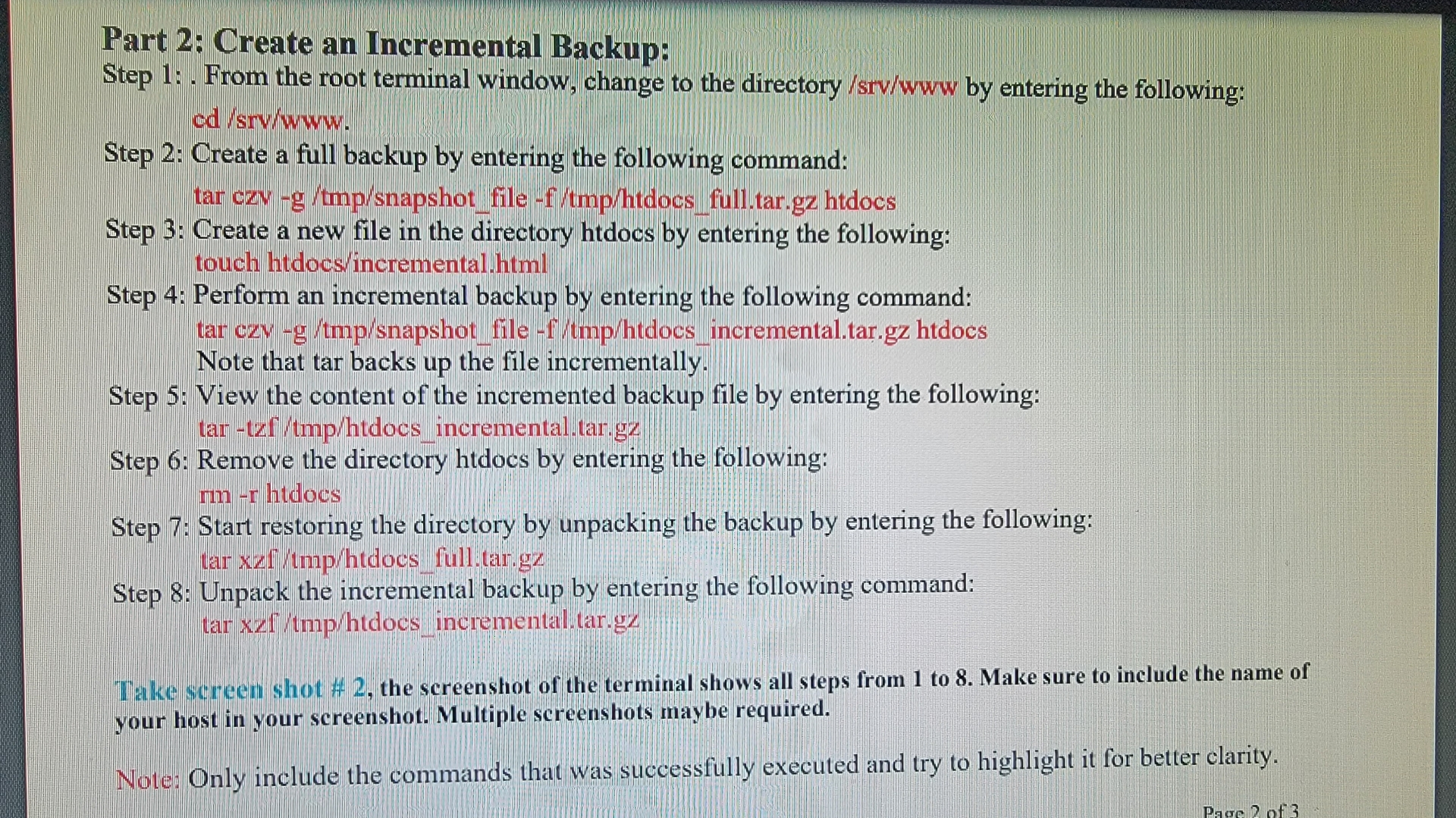
Part : Create an Incremental Backup:
Step : From the root terminal window, change to the directorysrvwww by entering the following: cdsrvwww
Step : Create a full backup by entering the following command:
tar czv g tmpsnapshotfile ftmphtdocsfull.tar.gz htdocs
Step : Create a new file in the directory htdocs by entering the following: touch htdocsincrementalhtml
Step : Perform an incremental backup by entering the following command:
tar czv gtmpsnapshotfile ftmphtdocsincremental.tar.gz htdocs Note that tar backs up the file incrementally.
Step : View the content of the incremented backup file by entering the following:
tartzftmphtdocsincremental.tar.gz
Step : Remove the directory htdocs by entering the following:
rmr htdocs
Step : Start restoring the directory by unpacking the backup by entering the following:
tar xzftmphtdocsfull.tar.gz
Step : Unpack the incremental backup by entering the following command:
tar tdocs incremental.tar.gz
Take screen shot # the screenshot of the terminal shows all steps from to Make sure to include the name of your host in your screenshot. Multiple screenshots maybe required.
Note: Only include the commands that was successfully executed and try to highlight it for better clarity.
Step by Step Solution
There are 3 Steps involved in it
1 Expert Approved Answer
Step: 1 Unlock

Question Has Been Solved by an Expert!
Get step-by-step solutions from verified subject matter experts
Step: 2 Unlock
Step: 3 Unlock
 Study Help