







Question: Exercise #2 120 pts): Capturing plain-text Ssh passwords Overvievw The objective is to develop a simple bash script that masquerades as the ssh program so
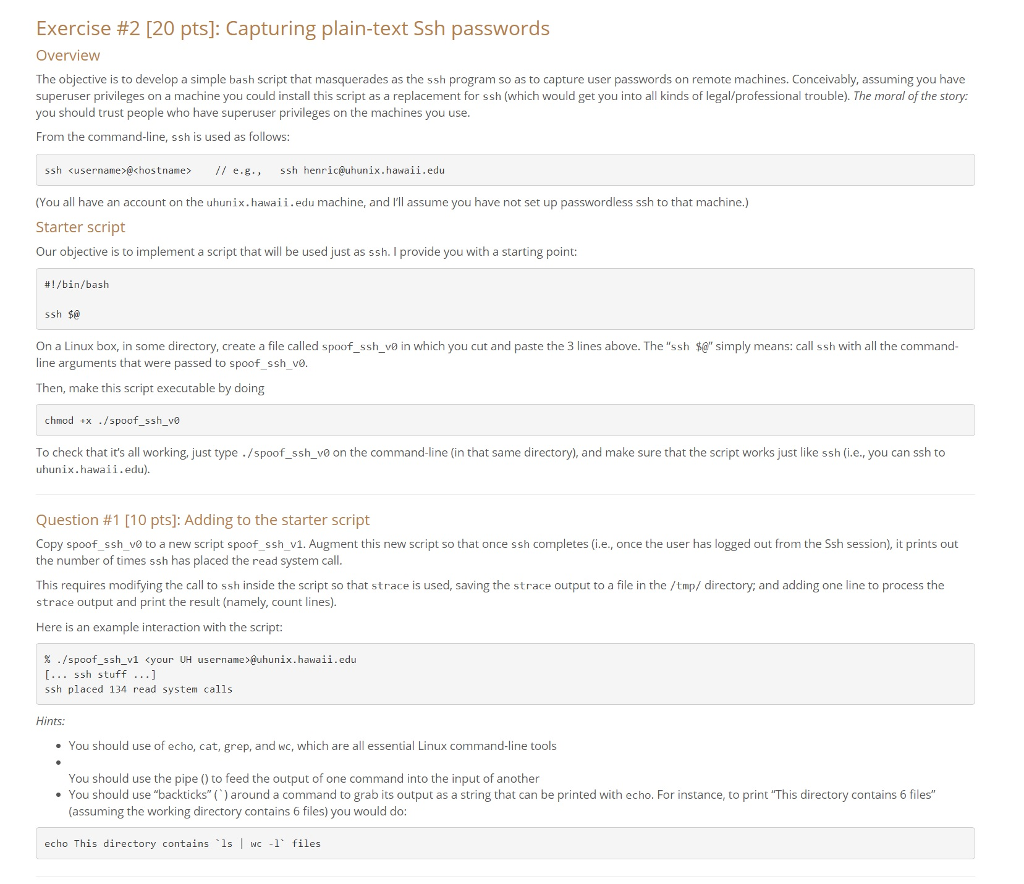
Exercise #2 120 pts): Capturing plain-text Ssh passwords Overvievw The objective is to develop a simple bash script that masquerades as the ssh program so as to capture user passwords on remote machines. Conceivably, assuming you have superuser privileges on a machine you could install this script as a replacement for ssh (which would get you into all kinds of legal/professional trouble). The moral of the story: you should trust people who have superuser privileges on the machines you use From the command-line, ssh is used as follows: ssh username>@chostname /e.g., ssh henric@uhunix.hawaii.edu (You all have an account on the uhunix.hawaii.edu machine, and I'll assume you have not set up passwordless ssh to that machine.) Starter script Our objective is to implement a script that will be used just as ssh. I provide you with a starting point: #1 /bin/bash ssh $0 simply means: call ssh with all the command On a Linux box in some directory create a file called spoof s sh win which you cut and paste the 3 lines above. The ssh line arguments that were passed to spoof_ssh_vo Then, make this script executable by doing chmod x /spoof-ssh-ve To check that it's all working, just type ./spoof_ssh_ve on the command-line (in that same directory), and make sure that the script works just like ssh (i.e., you can ssh to uhunix.hawaii.edu). Question #1(10 pts): Adding to the starter script Copy spoof ssh_v0 to a new script spoof_ssh_v1. Augment this new script so that once ssh completes (i.e., once the user has logged out from the Ssh session), it prints out the number of times ssh has placed the read system call This requires modifying the call to ssh inside the script so that strace is used, saving the strace output to a file in the /tmp/ directory; and adding one line to process the strace output and print the result (namely, count lines). Here is an example interaction with the script: % username >@uhunix.hawaii.edu ./spoof-s sh-v1 .. ssh stuff your UH ssh placed 134 read system calls Hints e You should use of echo, cat, grep, and wc, which are all essential Linux command-line tools You should use the pipe () to feed the output of one command into the input of another You should use "backticks"() around a command to grab its output as a string that can be printed with echo. For instance, to print "This directory contains 6 files (assuming the working directory contains 6 files) you would do: echo This directory contains Is I wc -1' files Exercise #2 120 pts): Capturing plain-text Ssh passwords Overvievw The objective is to develop a simple bash script that masquerades as the ssh program so as to capture user passwords on remote machines. Conceivably, assuming you have superuser privileges on a machine you could install this script as a replacement for ssh (which would get you into all kinds of legal/professional trouble). The moral of the story: you should trust people who have superuser privileges on the machines you use From the command-line, ssh is used as follows: ssh username>@chostname /e.g., ssh henric@uhunix.hawaii.edu (You all have an account on the uhunix.hawaii.edu machine, and I'll assume you have not set up passwordless ssh to that machine.) Starter script Our objective is to implement a script that will be used just as ssh. I provide you with a starting point: #1 /bin/bash ssh $0 simply means: call ssh with all the command On a Linux box in some directory create a file called spoof s sh win which you cut and paste the 3 lines above. The ssh line arguments that were passed to spoof_ssh_vo Then, make this script executable by doing chmod x /spoof-ssh-ve To check that it's all working, just type ./spoof_ssh_ve on the command-line (in that same directory), and make sure that the script works just like ssh (i.e., you can ssh to uhunix.hawaii.edu). Question #1(10 pts): Adding to the starter script Copy spoof ssh_v0 to a new script spoof_ssh_v1. Augment this new script so that once ssh completes (i.e., once the user has logged out from the Ssh session), it prints out the number of times ssh has placed the read system call This requires modifying the call to ssh inside the script so that strace is used, saving the strace output to a file in the /tmp/ directory; and adding one line to process the strace output and print the result (namely, count lines). Here is an example interaction with the script: % username >@uhunix.hawaii.edu ./spoof-s sh-v1 .. ssh stuff your UH ssh placed 134 read system calls Hints e You should use of echo, cat, grep, and wc, which are all essential Linux command-line tools You should use the pipe () to feed the output of one command into the input of another You should use "backticks"() around a command to grab its output as a string that can be printed with echo. For instance, to print "This directory contains 6 files (assuming the working directory contains 6 files) you would do: echo This directory contains Is I wc -1' files
Step by Step Solution
There are 3 Steps involved in it

Get step-by-step solutions from verified subject matter experts
 Study Help