







Question: Exercise 2 - Validating Stock Information Using Mutators (3 points) Must be completed during the lab period. 10. Make a copy of files for Exercise
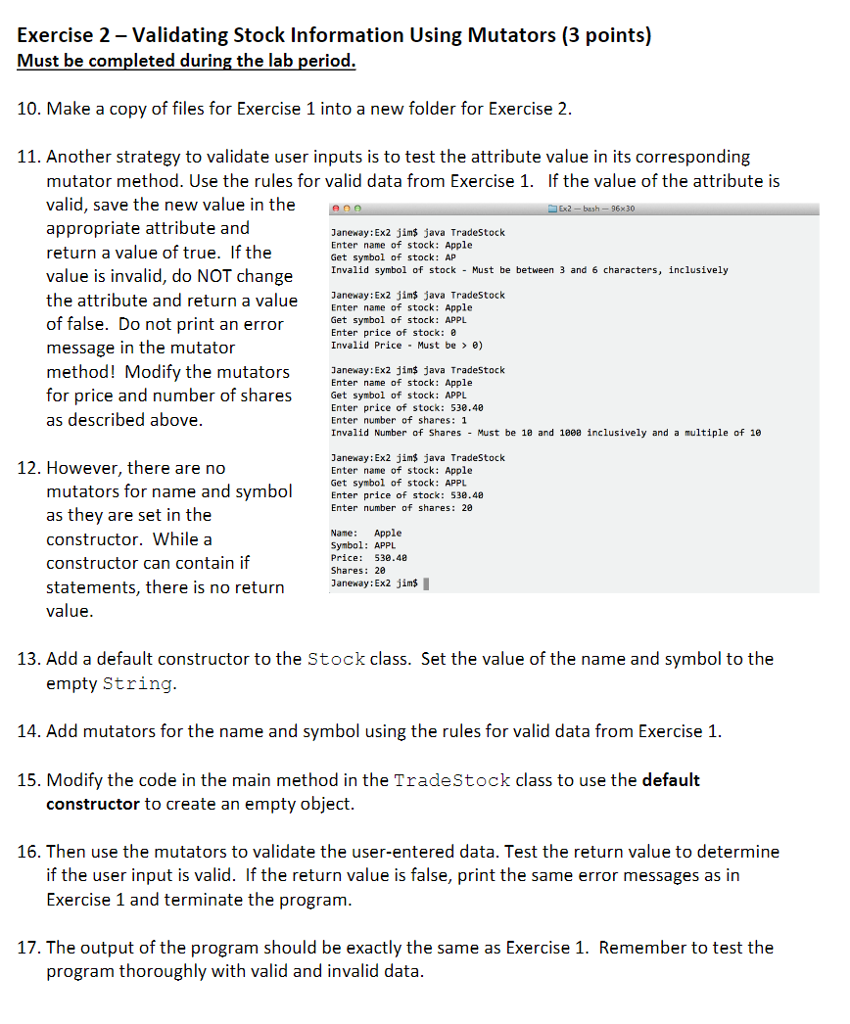
Exercise 2 - Validating Stock Information Using Mutators (3 points) Must be completed during the lab period. 10. Make a copy of files for Exercise 1 into a new folder for Exercise2 11. Another strategy to validate user inputs is to test the attribute value in its corresponding mutator method. Use the rules for valid data from Exercise 1. If the value of the attribute is valid, save the new value in the appropriate attribute and return a value of true. If the value is invalid, do NOT change the attribute and return a value anexay: Ex2 jim java Tradestock of false. Do not print an error message in the mutator Janeway:Ex2 jims java TradeStock Enter name of stock: Apple Get symbol of stock: AP Invalid symbol of stock - Must be between 3 and 6 characters, inclusively Enter name of stock: Apple Get symbol of stock: APPL Enter price of stock: e Invalid Price Must be> e) method! Modify the muors nerayiexa ins dava Tradestock Enter name of stock: Apple Get symbol of stock: APPL Enter price of stock: 538.40 Enter number of shares: 1 Invalid Number of Shares Must be 1e and 1808 inclusively and a multiple of 1e for price and number of shares as described above. Janeway: Ex2 jn$ java TradeStock Enter name of stock: Apple Get symbol of stock: APPL 12. However, there are no mutators for name and symbo Enter price of stock: 53e.48 as thev are set in the constructor. While a constructor can contain if statements, there is no return value Enter number of shares: 28 Name: Apple Symbol: APPL Price: 530.48 Shares: 20 Janeway: Ex2 jims 13. Add a default constructor to the Stock class. Set the value of the name and symbol to the empty String 14. Add mutators for the name and symbol using the rules for valid data from Exercise 1. 15. Modify the code in the main method in the TradeStock class to use the default constructor to create an empty object. 16. Then use the mutators to validate the user-entered data. Test the return value to determine if the user input is valid. If the return value is false, print the same error messages as in Exercise 1 and terminate the program 17. The output of the program should be exactly the same as Exercise 1. Remember to test the program thoroughly with valid and invalid data
Step by Step Solution
There are 3 Steps involved in it

Get step-by-step solutions from verified subject matter experts
 Study Help