







Question: Exercise 2 : You need to download tax.java. The provided Java code in tax.java reads product information from a file, where each line contains a
Exercise :
You need to download "tax.java".
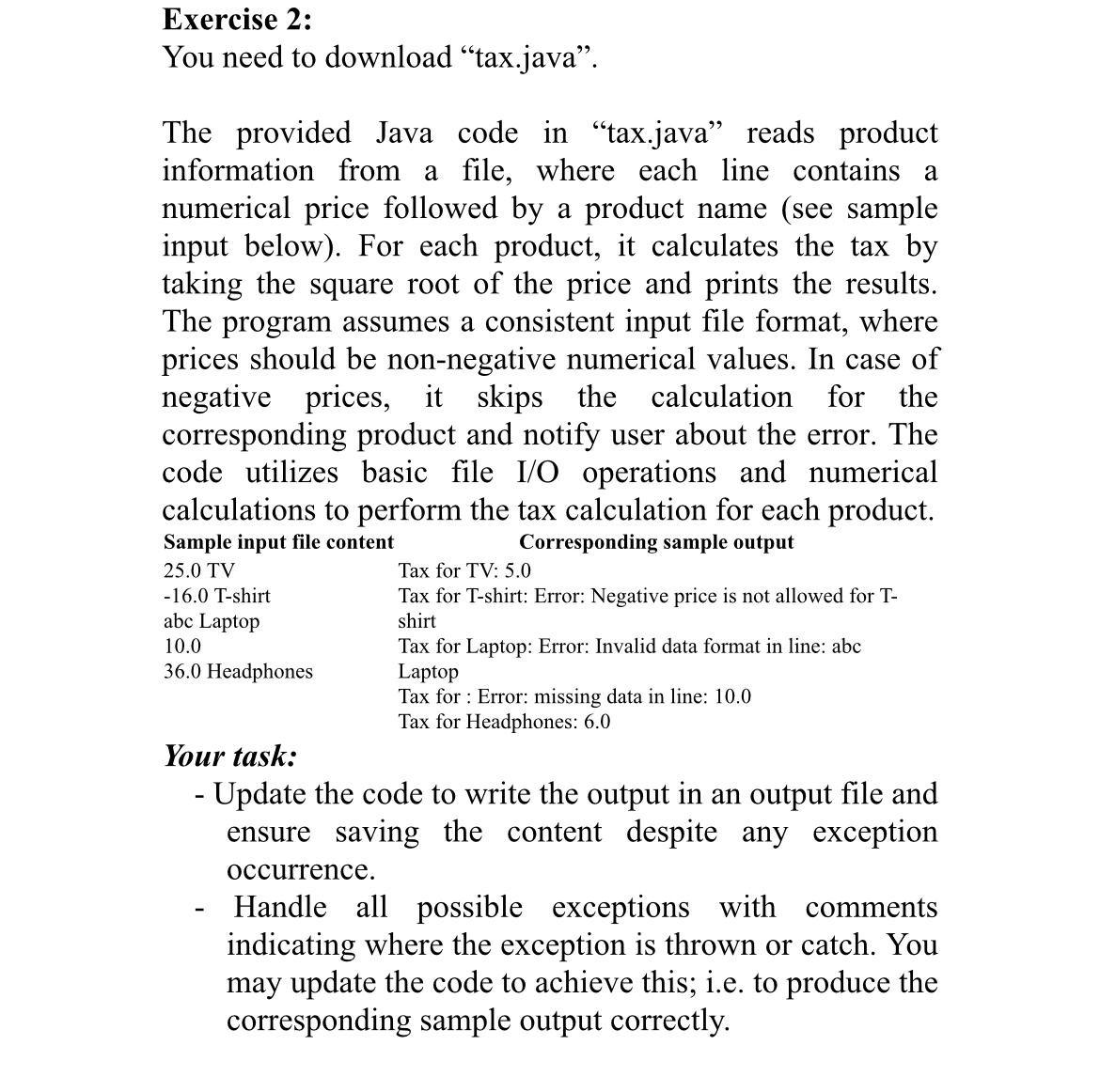
The provided Java code in "tax.java" reads product information from a file, where each line contains a numerical price followed by a product name see sample input below For each product, it calculates the tax by taking the square root of the price and prints the results. The program assumes a consistent input file format, where prices should be nonnegative numerical values. In case of negative prices, it skips the calculation for the corresponding product and notify user about the error. The code utilizes basic file IO operations and numerical calculations to perform the tax calculation for each product.
tableSample input file content,Corresponding sample output TVTax for TV: Tshirt,Tax for Tshirt: Error: Negative price is not allowed for Tabc Laptop,shirtTax for Laptop: Error: Invalid data format in line: abc Headphones,LaptopTax for : Error: missing data in line: Tax for Headphones:
Your task:
Update the code to write the output in an output file and ensure saving the content despite any exception occurrence.
Handle all possible exceptions with comments indicating where the exception is thrown or catch. You may update the code to achieve this; ie to produce the corresponding sample output correctly.
Step by Step Solution
There are 3 Steps involved in it
1 Expert Approved Answer
Step: 1 Unlock

Question Has Been Solved by an Expert!
Get step-by-step solutions from verified subject matter experts
Step: 2 Unlock
Step: 3 Unlock
 Study Help