







Question: Exercise 3.4.4: Purchase Order Entry Screen Controls In the Purchase Order Entry window (Purchases >> Transactions >> Purchase Order Entry) select the Best answer for
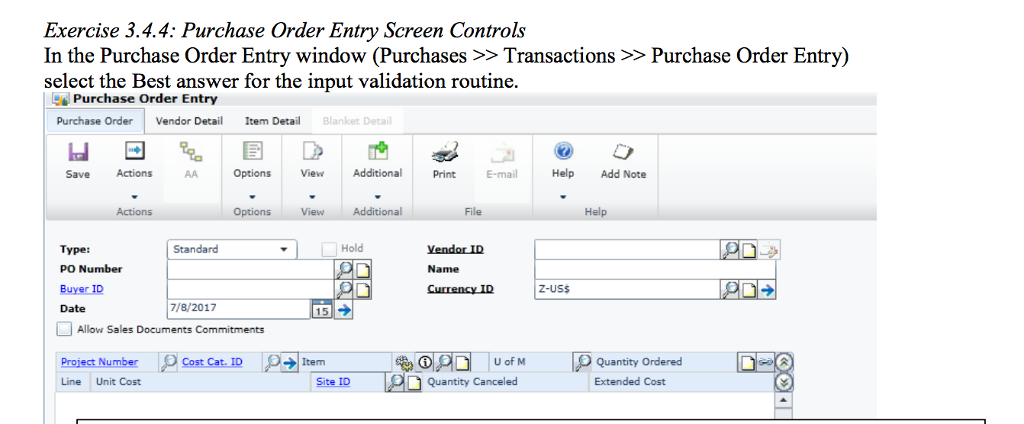
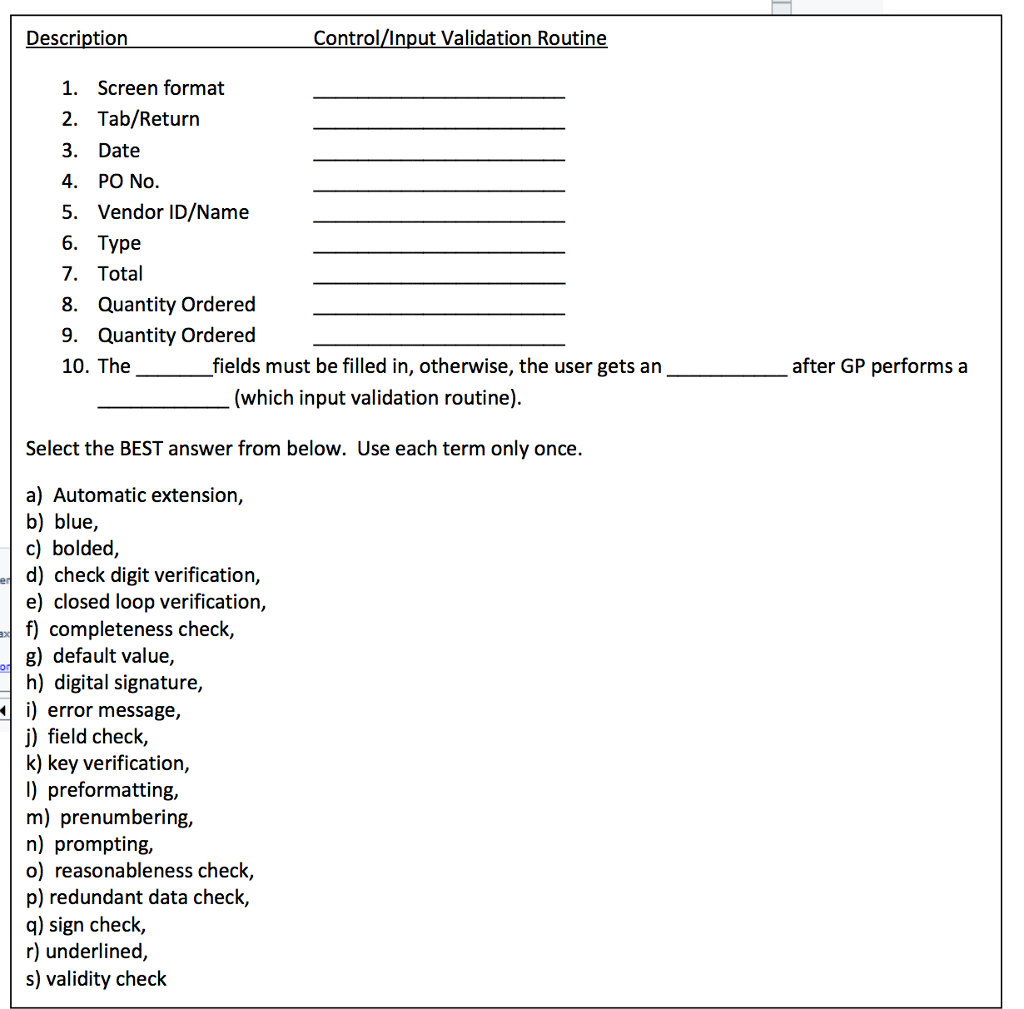
Exercise 3.4.4: Purchase Order Entry Screen Controls In the Purchase Order Entry window (Purchases >> Transactions >> Purchase Order Entry) select the Best answer for the input validation routine Purchae Order Entry Purchase Order Vendor Detai Item Detail Blanket Detail Save Actions Options View Additional Print E-mail Help Add Note Actions Options View File Help Hold Type: PO Number Buyer ID Date Allow Sales Docu Standard Name Z-USS 7/8/2017 ents Commitments Item U of M Quantity Ordered Line Unit Cost Site ID Quantity Canceled Extended Cost Exercise 3.4.4: Purchase Order Entry Screen Controls In the Purchase Order Entry window (Purchases >> Transactions >> Purchase Order Entry) select the Best answer for the input validation routine Purchae Order Entry Purchase Order Vendor Detai Item Detail Blanket Detail Save Actions Options View Additional Print E-mail Help Add Note Actions Options View File Help Hold Type: PO Number Buyer ID Date Allow Sales Docu Standard Name Z-USS 7/8/2017 ents Commitments Item U of M Quantity Ordered Line Unit Cost Site ID Quantity Canceled Extended Cost
Step by Step Solution
There are 3 Steps involved in it

Get step-by-step solutions from verified subject matter experts
 Study Help