







Question: Exercise _ 6 . ipynb File Edit View Insert Runtime Tools Help Allchanges savedXiChrome File Edit View History Bookmarks Profiles Tab Window Help M 6
Exerciseipynb
File Edit View Insert Runtime Tools Help Allchanges savedXiChrome
File
Edit
View
History
Bookmarks
Profiles
Tab
Window
Help
M: Exercise
Montclair State Un
Home Google Dr
Exerciseipynb
Fit a logistic regres
Fit a decision tree
colab.research.google.comdrivereKpEkvaaXULHEyjTIVWLhKHSvvE#scrollToDOpUSwXGi
Exerciseipynb
File Edit View Insert Runtime Tools Help All changes saved
table Code Texts
rows columns
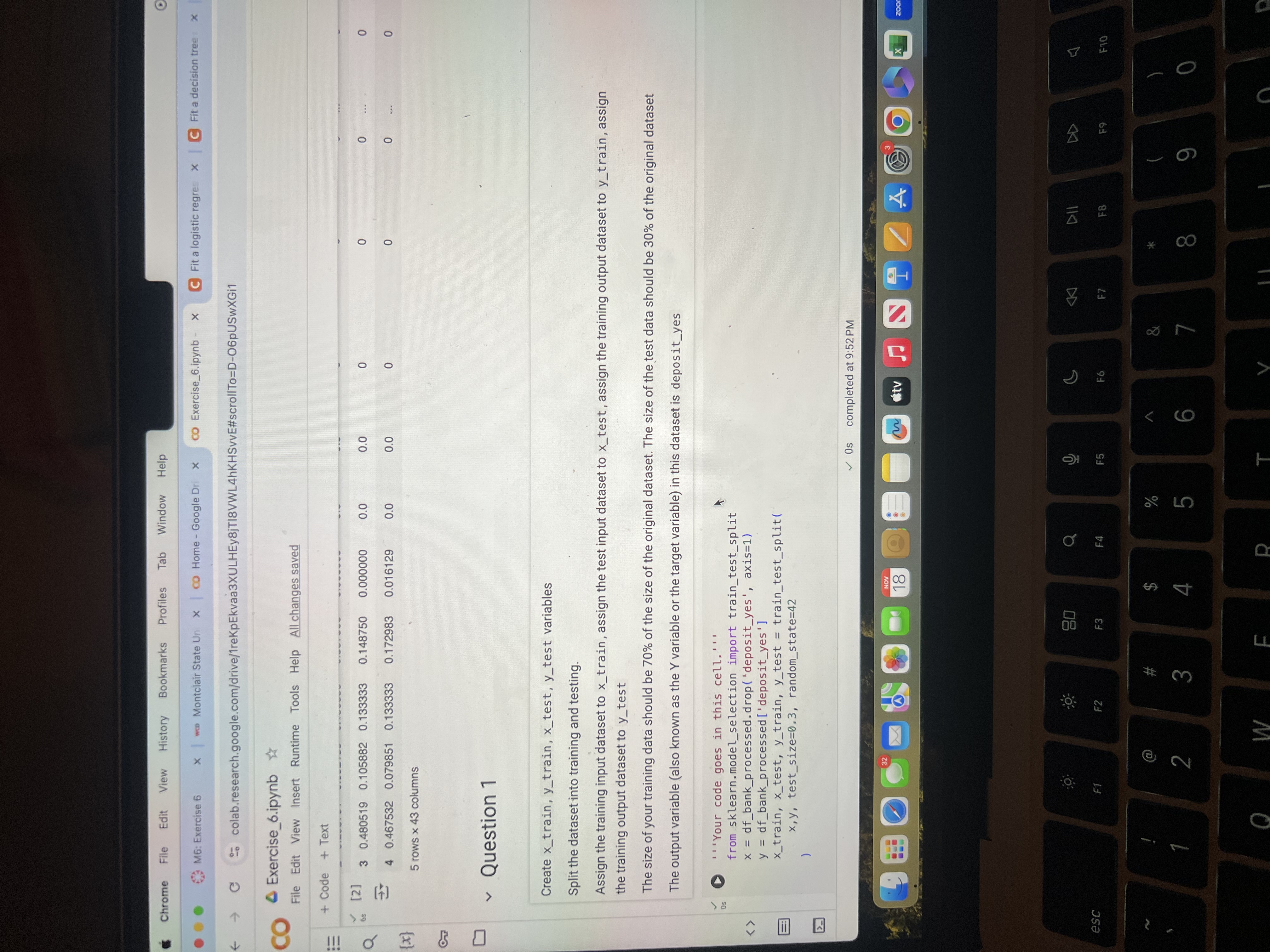
Question
Create xtrain, ytrain, xtest, ytest variables
Split the dataset into training and testing.
Assign the training input dataset to train, assign the test input dataset to test, assign the training output dataset to train, assign the training output dataset to test
The size of your training data should be of the size of the original dataset. The size of the test data should be of the original dataset
The output variable also known as the Y variable or the target variable in this dataset is deposityes
os
Your code goes in this cell.
from sklearn.modelselection import traintestsplit
x dfbankprocessed.dropdeposityes', axis
y dfbankprocesseddeposityes'
xtrain, xtest, ytrain, ytest traintestsplit testsize randomstate
Step by Step Solution
There are 3 Steps involved in it
1 Expert Approved Answer
Step: 1 Unlock

Question Has Been Solved by an Expert!
Get step-by-step solutions from verified subject matter experts
Step: 2 Unlock
Step: 3 Unlock
 Study Help