







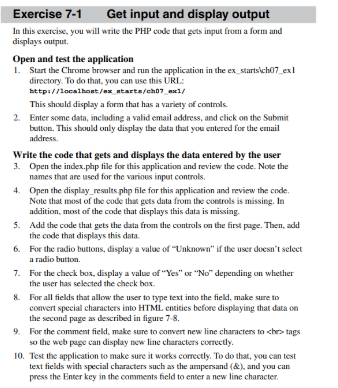
Question: Exercise 7 - 1 Get input and display output In this exercise, you will write the PHP code that gets input from a form and
Exercise Get input and display output
In this exercise, you will write the PHP code that gets input from a form and
displays output.
Open and test the application
Start the Chrome browser and run the application in the exstartsichex
directory. To do that, you can use this URL:
bttp:ocslhontexntartschexc
This should display a form that has a variety of controls.
Enter some data, incloding a valid email address, and click on the Submit
button. This sbould only display the data that you entered for the email
address.
Write the code that gets and displays the data entered by the user
Open the index.php file for this application and review the code. Note the
names that are used for the various input controls.
Open the displayresults php file for this application and review the code.
Note that most of the code that gets data from the controls is missing. In
addition, most of the code that displays this data is missing.
Add the code that gets the data from the controls on the first page. Then, add
the code that displays this data.
For the radio buttons, display a value of "Unknown" if the user doesn"t select
a radio button.
For the check box, display a value of "Yes" or No depending on whether
the user has selected the check box.
For all fields that allow the user to type text into the field, make sure to
convert special characters into HTML entities before displaying that data on
the second page as described in figure
For the comment field, make sure to convert new line characters to chers tags
so the web page can display new line characters correctly.
Test the application to make sure it works correctly. To do that, you can test
text fields with special characters such as the ampersand & and you can
press the Enter key in the comments field to enter a new line character.
May I get a screenshot of the finished practice assignment? Thank you :)
Step by Step Solution
There are 3 Steps involved in it
1 Expert Approved Answer
Step: 1 Unlock

Question Has Been Solved by an Expert!
Get step-by-step solutions from verified subject matter experts
Step: 2 Unlock
Step: 3 Unlock
 Study Help