







Question: Exercise: Create a Java Swing application that allows users to enter student information, course details, and calculate the final GPA. The application will display the
Exercise:
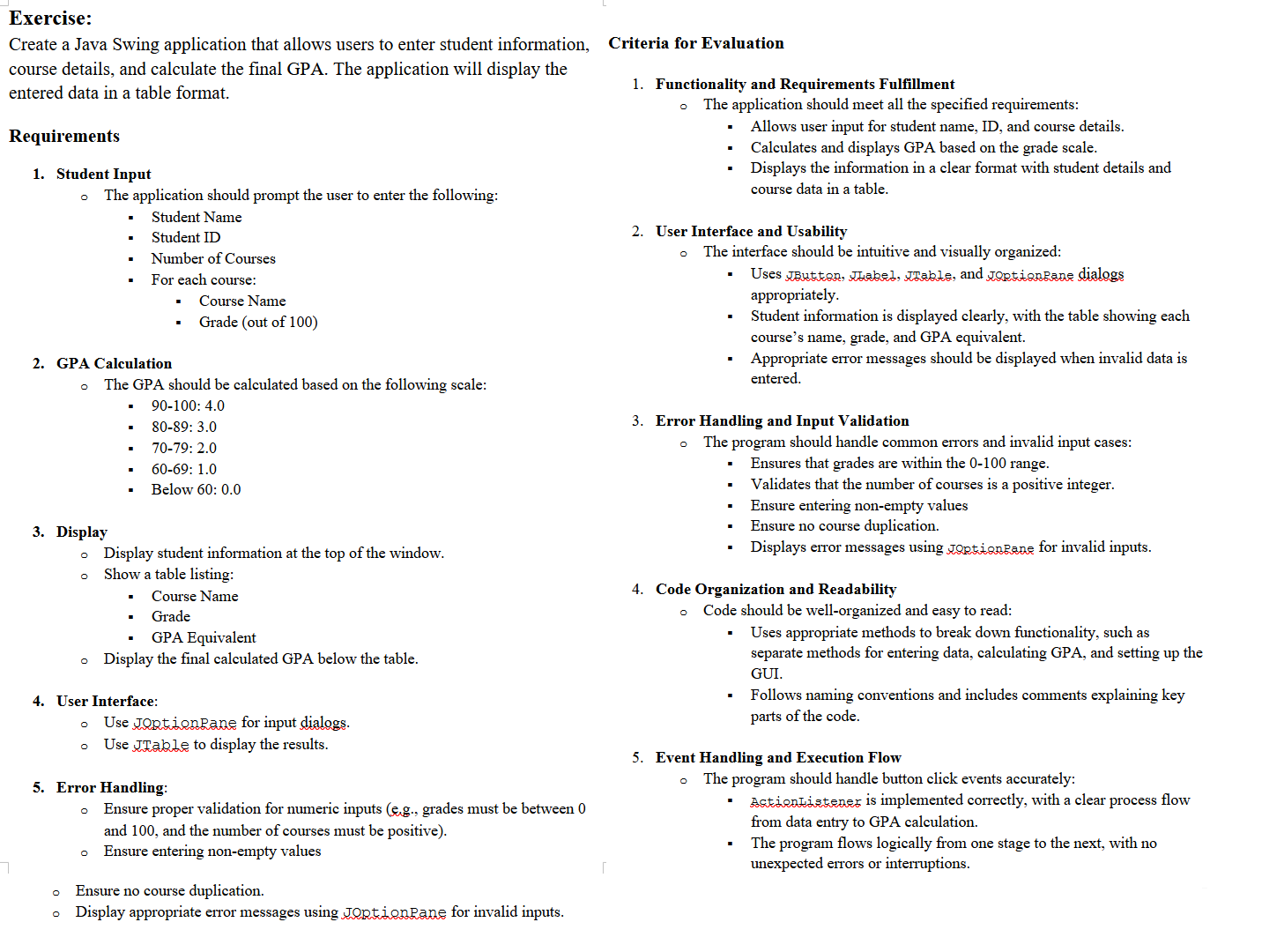
Create a Java Swing application that allows users to enter student information, course details, and calculate the final GPA. The application will display the entered data in a table format.
Requirements
Student Input
The application should prompt the user to enter the following:
Student Name
Student ID
Number of Courses
For each course:
Course Name
Grade out of
GPA Calculation
The GPA should be calculated based on the following scale:
:
:
:
:
Below :
Display
Display student information at the top of the window.
Show a table listing:
Course Name
Grade
GPA Equivalent
Display the final calculated GPA below the table.
User Interface:
Use Joptionpane for input dialogs.
Use JTable to display the results.
Error Handling:
Ensure proper validation for numeric inputs eg grades must be between and and the number of courses must be positive
Ensure entering nonempty values
Ensure no course duplication.
Display appropriate error messages using JoptionRane for invalid inputs.
Criteria for Evaluation
Functionality and Requirements Fulfillment
The application should meet all the specified requirements:
Allows user input for student name, ID and course details.
Calculates and displays GPA based on the grade scale.
Displays the information in a clear format with student details and course data in a table.
User Interface and Usability
The interface should be intuitive and visually organized: appropriately.
Student information is displayed clearly, with the table showing each course's name, grade, and GPA equivalent.
Appropriate error messages should be displayed when invalid data is entered.
Error Handling and Input Validation
The program should handle common errors and invalid input cases:
Ensures that grades are within the range.
Validates that the number of courses is a positive integer.
Ensure entering nonempty values
Ensure no course duplication.
Displays error messages using JkRtionRane for invalid inputs.
Code Organization and Readability
Code should be wellorganized and easy to read:
Uses appropriate methods to break down functionality, such as separate methods for entering data, calculating GPA, and setting up the GUI.
Follows naming conventions and includes comments explaining key parts of the code.
Event Handling and Execution Flow
The program should handle button click events accurately:
Actiondistener is implemented correctly, with a clear process flow from data entry to GPA calculation.
The program flows logically from one stage to the next, with no unexpected errors or interruptions.
Step by Step Solution
There are 3 Steps involved in it
1 Expert Approved Answer
Step: 1 Unlock

Question Has Been Solved by an Expert!
Get step-by-step solutions from verified subject matter experts
Step: 2 Unlock
Step: 3 Unlock
 Study Help