







Question: Exercises 7 5 Choose what happens when you insert each type of media or device Use Autoplay for all media and devices Action for ALL
Exercises
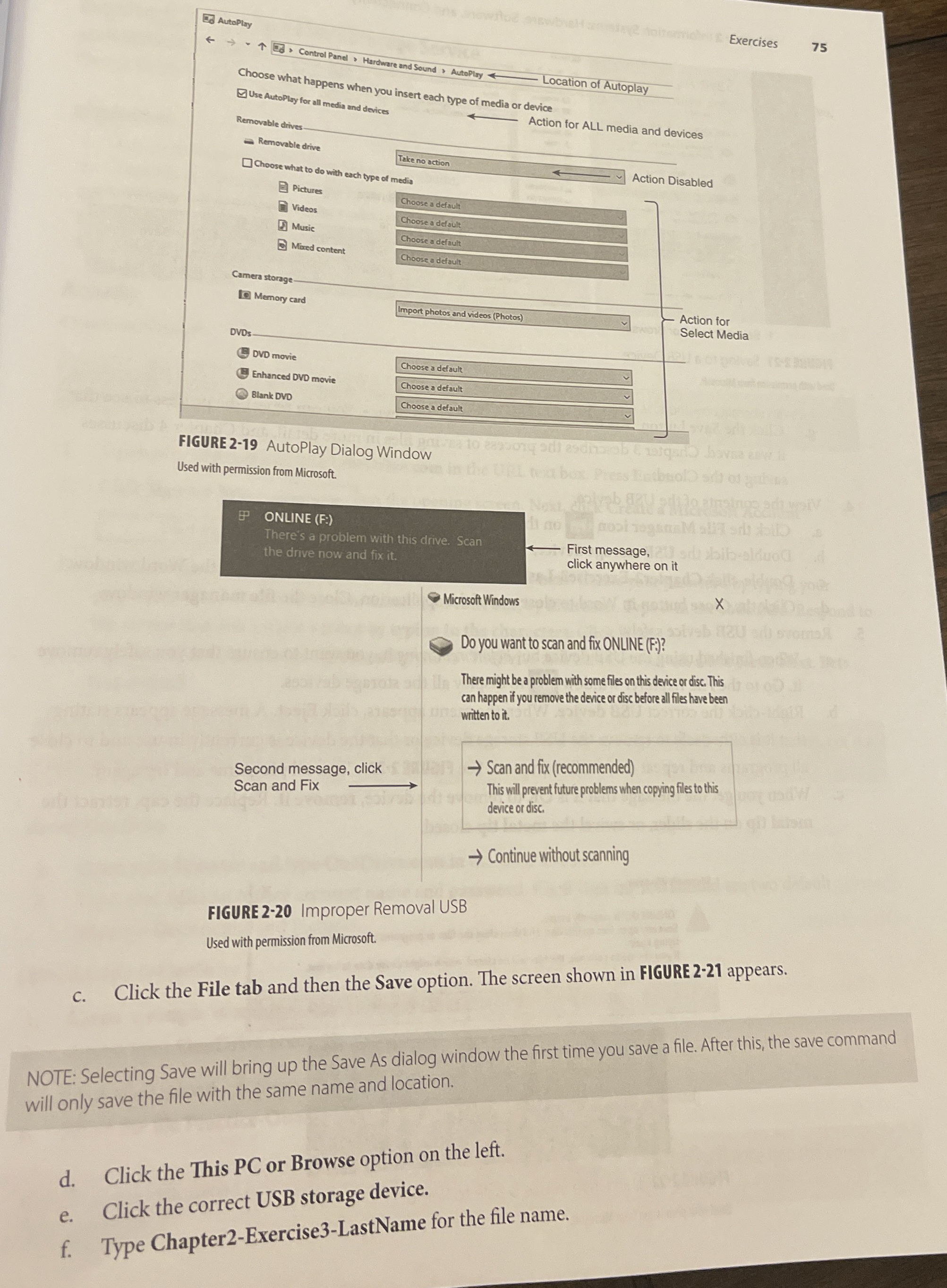
Choose what happens when you insert each type of media or device
Use Autoplay for all media and devices Action for ALL media and devices
FIGURE AutoPlay Dialog Window
Used with permission from Microsoft.
FIGURE Improper Removal USB
Used with permission from Microsoft.
c Click the File tab and then the Save option. The screen shown in FIGURE appears.
NOTE: Selecting Save will bring up the Save As dialog window the first time you save a file. After this, the save command will only save the file with the same name and location.
d Click the This PC or Browse option on the left.
e Click the correct USB storage device.
f Type ChapterExerciseLastName for the file name.
Step by Step Solution
There are 3 Steps involved in it
1 Expert Approved Answer
Step: 1 Unlock

Question Has Been Solved by an Expert!
Get step-by-step solutions from verified subject matter experts
Step: 2 Unlock
Step: 3 Unlock
 Study Help