







Question: Expectations Students will: Design the data structure and algorithms required to solve the problem of the application. Investigate: o o o Test their solutions on
Expectations
Students will:
Design the data structure and algorithms required to solve the problem of the application.
Investigate:
o
o
o
Test their solutions on a variety of folders.
PresentationExamples
Type fileusage
Prints the current directory and a recursively lists all files in the directory. So all files in the current directory and subfolders. The first column is the file type, the second column is the number of files of that type and the sum size of file for that type.
fileusage h
h option is the help option. This prints out how to use the fileusage utility
Type fileusage c:usr
Prints a list of files from a given path
Type fileusage c
Goes back folders to list all the c and h files
Type fileusage c
Goes back folders to list all the chcpp and hpp files
Only the cpp and hpp files
fileusage cr
the r option suppresses recursion and displays the current files in the folder
fileusage x txtdocx
use regular expressions for searching. List files with the txt or docx extensions
S is the sort options
Sx
Sort files in ascending order
RSx Sort files in reverse order
fileusage scw
s option Summarizes each group
fileusage scw
fileusage scwx txtdocx
v option lists detailed report by extension. The reason v is used is for verbose. The definition for verbose is using or expressed in more words than are needed
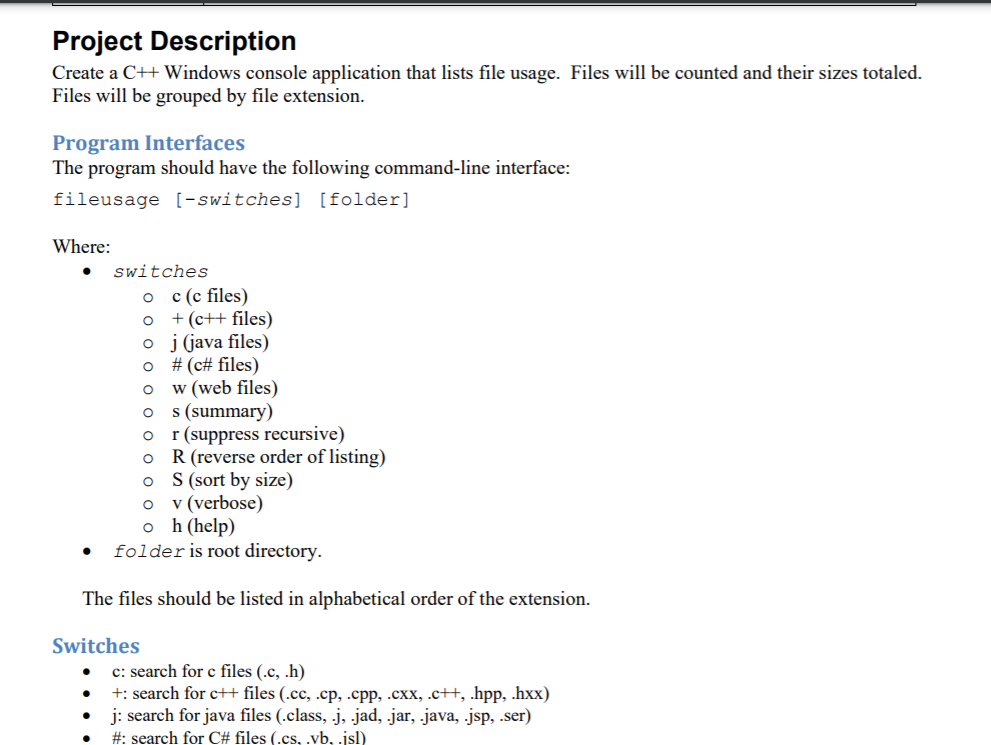
Project Description
Create a C Windows console application that lists file usage. Files will be counted, and their sizes totaled. Files will be grouped by file extension.
Program Interfaces
The program should have the following commandline interface:
fileusage switcheshelpfolder
Where:
switches
o h display help
o r reverse order of listing
o s sort by size
o x regex
help display help
folder is root directory.
The files should be listed in alphabetical order of the extension.
Switches
h: shows the help usage for running the program
r: list the files in reverse order.
s: sort the files by ascending file size not extension name or descending if the r switch is also provided.
x: limit the search to only the files that match the extensions specified by a regex expression
ie: x docxxlsx
Default
If there are no switches or folder specified, the program will run recursively, in the current directory showing files with all file types listed in alphabetical order by extension without the directory listing.
Functional Requirements
Passes #: fileusage help
Passes #: fileusage h
Passes #: current folder, no args: no files or folders
Passes #: current folder: single file, no subfolders
Passes #: current folder: multiple file, no subfolders
Passes #: current folder r: multiple file, no subfolders
Passes #: current folder s: multiple files, no subfolders
Passes #: current folder sr: multiple files, no subfolders
Passes #: current folder x exehtml: multiple files, no subfolders
Passes #: current folder: multiple files, one subfolder
Passes #: current folder: multiple files, subfolders
Passes #: current folder sr: multiple files, subfolders
Passes #: specified folder
Passes #: specified folder with sr
Survives: fileusage c:
Listings are right aligned columns
Step by Step Solution
There are 3 Steps involved in it
1 Expert Approved Answer
Step: 1 Unlock

Question Has Been Solved by an Expert!
Get step-by-step solutions from verified subject matter experts
Step: 2 Unlock
Step: 3 Unlock
 Study Help