







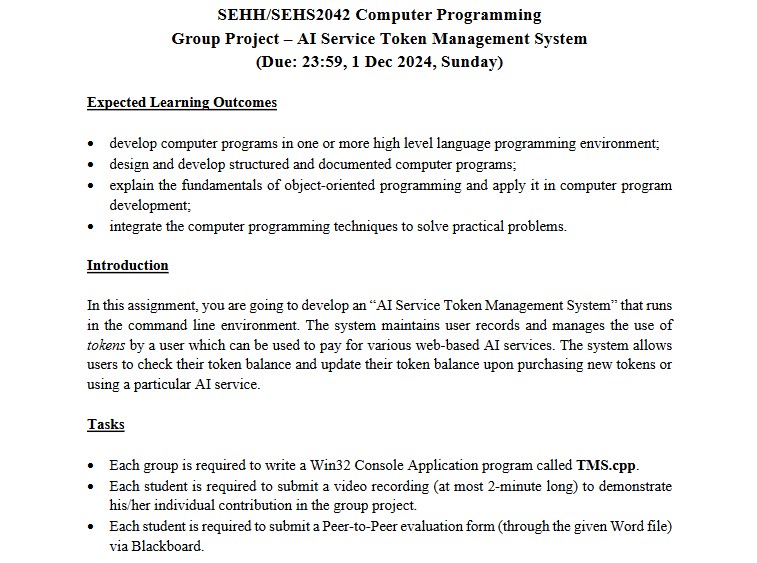
Question: Expected Learning Outcomes - develop computer programs in one or more high level language programming environment; - design and develop structured and documented computer programs;
Expected Learning Outcomes
develop computer programs in one or more high level language programming environment;
design and develop structured and documented computer programs;
explain the fundamentals of objectoriented programming and apply it in computer program development;
integrate the computer programming techniques to solve practical problems.
Introduction
In this assignment, you are going to develop an AI Service Token Management System" that runs in the command line environment. The system maintains user records and manages the use of tokens by a user which can be used to pay for various webbased AI services. The system allows users to check their token balance and update their token balance upon purchasing new tokens or using a particular AI service.
Tasks
Each group is required to write a Win Console Application program called TMScpp
Each student is required to submit a video recording at most minute long to demonstrate hisher individual contribution in the group project.
Each student is required to submit a PeertoPeer evaluation form through the given Word file via Blackboard. Program Requirements
R When the program starts, the console should display a welcome message, followed by the Main Menu of the program. Users can enter the options of the corresponding actions see R to R below
Welcome Message designed by your group
Main Menu
Load Starting Data
Show User Records
Edit Users
Enter User View
SEHHSEHS Semester One Group Project
Show System Usage Summary
Credits and Exit
Option : R
Load Starting Data
When the user inputs in the Main Menn, the systam is loaded with starting data. The starting data includes user records as ghownin R below. After the starting data is loaded, the system returns to the Main Mern
R The starting data to be loaded, togethar with the required data format of the data fields, are described below:
User records
Data format of each field:
User ID: A string that uriquely identifies wsar in the systam assume at most characters long; it is casesensitive You can assume it does not contain white space.
Type: A character T F or S that represarts the account type Different restrictions about using the AI services, and differant charging policies are wsed for different accourt types. See reurement R for detvils.
Token Balance: The token balance onnad by the weer.
Auto Topup: A character Y or N to indicate whether extra tokers would be purchased automatically if the tokan balance is not enough for a particular AI service. R Options to in the Main Menu are enabled only after the system is loaded with the starting data. If the user enters options to before starting data is loaded, an error message should be shown, and then the system returns to the Main Menu.
R Show User Records
After the starting data is loaded When the user inputs in the Main Menu, the system displays all the fields of all user records. A tabular format should be displayed, and the records are sorted in alphabetical order based on the ID values. Data shown should be the latest set of data since the starting data is loaded updates on the user records resulted by the operations under options or in the Main Menu should be included After showing the records, the system returns to the Main Menu. R
Edit Users
After the starting data is loaded When the user inputs in the Main Menu, the system prompts for the next user input of a User ID If such User ID does not exist in the system, it is an add user operation. Otherwise, it is a delete user operation.
You can assume the system will store at most user records.
Add user
The system asks the user to input the information of the remaining three fields: Type, Token Balance, and Auto Topup After getting all user inputs, the new user should be added into the system. For any invalid inputs eg wrong field values, incorrect range for token balance, etc. the system allows TWO more retries. With more than THREE times of invalid inputs, no user is added. The system prints an appropriate error message and returns to the Main Menu.
Delete customer
The system displays the information of the user including all the fields and prompts for user's "YesNo confirmation on the delete operation. The user record is deleted from the system if it is confirmed.
A message showing the summary of the above operation is then displayed, and the system returns to the Main Menu.
Step by Step Solution
There are 3 Steps involved in it
1 Expert Approved Answer
Step: 1 Unlock

Question Has Been Solved by an Expert!
Get step-by-step solutions from verified subject matter experts
Step: 2 Unlock
Step: 3 Unlock
 Study Help