







Question: explain how to extend the incremented percentages from range B:6 C:6 to range D6: H:6 Switch to the Sales Projections worksheet. Use the values in

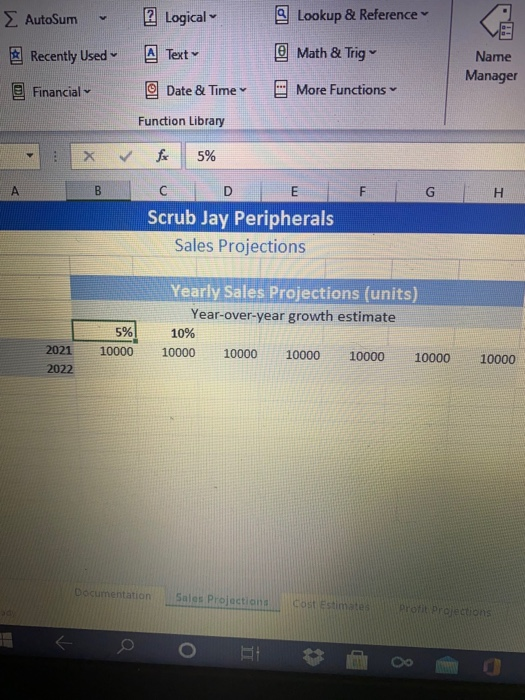
explain how to extend the incremented percentages from range B:6 C:6 to range D6: H:6
Switch to the Sales Projections worksheet. Use the values in the range B6:C6 to extend the incremented percentages to the range D6:16. in the AutoSum Logical Lookup & Reference Recently Used A Text @ Math & Trig Name Manager Financial Date & Time More Functions Function Library 5% A B D E F H Scrub Jay Peripherals Sales Projections Yearly Sales Projections (units) Year-over-year growth estimate 10% 10000 10000 10000 10000 10000 5% 2021 10000 10000 2022 Documentation Sales Projections Cost estimate Profit Projection o HET
Step by Step Solution
There are 3 Steps involved in it
1 Expert Approved Answer
Step: 1 Unlock

Question Has Been Solved by an Expert!
Get step-by-step solutions from verified subject matter experts
Step: 2 Unlock
Step: 3 Unlock
 Study Help