







Question: Explain the steps you go with LabVIEW while configuring your setup. Give numerical values for your experiment. Using LabVIEW: - Generate 2 sine-waves (x(t) and
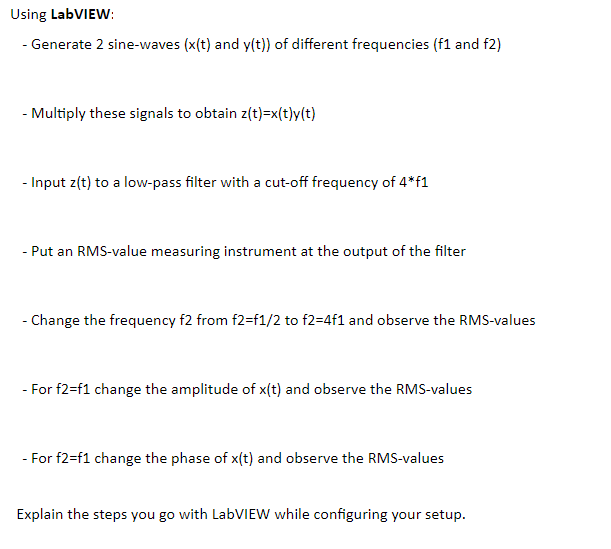
Explain the steps you go with LabVIEW while configuring your setup.
Give numerical values for your experiment.
Using LabVIEW: - Generate 2 sine-waves (x(t) and y(t)) of different frequencies (f1 and f2) - Multiply these signals to obtain z(t)=x(t)y(t) - Input z(t) to a low-pass filter with a cut-off frequency of 4*f1 - Put an RMS-value measuring instrument at the output of the filter - Change the frequency f2 from f2=f1/2 to f2=4f1 and observe the RMS-values - For f2=f1 change the amplitude of r(t) and observe the RMS-values For f2=f1 change the phase of x(t) and observe the RMS-values Explain the steps you go with LabVIEW while configuring your setup. Using LabVIEW: - Generate 2 sine-waves (x(t) and y(t)) of different frequencies (f1 and f2) - Multiply these signals to obtain z(t)=x(t)y(t) - Input z(t) to a low-pass filter with a cut-off frequency of 4*f1 - Put an RMS-value measuring instrument at the output of the filter - Change the frequency f2 from f2=f1/2 to f2=4f1 and observe the RMS-values - For f2=f1 change the amplitude of r(t) and observe the RMS-values For f2=f1 change the phase of x(t) and observe the RMS-values Explain the steps you go with LabVIEW while configuring your setup
Step by Step Solution
There are 3 Steps involved in it

Get step-by-step solutions from verified subject matter experts
 Study Help