







Question: explain what happening in the code Exercise 1 Create a class called Message that simulates a message sent between two people. Each Message object will
explain what happening in the code
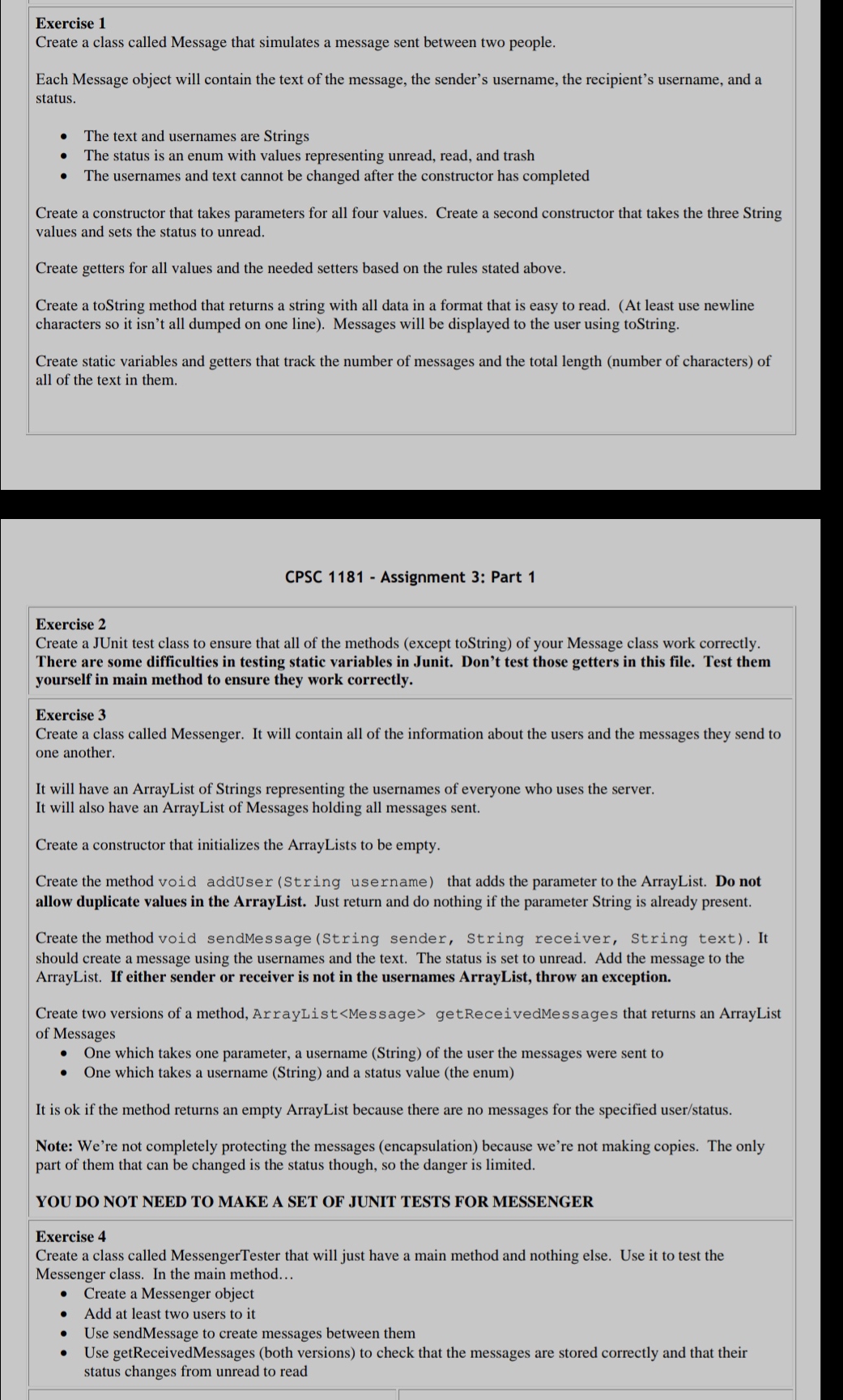
Exercise 1 Create a class called Message that simulates a message sent between two people. Each Message object will contain the text of the message, the sender's username, the recipient's username, and a status. The text and usernames are Strings The status is an enum with values representing unread, read, and trash The usernames and text cannot be changed after the constructor has completed Create a constructor that takes parameters for all four values. Create a second constructor that takes the three String values and sets the status to unread. Create getters for all values and the needed setters based on the rules stated above. Create a toString method that returns a string with all data in a format that is easy to read. (At least use newline characters so it isn't all dumped on one line). Messages will be displayed to the user using toString. Create static variables and getters that track the number of messages and the total length (number of characters) of all of the text in them. CPSC 1181 - Assignment 3: Part 1 Exercise 2 Create a JUnit test class to ensure that all of the methods (except toString) of your Message class work correctly. There are some difficulties in testing static variables in Junit. Don't test those getters in this file. Test them yourself in main method to ensure they work correctly. Exercise 3 Create a class called Messenger. It will contain all of the information about the users and the messages they send to one another. It will have an ArrayList of Strings representing the usernames of everyone who uses the server. It will also have an ArrayList of Messages holding all messages sent. Create a constructor that initializes the ArrayLists to be empty. Create the method void addUser (String username) that adds the parameter to the ArrayList. Do not allow duplicate values in the ArrayList. Just return and do nothing if the parameter String is already present. Create the method void sendMessage (String sender, String receiver, String text). It should create a message using the usernames and the text. The status is set to unread. Add the message to the ArrayList. If either sender or receiver is not in the usernames ArrayList, throw an exception. Create two versions of a method, ArrayList getReceived Messages that returns an ArrayList of Messages . One which takes one parameter, a username (String) of the user the messages were sent to One which takes a username (String) and a status value (the enum) It is ok if the method returns an empty ArrayList because there are no messages for the specified user/status. Note: We're not completely protecting the messages (encapsulation) because we're not making copies. The only part of them that can be changed is the status though, so the danger is limited. YOU DO NOT NEED TO MAKE A SET OF JUNIT TESTS FOR MESSENGER Exercise 4 Create a class called MessengerTester that will just have a main method and nothing else. Use it to test the Messenger class. In the main method... Create a Messenger object Add at least two users to it Use sendMessage to create messages between them Use getReceivedMessages (both versions) to check that the messages are stored correctly and that their status changes from unread to read
Step by Step Solution
There are 3 Steps involved in it

Get step-by-step solutions from verified subject matter experts
 Study Help