







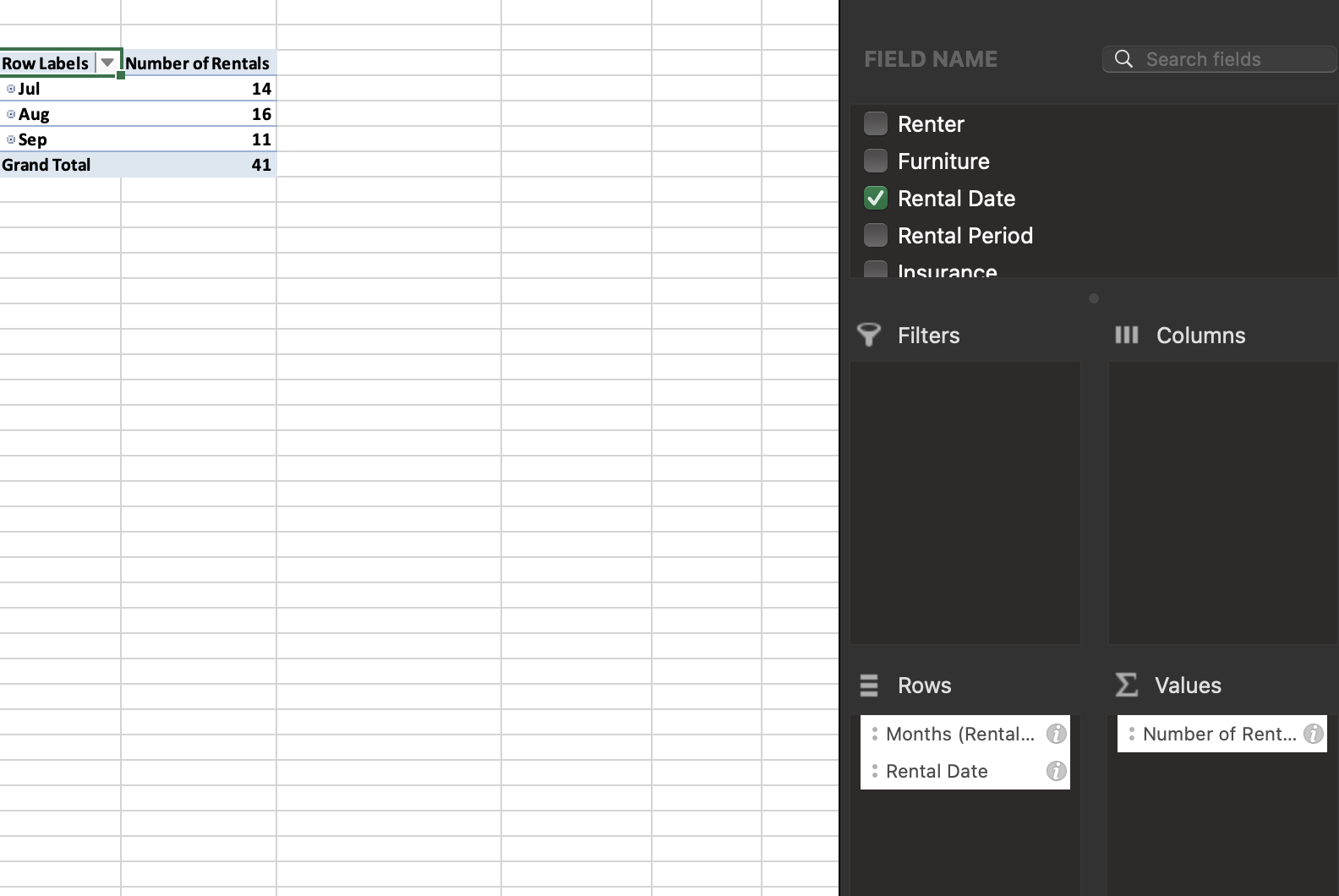
Question: Explore 1 1 . Create a PivotTable to display the number of rentals and rental $ by rental month. Rename the worksheet as Monthly Rentals.
Explore Create a PivotTable to display the number of rentals and rental $ by rental month.
Rename the worksheet as Monthly Rentals. Hint: Select any Rental Date in the PivotTable, and
then on the PivotTable Tools Analyze tab, in the Group group, click the Group Field button to
open the Grouping dialog box. Use Months as the grouping field.
Save the workbook, and then close itRow Labels Number of Rentals
tableJulAugSepGrand Total,
FIELD NAME
Renter
Furniture
Rental Date
Rental Period
Incurance
Filters
Rows
: Months Rental
: Rental Date
Search fields
Columns
Values
: Number of Rent..
Step by Step Solution
There are 3 Steps involved in it
1 Expert Approved Answer
Step: 1 Unlock

Question Has Been Solved by an Expert!
Get step-by-step solutions from verified subject matter experts
Step: 2 Unlock
Step: 3 Unlock
 Study Help