







Question: Extend the example from the code below to use the dropdown to have the user select their favorite. When the season is selected change the
Extend the example from the code below to use the dropdown to have the user select their favorite. When the season is selected change the background color, add an image and have it change and text and have it change to match the selected season.
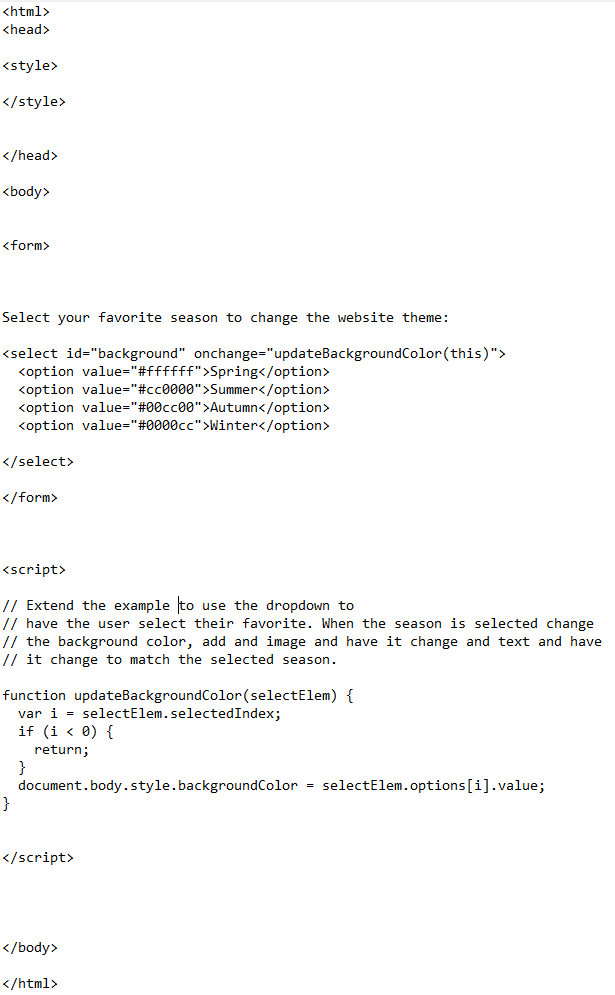
Select your favorite season to change the website theme: Spring Summer Autumn Winter // Extend the example to use the dropdown to // have the user select their favorite. When the season is selected change // the background color, add and image and have it change and text and have // it change to match the selected season. function updateBackgroundColor(selectElem) { var i = selectElem.selectedIndex; if (i < 0) { return; } document.body.style.backgroundColor = selectElem.options[i].value; }
Step by Step Solution
There are 3 Steps involved in it
The implementation of the above approach is in the explanation below Stepb... View full answer

Get step-by-step solutions from verified subject matter experts
 Study Help