







Question: Extra 10-2 Process lunch orders In this exercise, you'll complete a form that accepts a lunch order from the user and then calculates the order
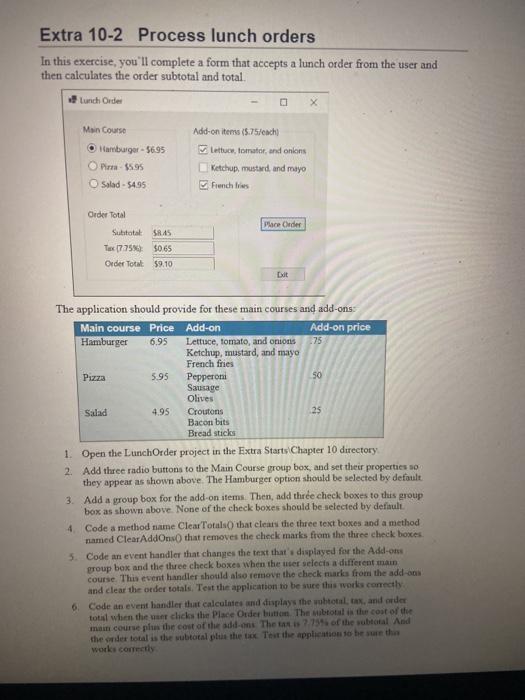
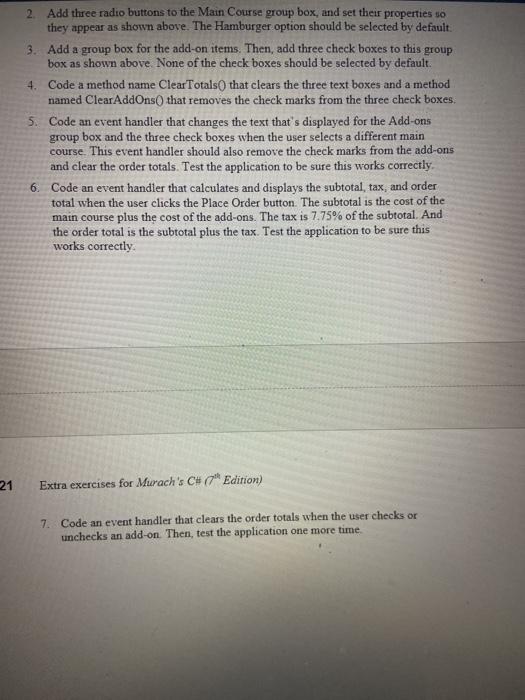
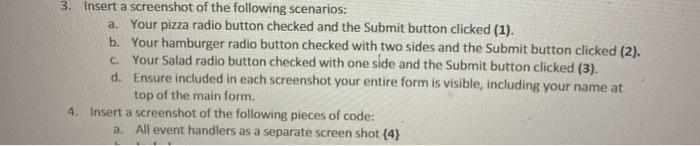
Extra 10-2 Process lunch orders In this exercise, you'll complete a form that accepts a lunch order from the user and then calculates the order subtotal and total Lunch Order X Main Course Hamburger - 5695 $5.95 Salad - 5495 Add-on items (5.75/cach Lettuce tomater, and onions Ketchup, mustard and mayo French Place Order Order Total Subtotal $45 Tex 1775.): $0.65 Order Total $9.10 Dit The application should provide for these main courses and add-ons Main course Price Add-on Add-on price Hamburger 6.95 Lettuce, tomato, and onions -75 Ketchup, mustard, and mayo French fries Pizza 5.95 Pepperoni 50 Sausage Olives Salad 4.95 Croutons 25 Bacon bits Bread sticks 1. Open the Lunch Order project in the Extra Starts Chapter 10 directory 2. Add three radio buttons to the Main Course group box, and set their properties so they appear as shown above. The Hamburger option should be selected by default 3. Add a group box for the add-on items. Then, add three check boxes to this group box as shown above None of the check boxes should be selected by default 4. Code a method name Clear Totals that clear the three text boxes and a method named ClearAddOns that removes the check marks from the three check boxes 5. Code an event handler that changes the text that's displayed for the Add-on group box and the three check boxes when the user selects a different main course. This event handler should also remove the check marks from the add-oos and clear the order totals Test the application to be sure this works correctly 6. Code an event handler that calculates and displays the wubtotal tax, and order total when the ches the Place Order button. The mbtotal the cost of the main course phas the cost of the add-ons The tax is 2.75% of the total And the order total is the subtotal plus the tax Test the application to be sure the works correctly 2. Add three radio buttons to the Main Course group box, and set their properties so they appear as shown above. The Hamburger option should be selected by default 3. Add a group box for the add-on items. Then, add three check boxes to this group box as shown above. None of the check boxes should be selected by default. 4. Code a method name ClearTotals that clears the three text boxes and a method named ClearAddOns() that removes the check marks from the three check boxes. 5. Code an event handler that changes the text that's displayed for the Add-ons group box and the three check boxes when the user selects a different main course. This event handler should also remove the check marks from the add-ons and clear the order totals. Test the application to be sure this works correctly 6. Code an event handler that calculates and displays the subtotal, tax, and order total when the user clicks the Place Order button. The subtotal is the cost of the main course plus the cost of the add-ons. The tax is 7.75% of the subtotal. And the order total is the subtotal plus the tax application to be sure this works correctly 21 Extra exercises for Murach's C# (7" Edition) 7. Code an event handler that clears the order totals when the user checks or unchecks an add-on. Then, test the application one more time. 3. Insert a screenshot of the following scenarios: a. Your pizza radio button checked and the Submit button clicked (1). b. Your hamburger radio button checked with two sides and the Submit button clicked (2). c. Your Salad radio button checked with one side and the Submit button clicked (3). d. Ensure included in each screenshot your entire form is visible, including your name at top of the main form. 4. Insert a screenshot of the following pieces of code: a. All event handlers as a separate screen shot {4}
Step by Step Solution
There are 3 Steps involved in it

Get step-by-step solutions from verified subject matter experts
 Study Help