







Question: Extra 3-4 Use a Sales array In this exercise, you'll start with five arrays that represent sales regions, and each array contains four values that
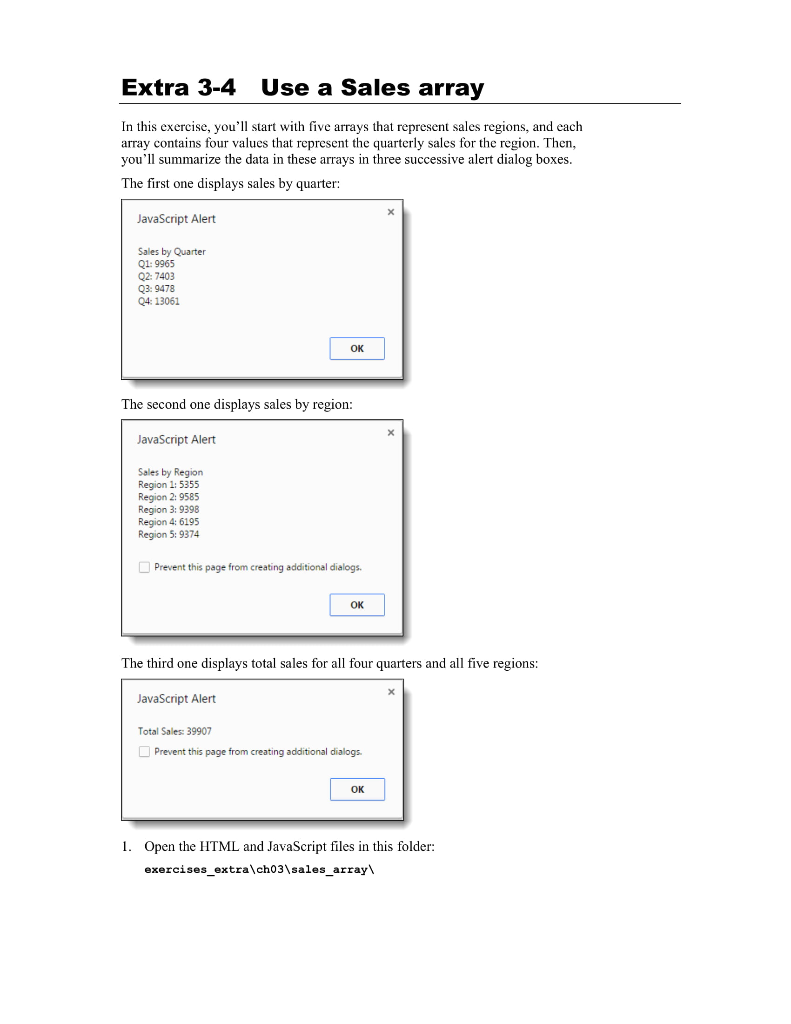
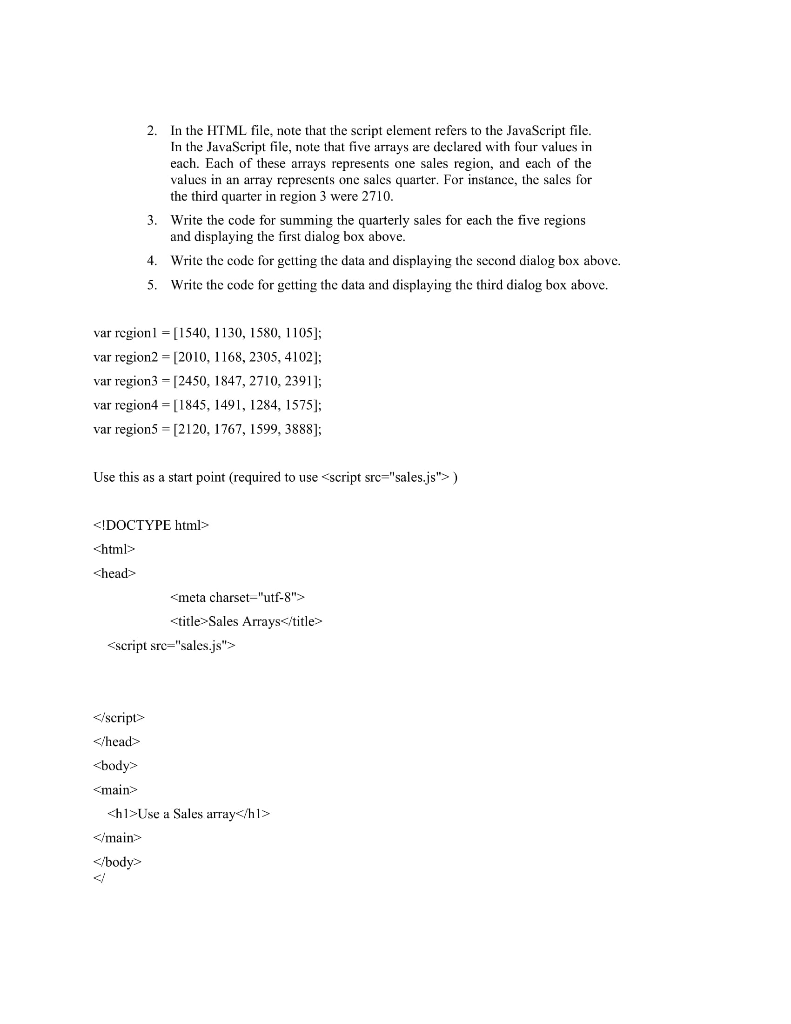
Extra 3-4 Use a Sales array In this exercise, you'll start with five arrays that represent sales regions, and each array contains four values that represent the quarterly sales for the region. Then, you'll summarize the data in these arrays in three successive alert dialog boxes. The first one displays sales by quarter: JavaScript Alert Sales by Quarter Q1: 9965 Q2:7403 Q3: 9478 Q4: 13061 | The second one displays sales by region: JavaScript Alert Sales by Region Region 1: 5355 Region 2:9585 Region 3: 9398 Region 4: 6195 Region 5: 9374 Prevent this page from creating additional dialogs. OK The third one displays total sales for all four quarters and all five regions: JavaScript Alert Total Sales: 39907 Prevent this page from creating additional dialogs. OK 1. Open the HTML and JavaScript files in this folder: exercises_extra\ch03\sales_array\ 2. In the HTML file, note that the script element refers to the JavaScript file. In the JavaScript file, note that five arrays are declared with four values in each. Each of these arrays represents one sales region, and each of the values in an array represents one sales quarter. For instance, the sales for the third quarter in region 3 were 2710. 3. Write the code for summing the quarterly sales for each the five regions and displaying the first dialog box above. 4. Write the code for getting the data and displaying the second dialog box above. 5. Write the code for getting the data and displaying the third dialog box above. var region 1 = [1540, 1130, 1580, 1105]; var region2 = [2010, 1168, 2305, 4102]; var region3 = [2450, 1847, 2710, 2391]; var region4=[1845, 1491, 1284, 1575); var region5 = [2120, 1767, 1599, 3888); Use this as a start point (required to use Use a Sales array
Step by Step Solution
There are 3 Steps involved in it

Get step-by-step solutions from verified subject matter experts
 Study Help