



Question: F am... Problem 13-10 Recording and Posting' Payroll Transactions Job Connect pays its employees twice a month. Employee earnings and tax amounts for the pay
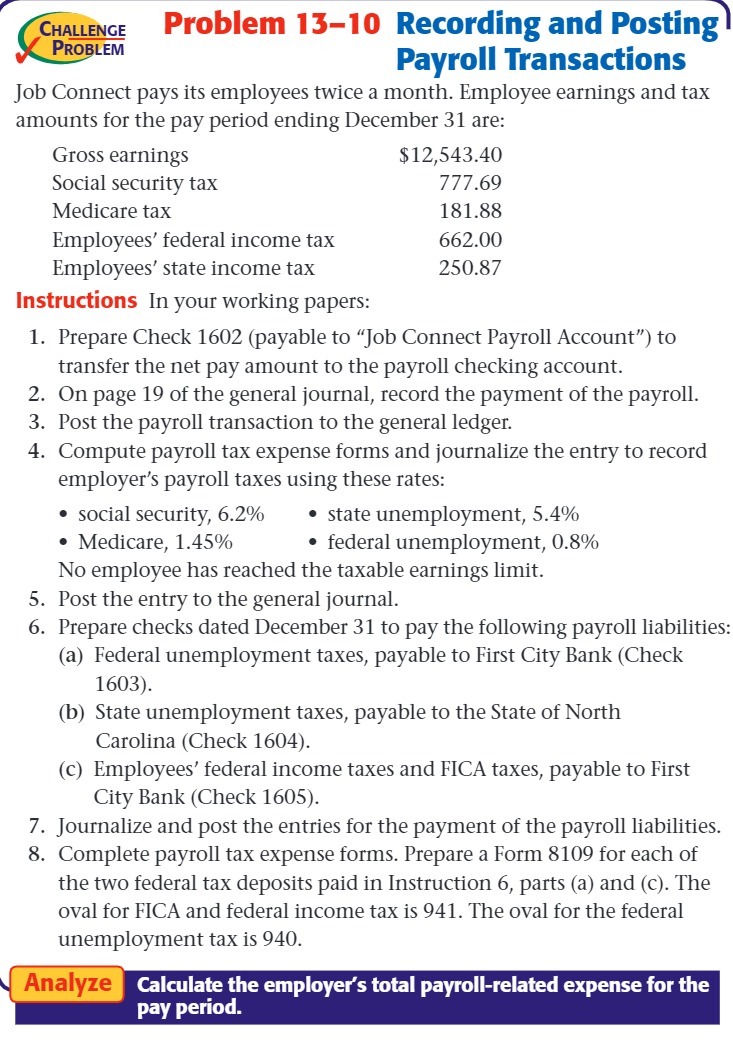
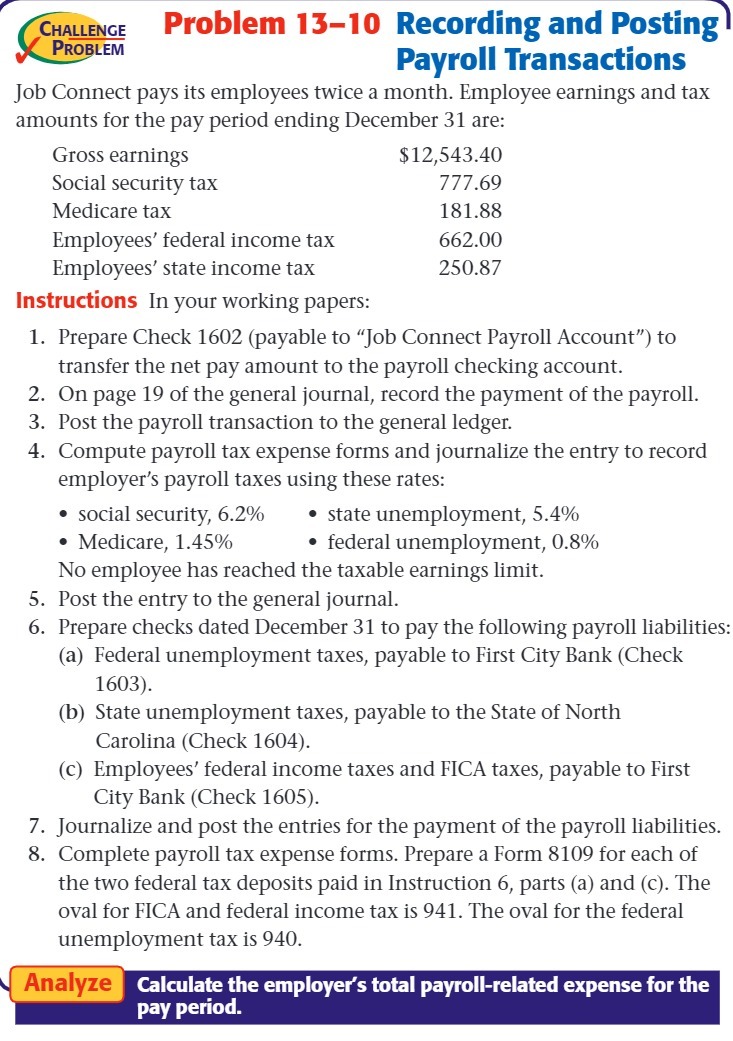
F am... Problem 13-10 Recording and Posting' Payroll Transactions Job Connect pays its employees twice a month. Employee earnings and tax amounts for the pay period ending December 31 are: Gross earnings 3} 12,543 .40 Social security tax F7169 Medicare tax 18 1.88 Employees' federal income tax 662.00 Employees' state income tax 250.8? Instructions In your working papers: 1. 2. 3. 4. 5. 6. Prepare Check 1602 (payable to \"Job Connect Payroll Account\") to transfer the net pay amount to the payroll checking account. On page 19 of the general journal, record the payment of the payroll. Post the payroll transaction to the general ledger. Compute payroll tax expense forms and iournalize the entry to record employer's payroll taxes using these rates: - social security, 6.2% . state unemployment, 5.4% - Medicare, 1.45% ' federal unemployment, 0.8% No employee has reached the taxable earnings limit. Post the entry to the general journal. Prepare checks dated December 31 to pay the following payroll liabilities: (a) Federal unemployment taxes, payable to First City Bank {Check 1603). (b) State unemployment taxes, payable to the State of North Carolina {Check 1604). (c) Employees' federal income taxes and FICA taxes, payable to First City Bank (Check 1605). F. Journalize and post the entries for the payment of the payroll liabilities. 8. Complete payroll tax expense forms. Prepare a Form 8109 for each of the two federal tax deposits paid in Instruction 6, parts (a) and (c). The oval for FICA and federal income tax is 941. The oval for the federal unemployment tax is 940. Calculate the employer's total payroll-related expense for the pay period
Step by Step Solution
There are 3 Steps involved in it

Get step-by-step solutions from verified subject matter experts