







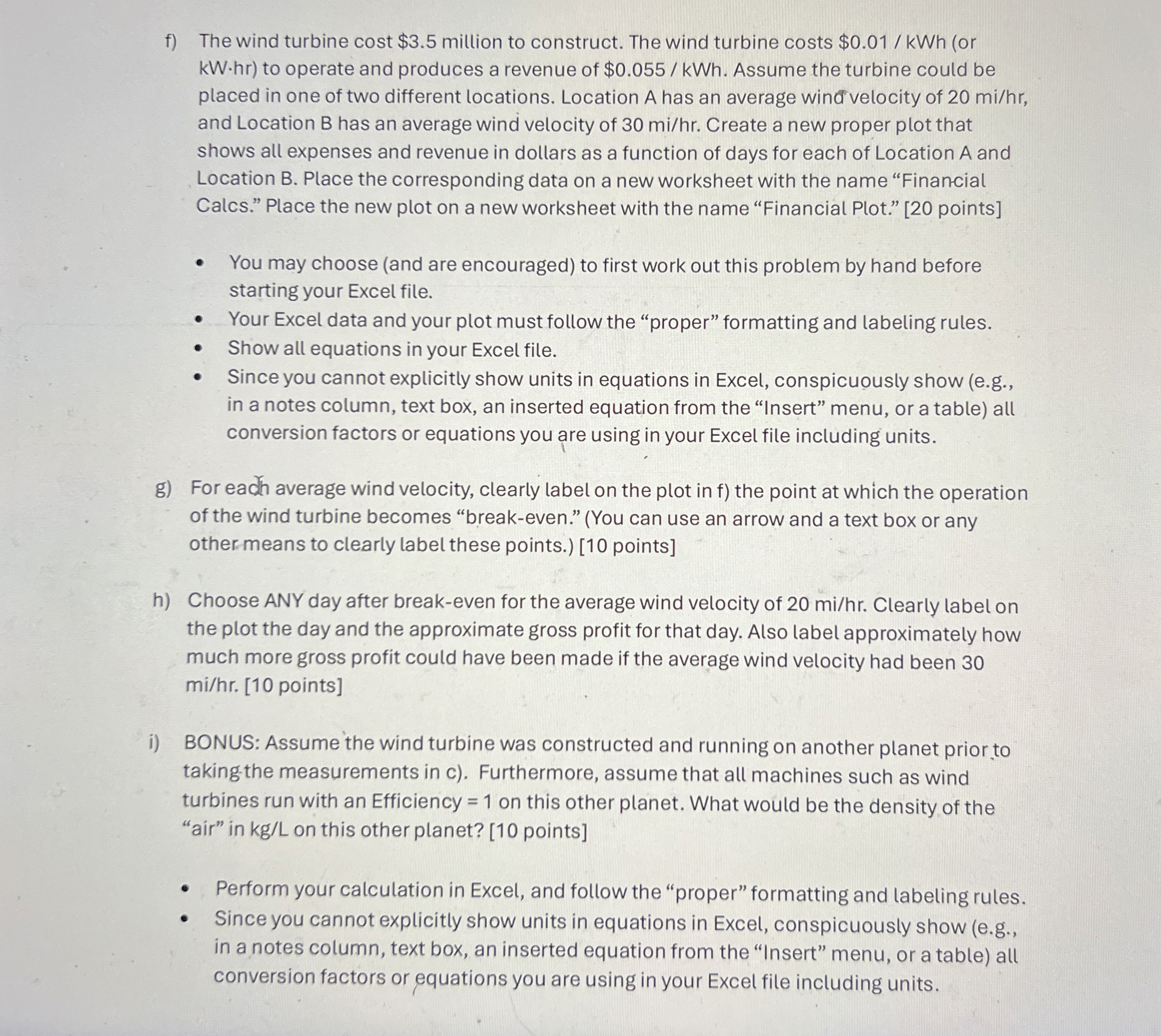
Question: f ) The wind turbine cost $ 3 . 5 million to construct. The wind turbine costs $ 0 . 0 1 k W h
f The wind turbine cost $ million to construct. The wind turbine costs $or to operate and produces a revenue of $ Assume the turbine could be placed in one of two different locations. Location A has an average win velocity of and Location B has an average wind velocity of Create a new proper plot that shows all expenses and revenue in dollars as a function of days for each of Location A and Location B Place the corresponding data on a new worksheet with the name "Financial Calcs." Place the new plot on a new worksheet with the name "Financial Plot." points
You may choose and are encouraged to first work out this problem by hand before starting your Excel file.
Your Excel data and your plot must follow the "proper" formatting and labeling rules.
Show all equations in your Excel file.
Since you cannot explicitly show units in equations in Excel, conspicuously show eg in a notes column, text box, an inserted equation from the "Insert" menu, or a table all conversion factors or equations you are using in your Excel file including units.
g For eadh average wind velocity, clearly label on the plot in f the point at which the operation of the wind turbine becomes "breakeven." You can use an arrow and a text box or any other means to clearly label these points. points
h Choose ANY day after breakeven for the average wind velocity of Clearly label on the plot the day and the approximate gross profit for that day. Also label approximately how much more gross profit could have been made if the average wind velocity had been mihr points
i BONUS: Assume the wind turbine was constructed and running on another planet prior to takingthe measurements in c Furthermore, assume that all machines such as wind turbines run with an Efficiency on this other planet. What would be the density of the "air" in kgL on this other planet? points
Perform your calculation in Excel, and follow the "proper" formatting and labeling rules.
Since you cannot explicitly show units in equations in Excel, conspicuously show eg in a notes column, text box, an inserted equation from the "Insert" menu, or a table all conversion factors or equations you are using in your Excel file including units.
Step by Step Solution
There are 3 Steps involved in it
1 Expert Approved Answer
Step: 1 Unlock

Question Has Been Solved by an Expert!
Get step-by-step solutions from verified subject matter experts
Step: 2 Unlock
Step: 3 Unlock
 Study Help