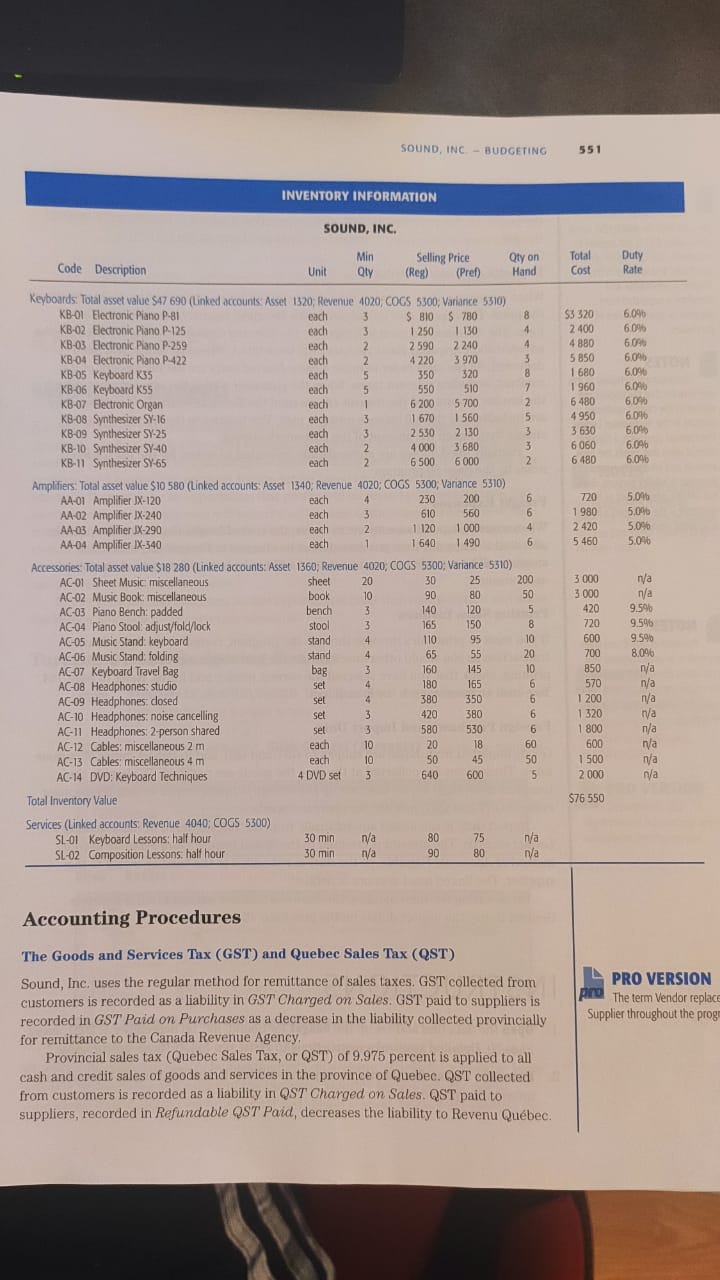
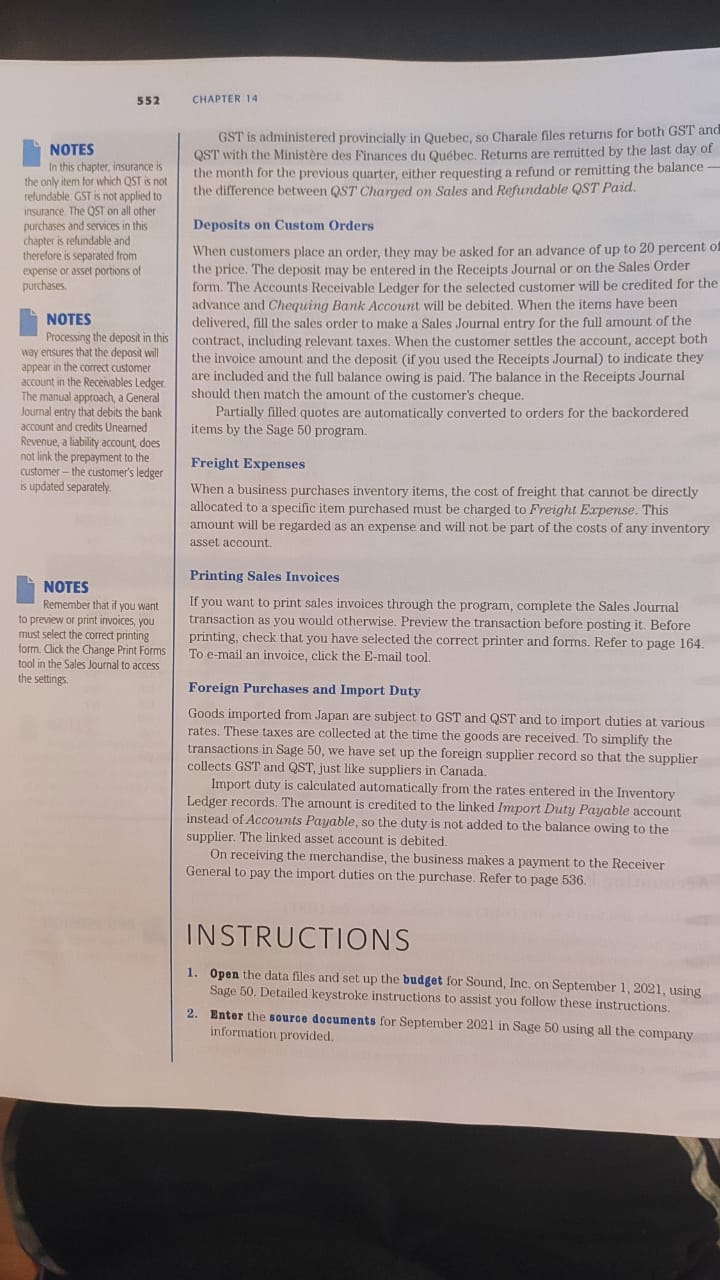
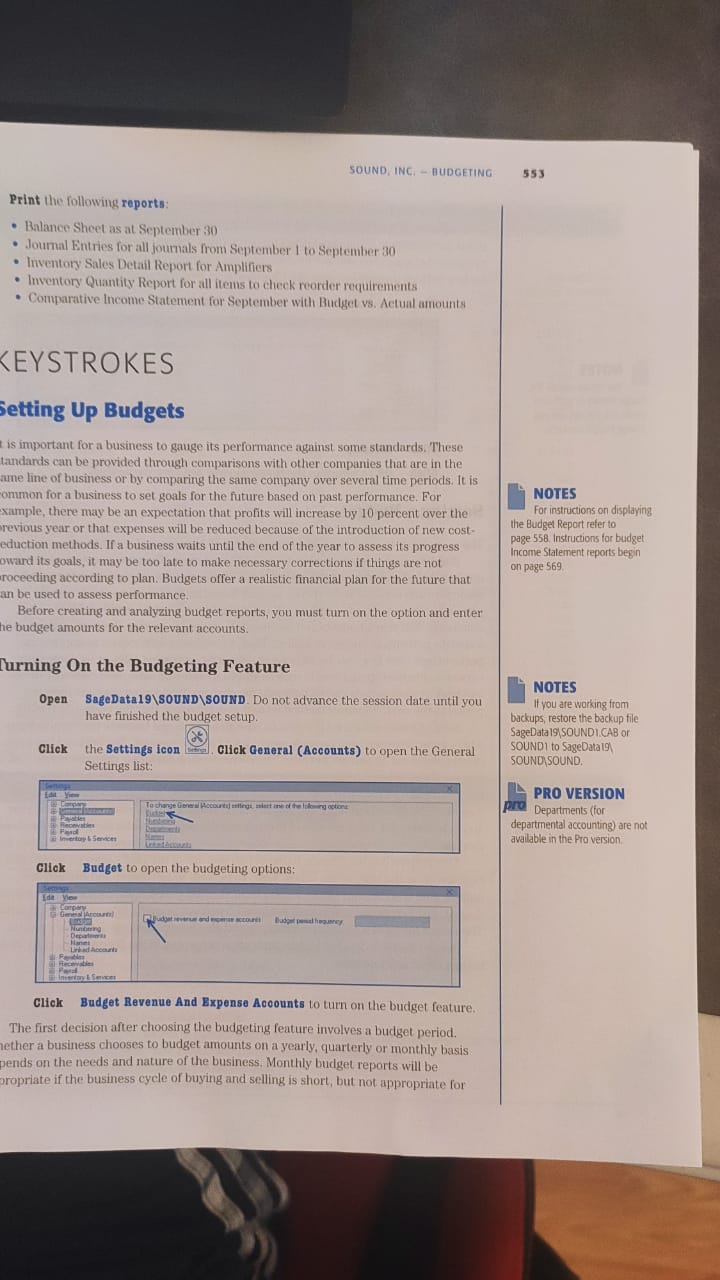
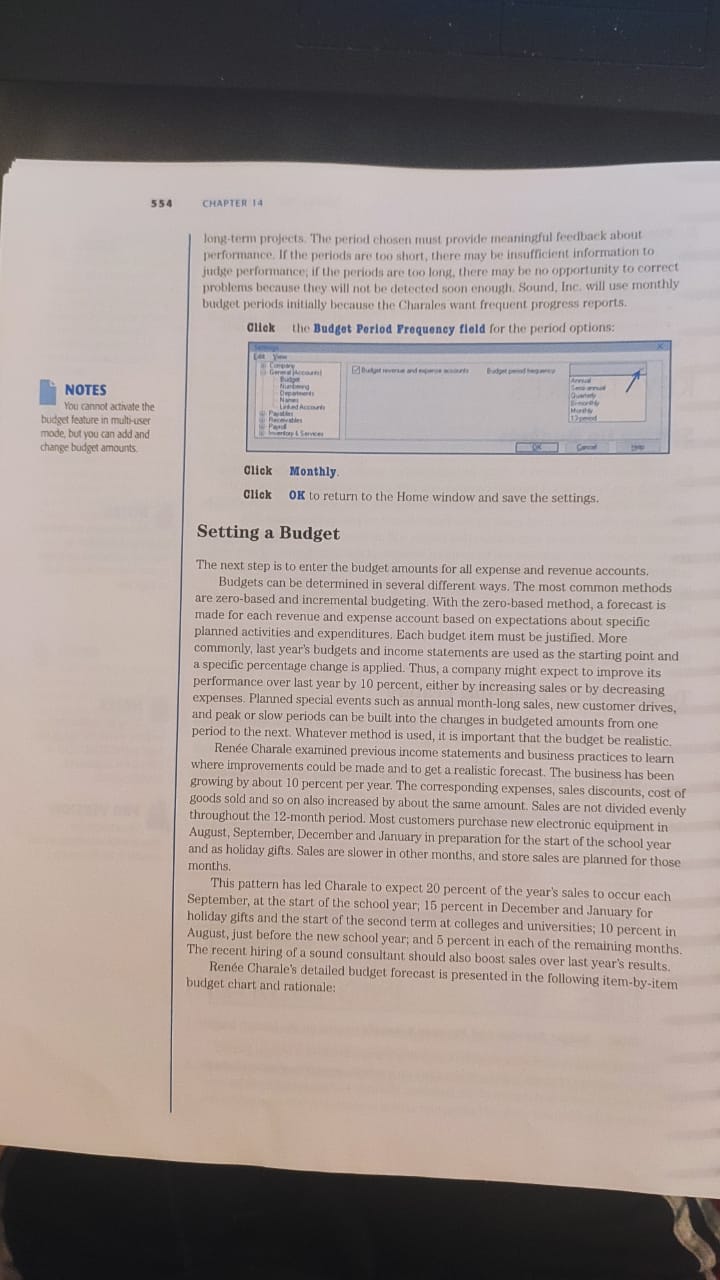
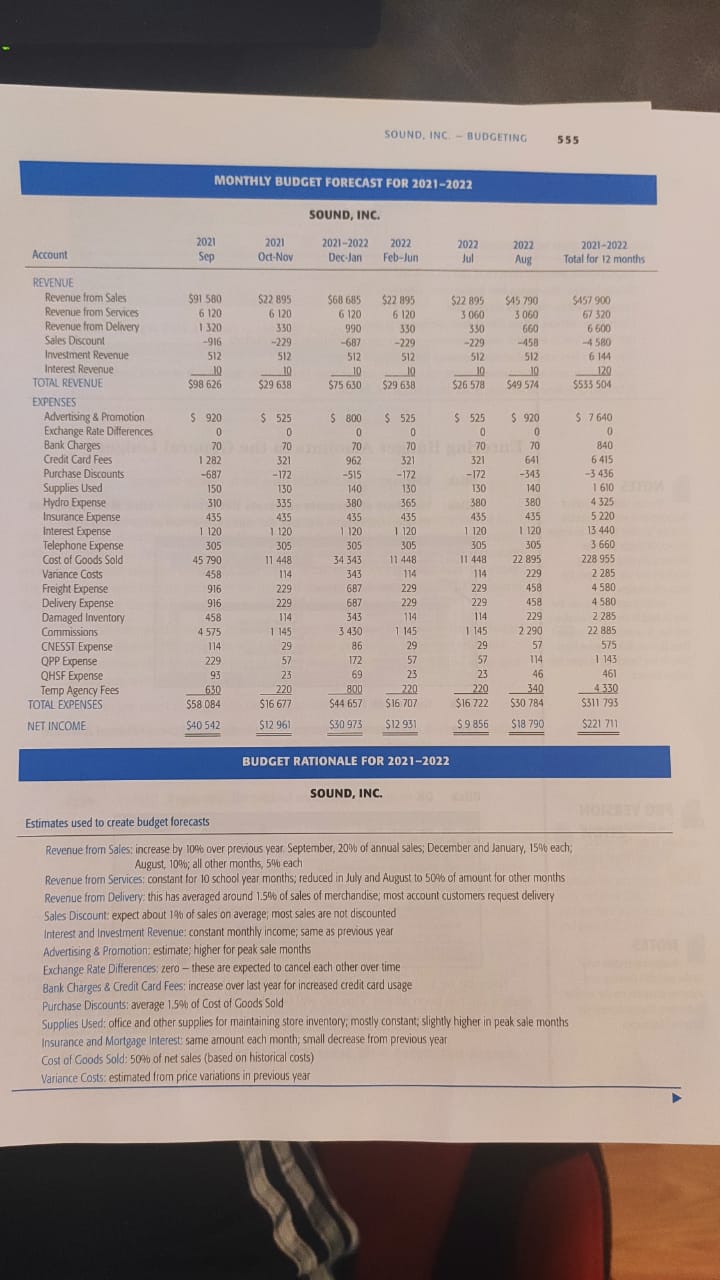
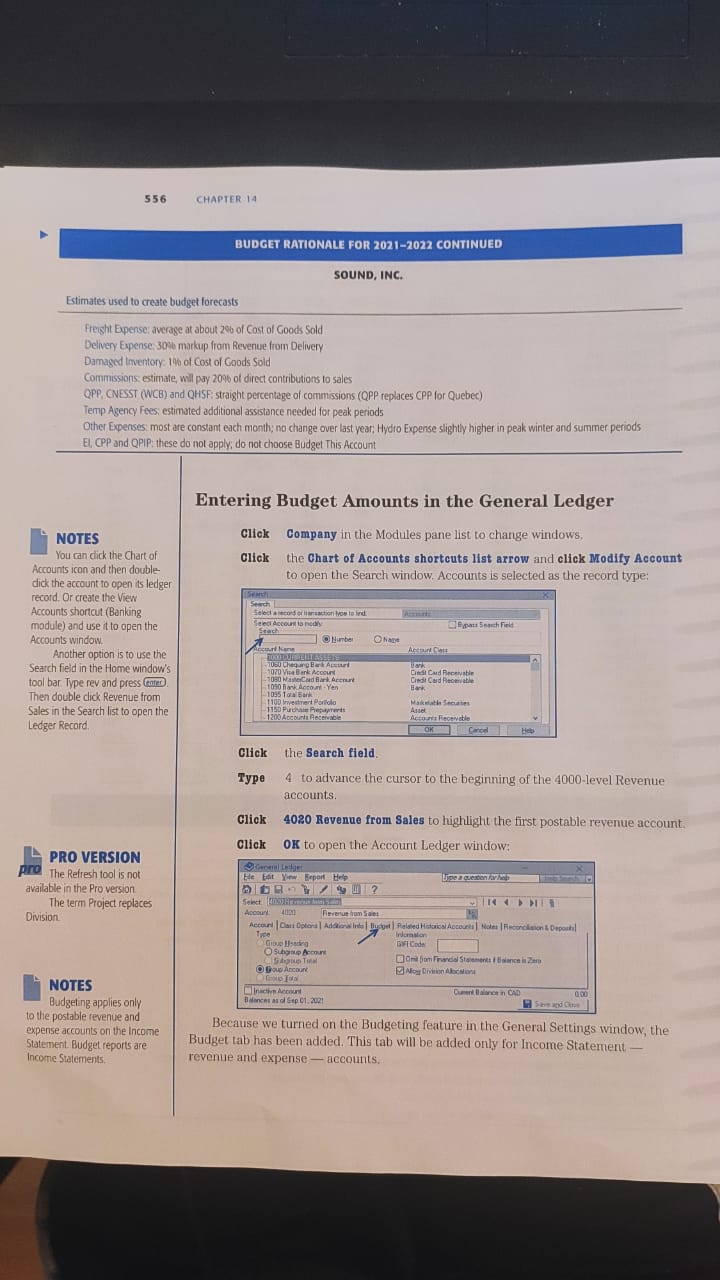
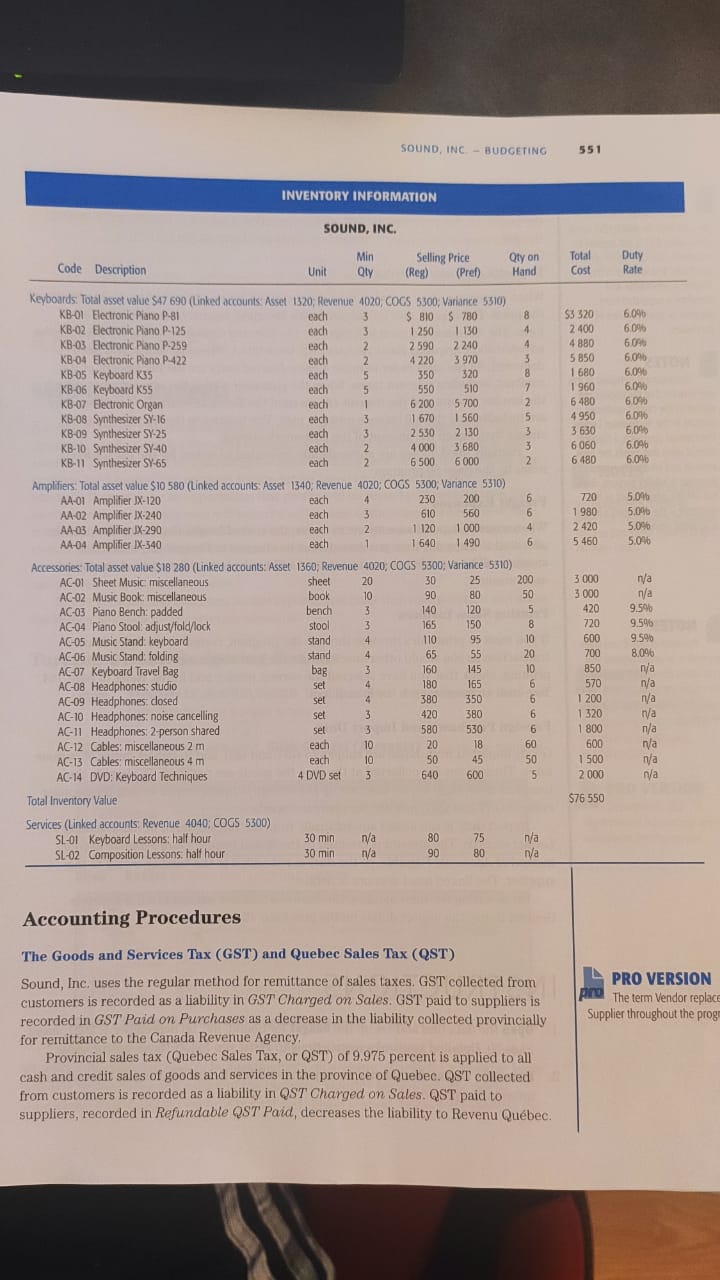
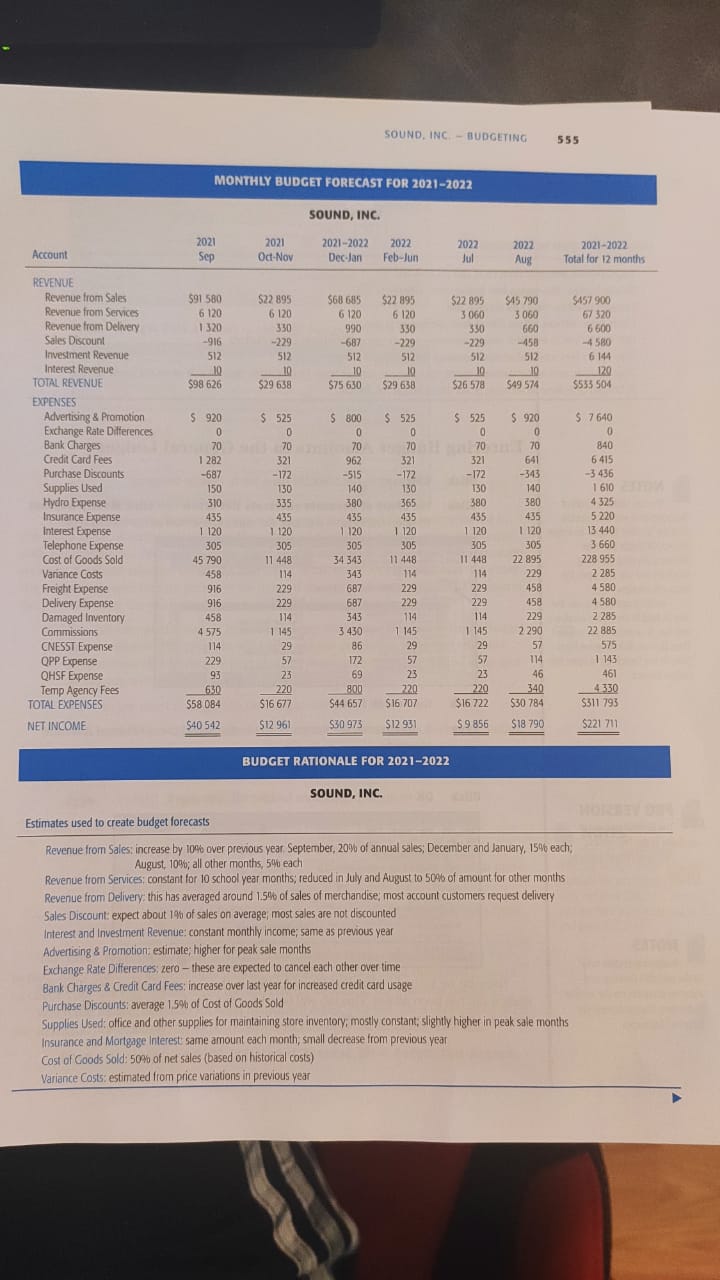
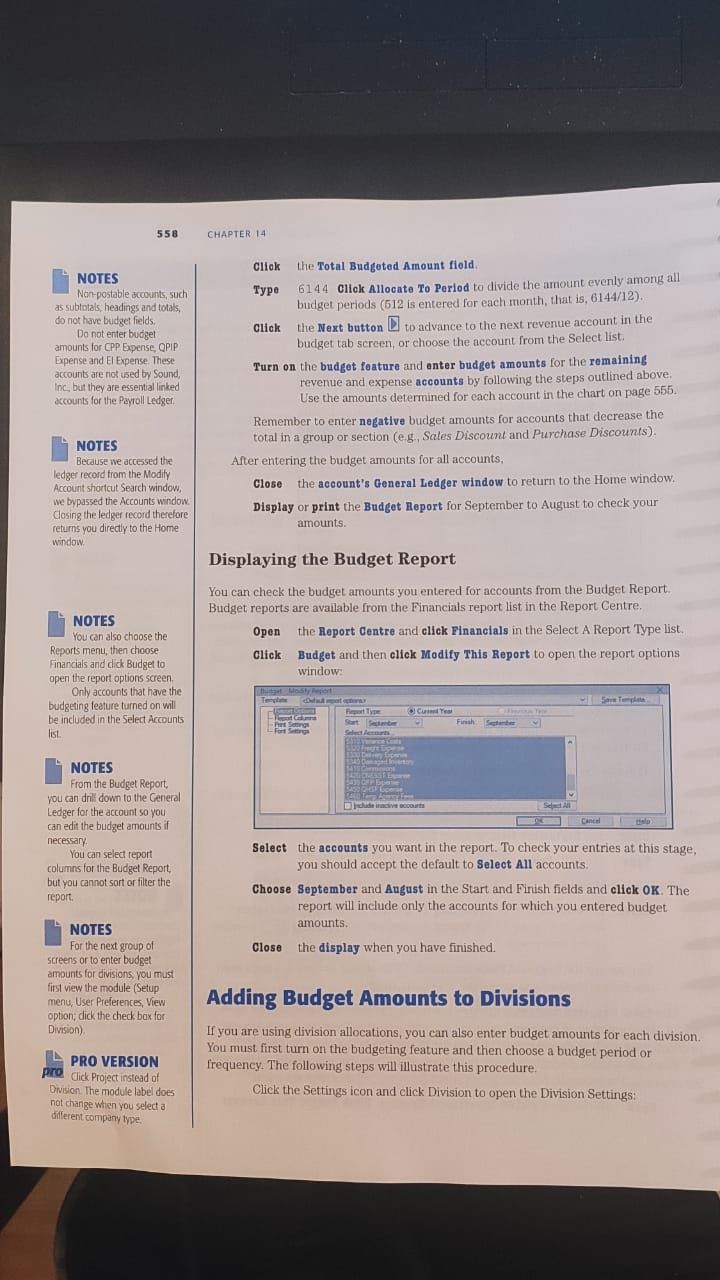
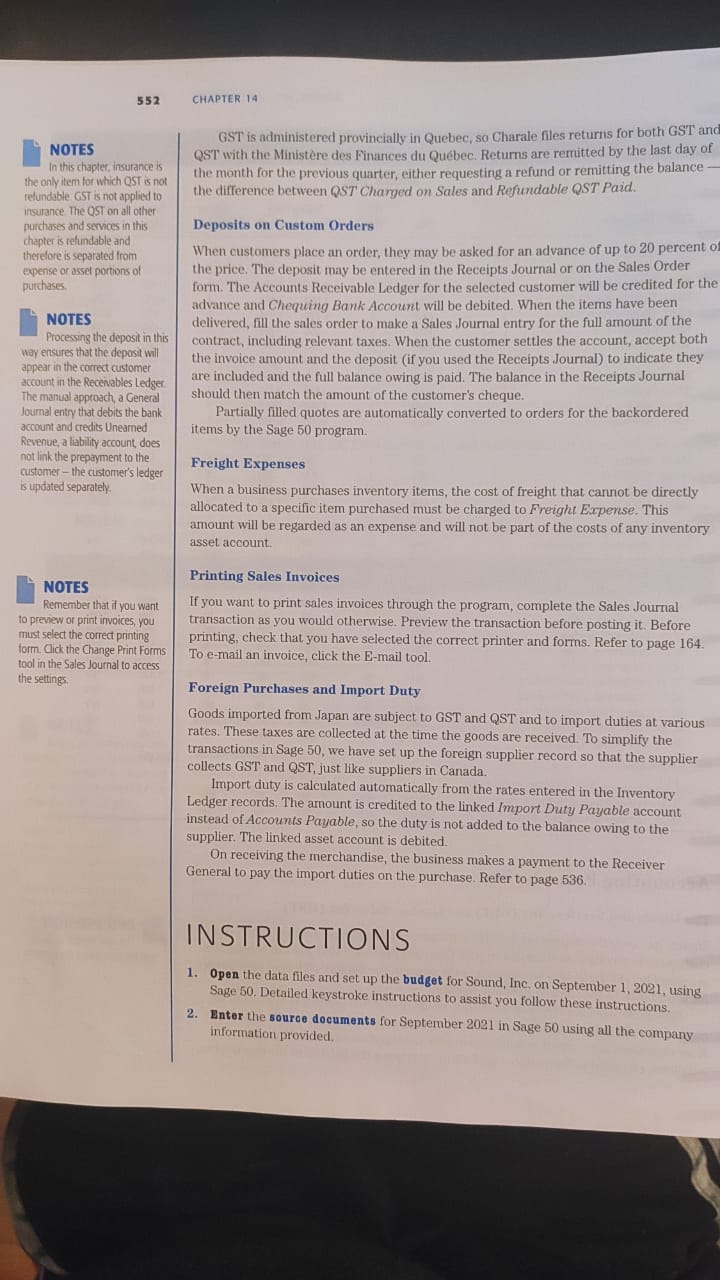
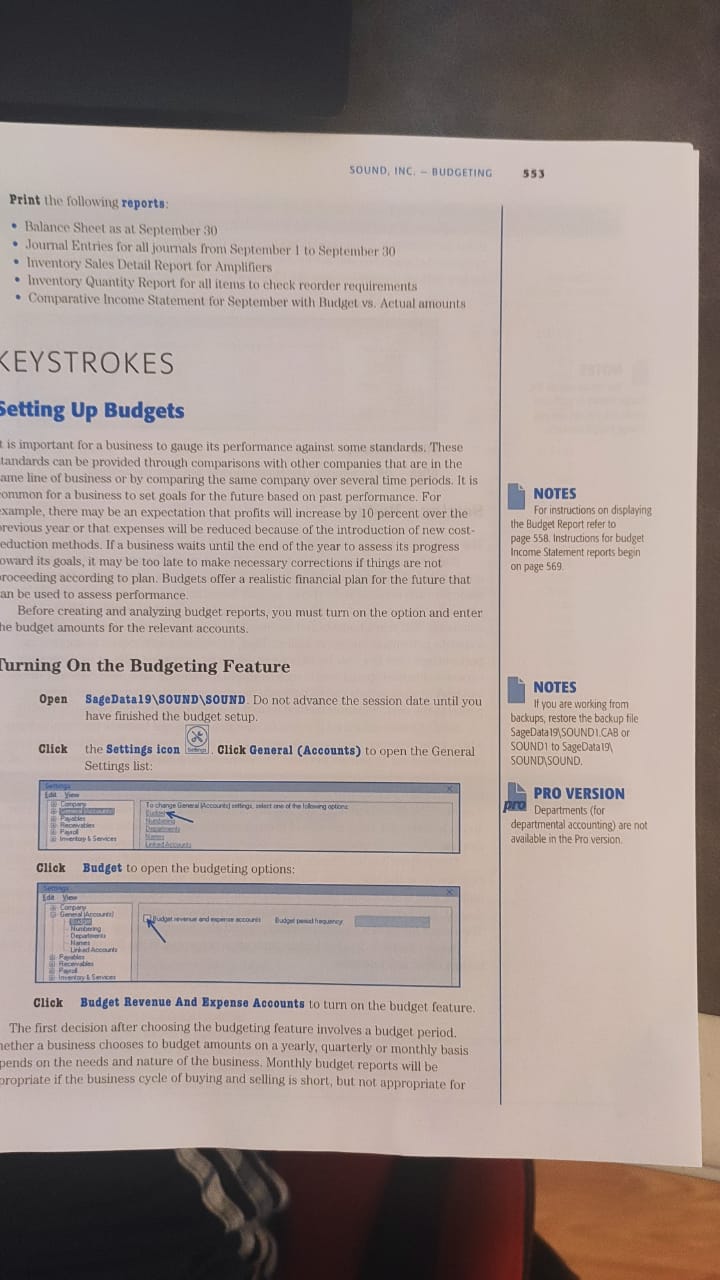
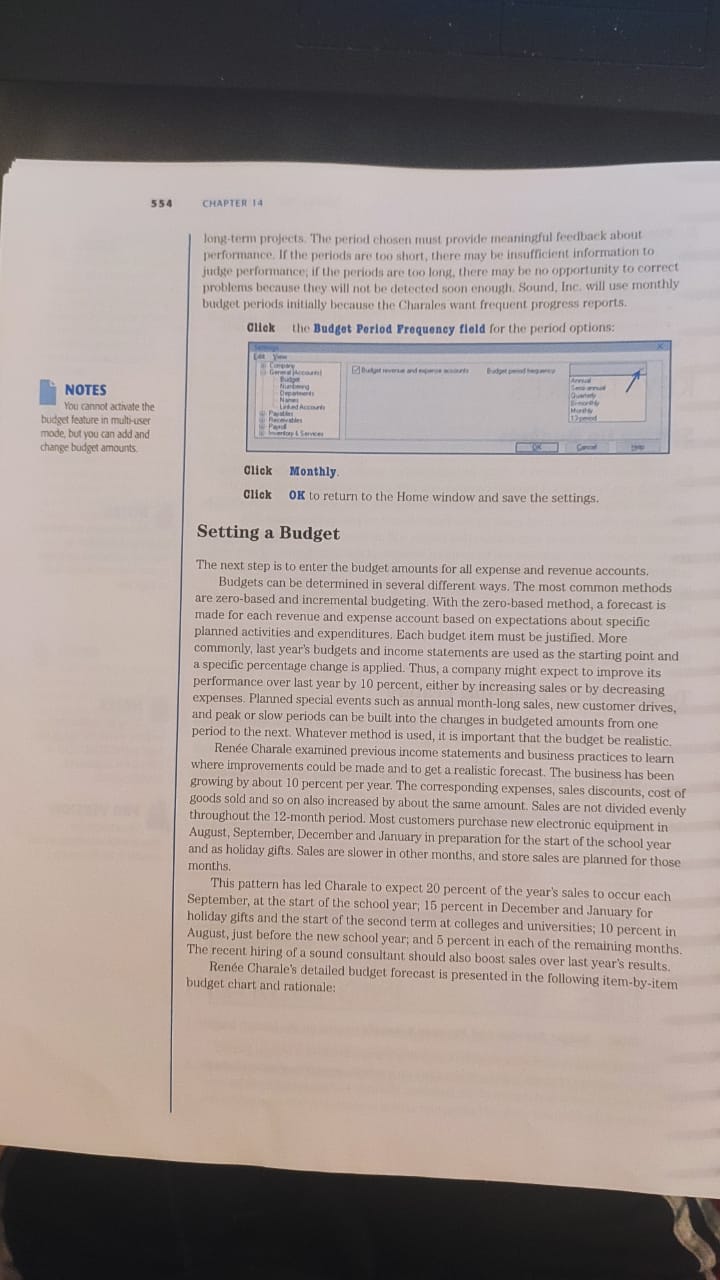
Question: ss6 BUDGET RATIONALE FOR CONTINUED SOUND. INC. Estimates used to create budget Openscj at about COSI Goods Sold markup RtV'nVR Delivery 03rnas-t o' Cost
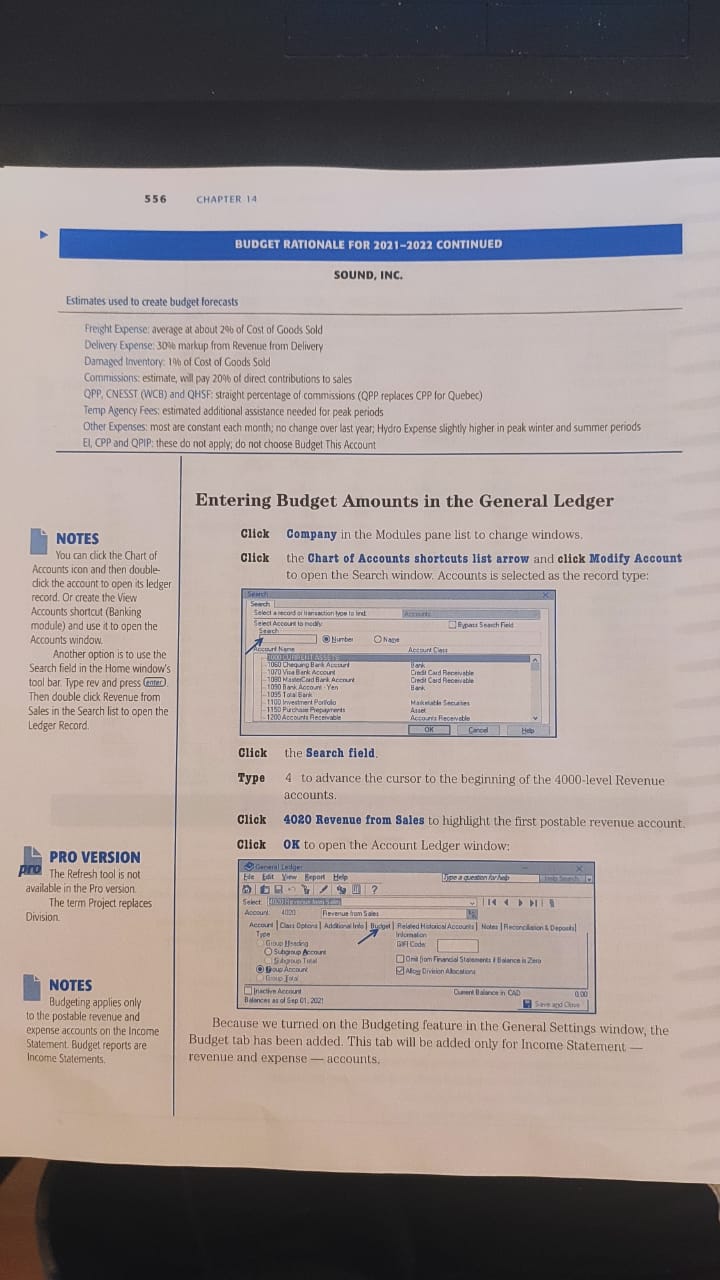
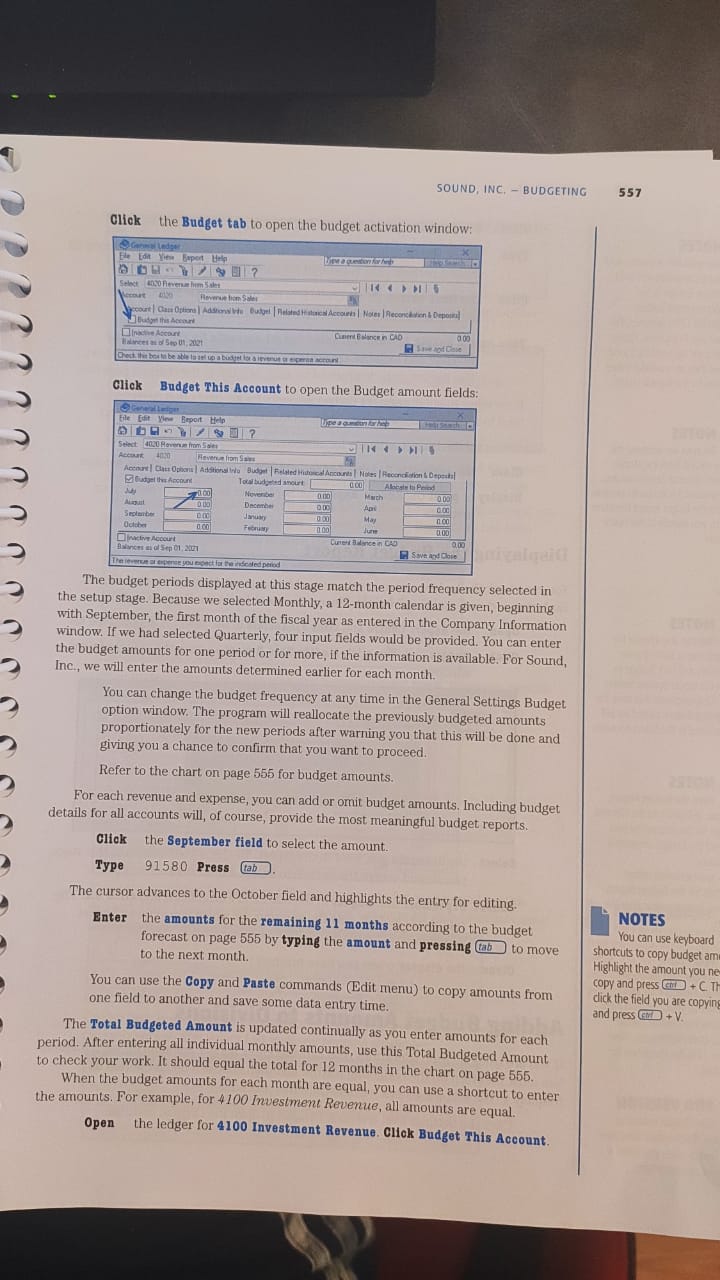
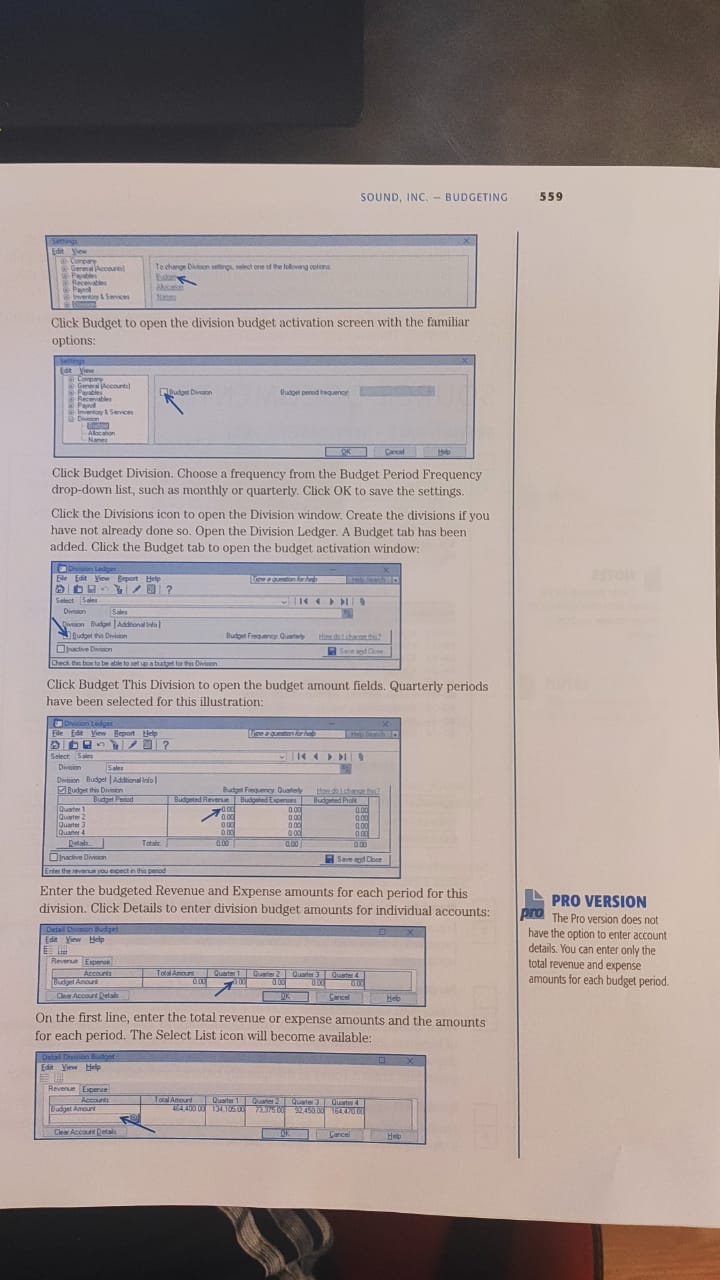
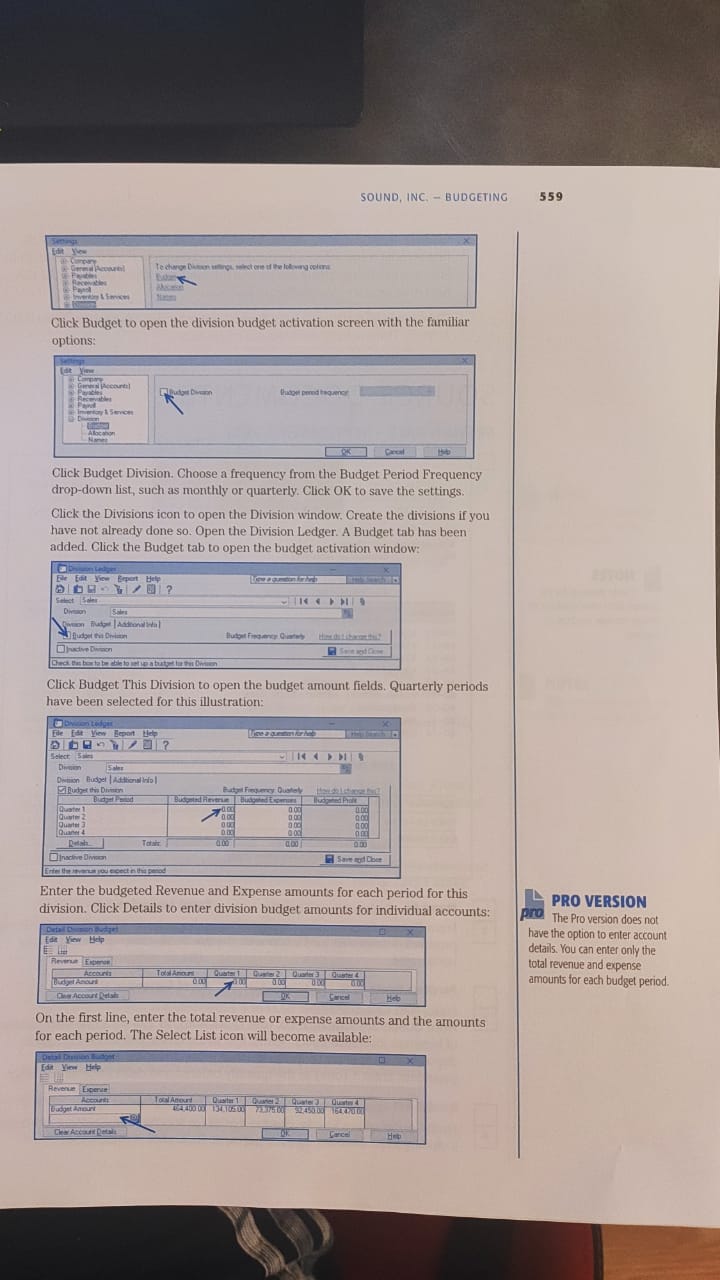
ss6 BUDGET RATIONALE FOR CONTINUED SOUND. INC. Estimates used to create budgetOpenscj at about COSI Goods Sold markup RtV'nVR Delivery 03rnas-t o' Cost01 Coods Sold Commvsyons; ot contributions 10 sales (NESST (WC8) and QHSKstraight "Cttentge of (QPP CPP Quebec) 'emp Agency fees: es"maled ddditional asststdnceneeded peak peiod5 Othel Expenses: most Me nn dunge higher n peakWinter and summer periods El. CPP Dnd QPIP: 'these do not donot choose Budge' rhis Account Entering Budget Amounts in the General LedgerClick Company in the Modules pane list to change wmclows. Click theChart of Accounts shortcuts list arrow and click Modify Account to openthe Search "inflow Accounts [s selected as the record type: Vou canlhe Chart Of Accounts Icon and (hen doubl"- dick the account openledger rord Or Ihe View Accour,ts shorIaA (Benkjng module) and use toopen the Atcounts windoiv Another option is to use [he Serch inthe Home nndOWs tool bar Type rev ond Then double click Revenuefrom Sales the Search to open rhe Ledge: Record, PRO VERSION (heRefresh is not available in the Pro version The term Project replatesapplies 10 the postible menue end expense accounts on the Income Stur,enl.Eludget are Inorne Swernenw Click Type Click Click Search field. 4 toadvance the cursor to the beginning of the 4000-1evel Revenue accounts 4020Revenue from Sales to highlight the fir-sc postable revenue account. 0K to

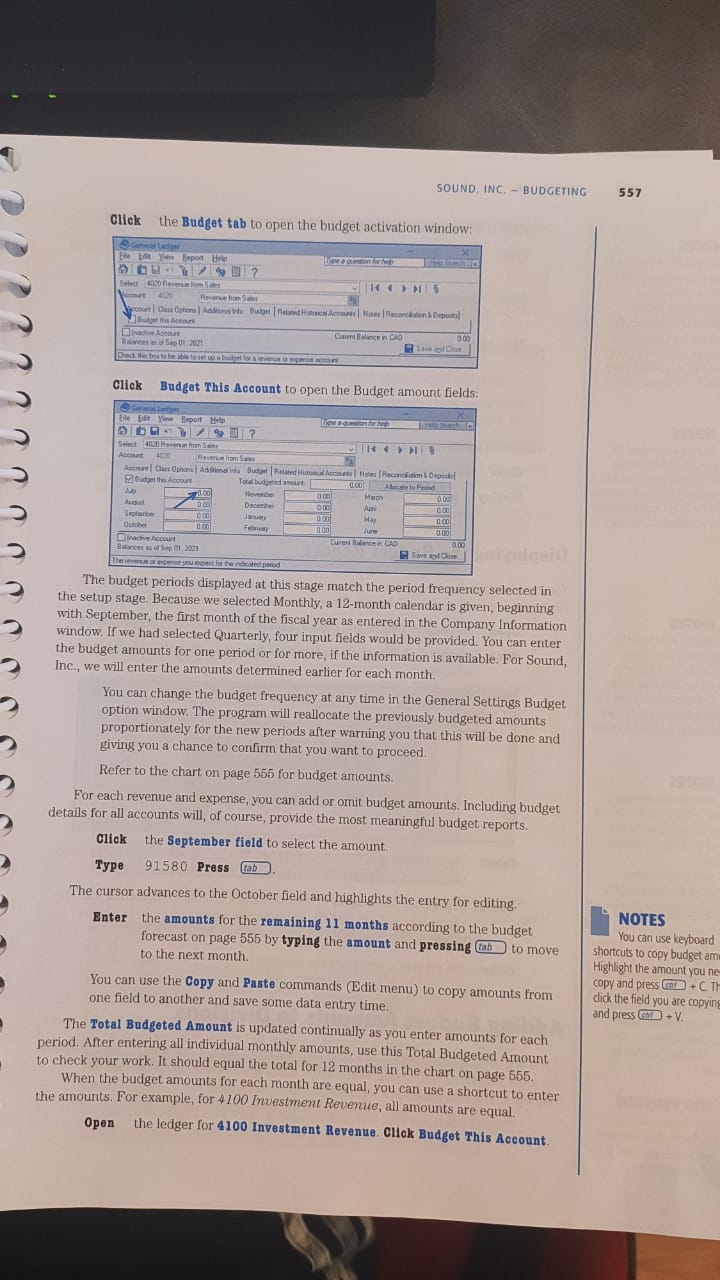
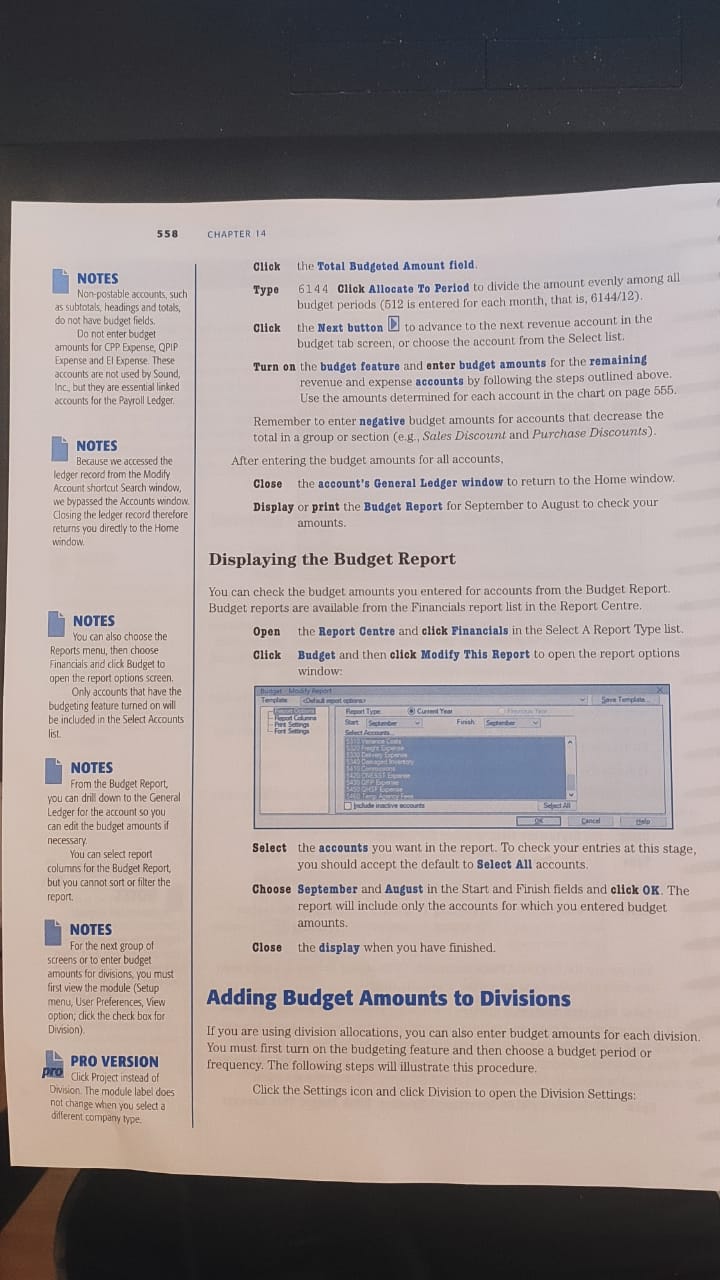
open the Account Ledger Cam Because we turned on Bnrlgeting feature rheGeneral Settings window, the Budget tab has been added. This tab willbe added only [or Income Statement revenue and expense accounts.image text in transcribedimage text in transcribedimage text in transcribedimage text in transcribedimage text in transcribedimage text in transcribedimage text in transcribedimage text in transcribedimage text in transcribedimage text in transcribedimage text in transcribedimage text in transcribedimage text in transcribedimage text in transcribedimage text in transcribedimage text in transcribedimage text in transcribed

ss6 BUDGET RATIONALE FOR CONTINUED SOUND. INC. Estimates used to create budget Openscj at about COSI Goods Sold markup RtV'nVR Delivery 03rnas-t o' Cost 01 Coods Sold Commvsyons; ot contributions 10 sales (NESST (WC8) and QHSK straight "Cttentge of (QPP CPP Quebec) 'emp Agency fees: es"maled ddditional asststdnce needed peak peiod5 Othel Expenses: most Me nn dunge higher n peak Winter and summer periods El. CPP Dnd QPIP: 'these do not do not choose Budge' rhis Account Entering Budget Amounts in the General Ledger Click Company in the Modules pane list to change wmclows. Click the Chart of Accounts shortcuts list arrow and click Modify Account to open the Search "inflow Accounts [s selected as the record type: Vou can lhe Chart Of Accounts Icon and (hen doubl"- dick the account open ledger rord Or Ihe View Accour,ts shorIaA (Benkjng module) and use to open the Atcounts windoiv Another option is to use [he Serch in the Home nndOWs tool bar Type rev ond Then double click Revenue from Sales the Search to open rhe Ledge: Record, PRO VERSION (he Refresh is not available in the Pro version The term Project replates applies 10 the postible menue end expense accounts on the Income Stur,enl. Eludget are Inorne Swernenw Click Type Click Click Search field. 4 to advance the cursor to the beginning of the 4000-1evel Revenue accounts 4020 Revenue from Sales to highlight the fir-sc postable revenue account. 0K to open the Account Ledger Cam Because we turned on Bnrlgeting feature rhe General Settings window, the Budget tab has been added. This tab will be added only [or Income Statement revenue and expense accounts.
Step by Step Solution

There are 3 Steps involved in it

1 Expert Approved Answer
Step: 1 Unlock blur-text-image
Question Has Been Solved by an Expert!

Get step-by-step solutions from verified subject matter experts

Step: 2 Unlock
Step: 3 Unlock

Students Have Also Explored These Related Accounting Questions!