



Question: Figure 1 (b) Form 2: Create a form and sub-form based on your Orders and Order Details tables. Save the form as Form 1_Order. Your
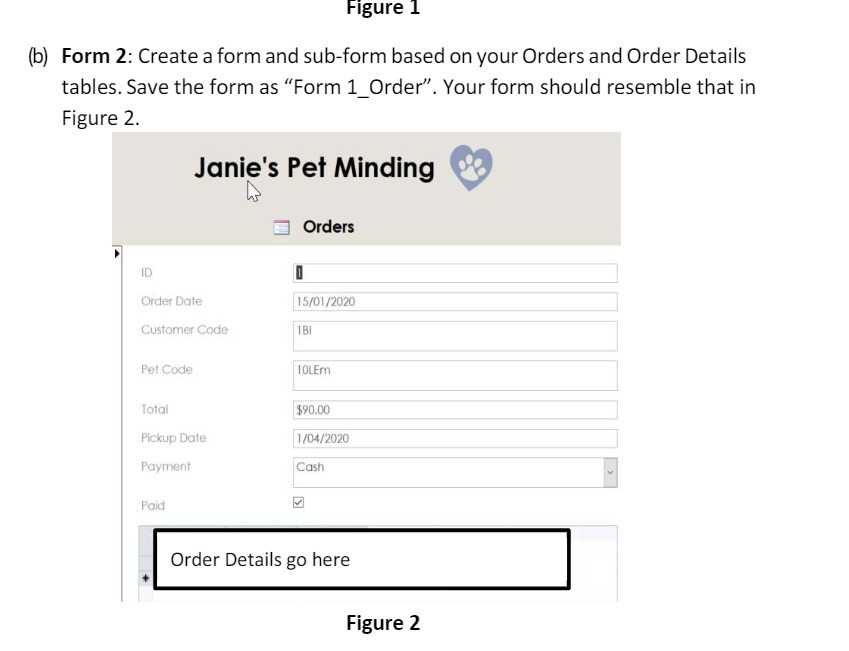
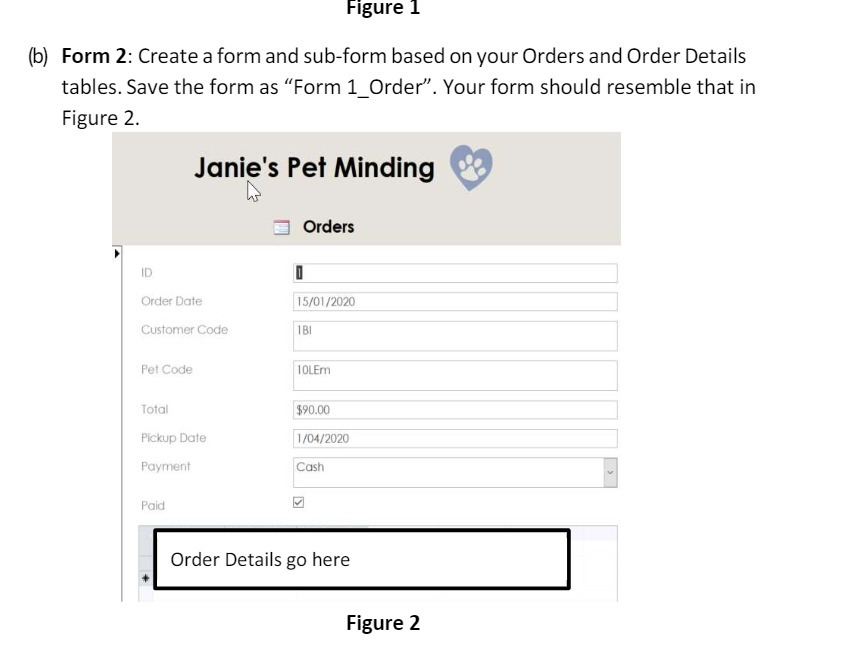
Figure 1 (b) Form 2: Create a form and sub-form based on your Orders and Order Details tables. Save the form as "Form 1_Order". Your form should resemble that in Figure 2. Janie's Pet Minding Orders ID Order Date 15/01/2020 Customer Code 1 BI Pet Code 10LEm Total $90.00 Pickup Date 1/04/2020 Payment Cash Paid Order Details go here Figure 2
Step by Step Solution
There are 3 Steps involved in it
1 Expert Approved Answer
Step: 1 Unlock

Question Has Been Solved by an Expert!
Get step-by-step solutions from verified subject matter experts
Step: 2 Unlock
Step: 3 Unlock