







Question: File Home Insert Draw Page Layout Formulas Data Review View Help 3 Share AutoSum Calibri 11 AF = = = Accounting TT ab Wrap Text
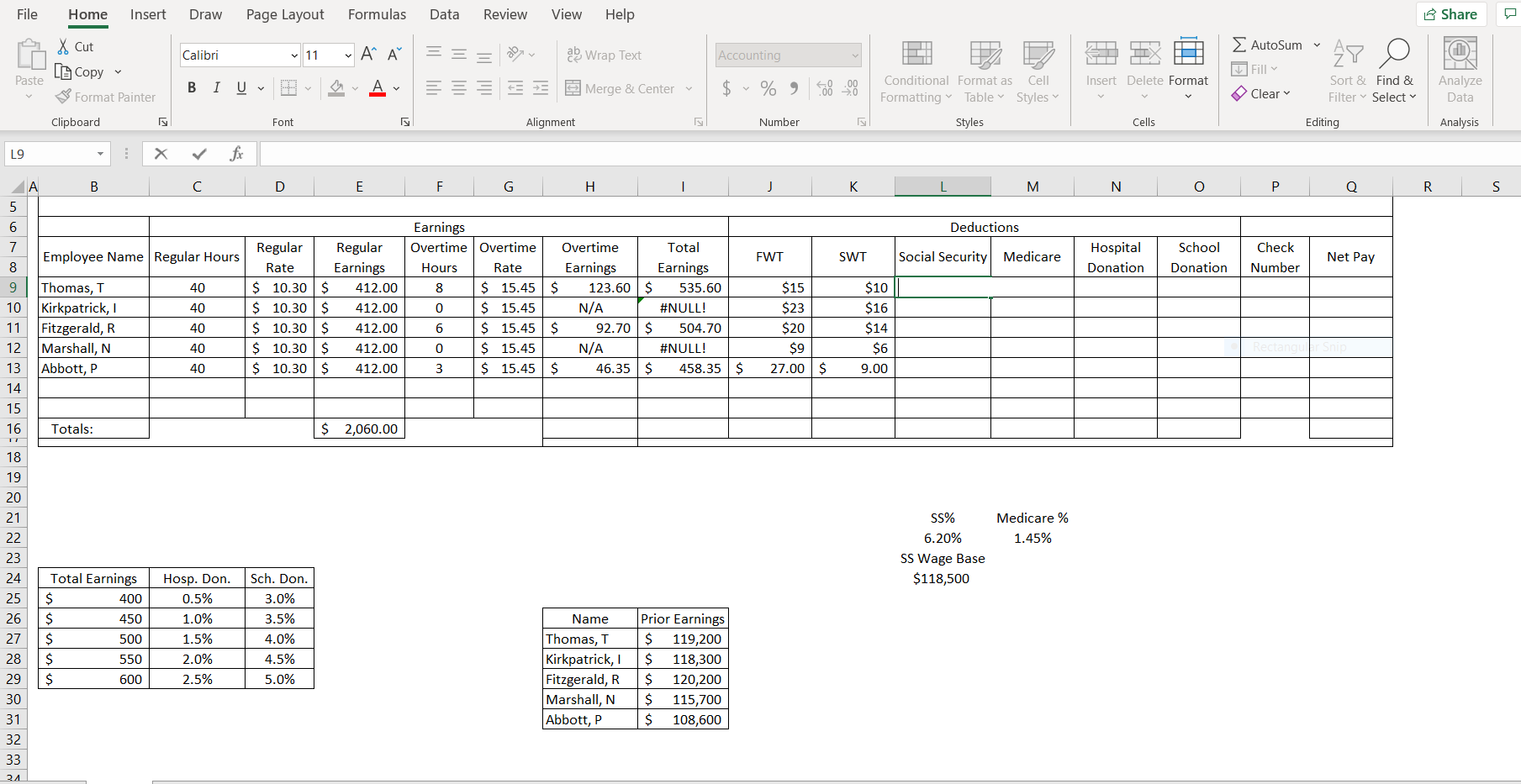
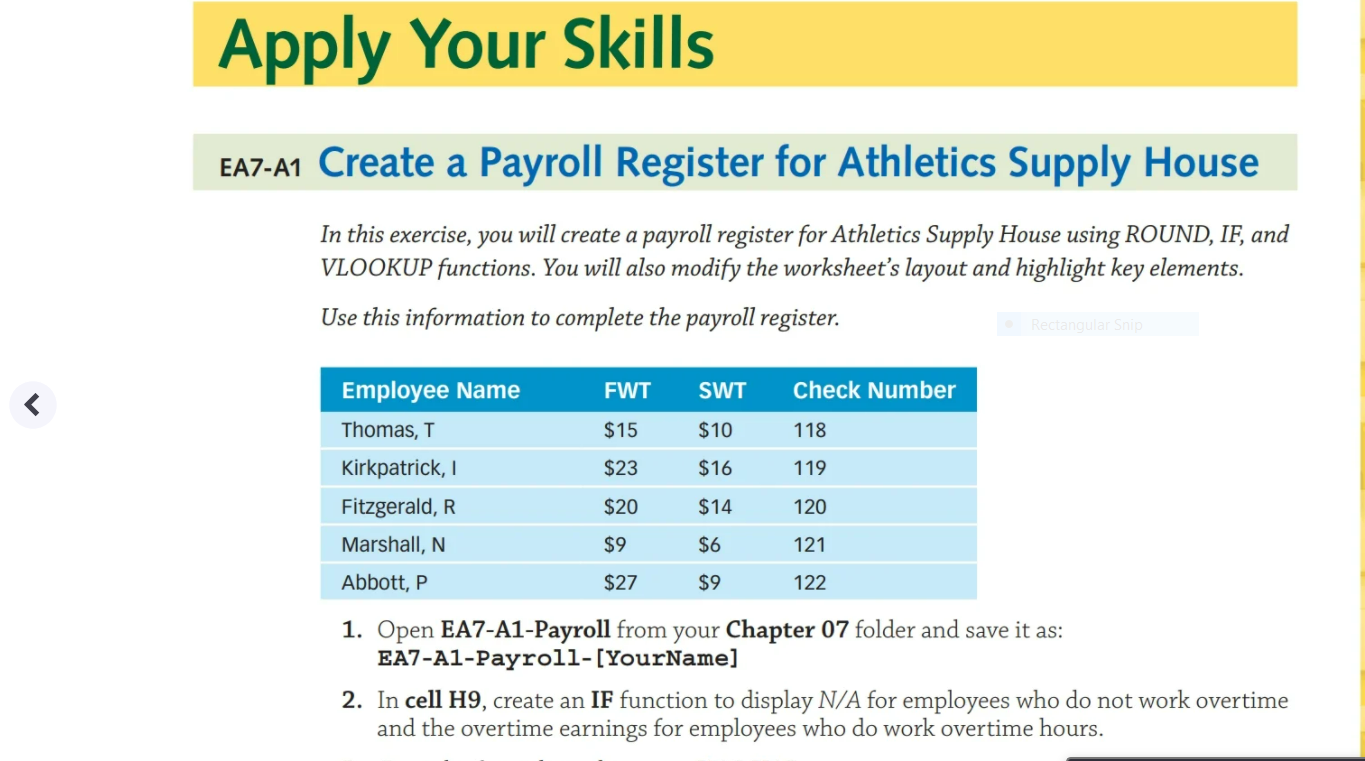
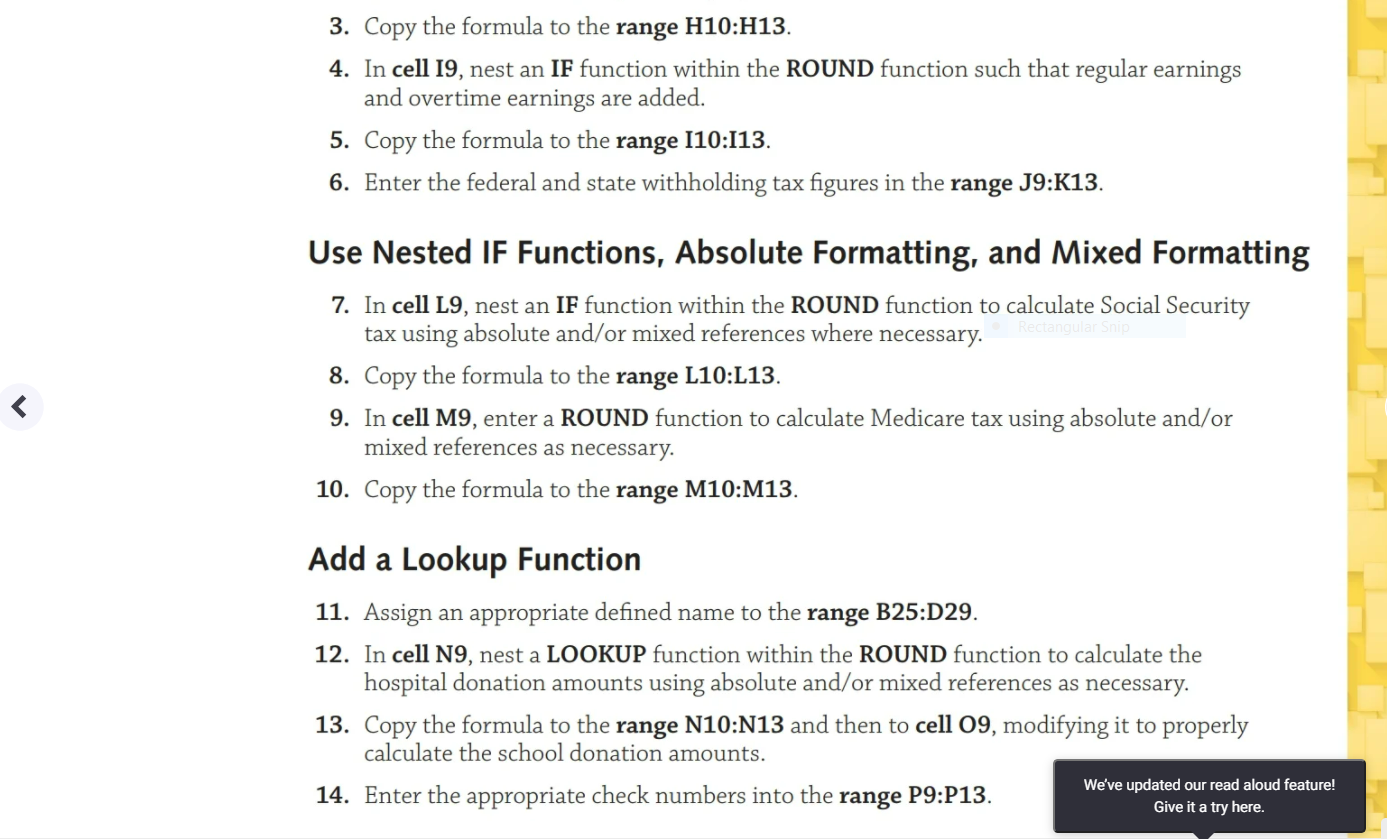
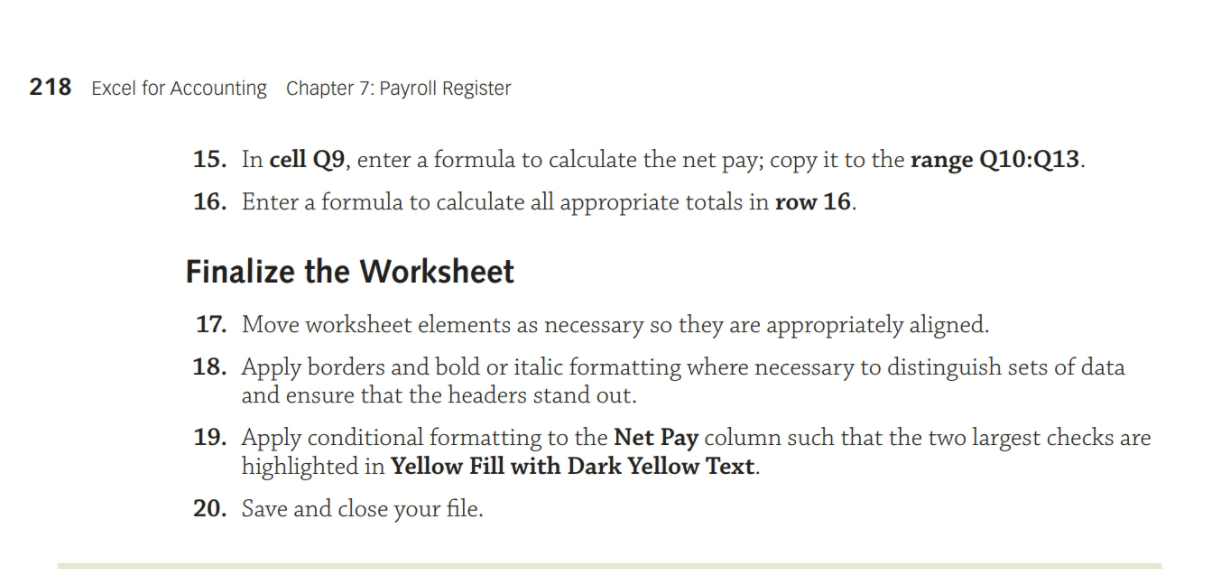
File Home Insert Draw Page Layout Formulas Data Review View Help 3 Share AutoSum Calibri 11 AF = = = Accounting TT ab Wrap Text 27 N X Cut Lo Copy Format Painter Fill Paste Insert Delete Format B I U Av = = Merge & Center v $ - % , Clear Conditional Format as Cell Formatting Table Styles Styles Sort & Find & Filter Select Analyze Data Clipboard Font Alignment Number Cells Editing Analysis L9 fic A B D E F G H J K M N 0 P 0 R S 5 6 Deductions 7 Employee Name Regular Hours FWT SWT Social Security Medicare Hospital Donation School Donation Check Number Net Pay 40 40 8 9 10 11 12 13 14 15 16 Thomas, T Kirkpatrick, 1 Fitzgerald, R Marshall, N Abbott, P Regular Regular Rate Earnings $ 10.30 S 412.00 $ 10.30$ 412.00 $ 10.30 $ 412.00 $ 10.30$ 412.00 $ 10.30$ 412.00 Earnings Overtime Overtime Overtime Total Hours Rate Earnings Earnings 8 $ 15.45$ 123.60 $ 535.60 0 $ 15.45 N/A #NULL! 6 $ 15.45 $ 92.70 $ 504.70 0 $ 15.45 N/A #NULL! 3 $ 15.45$ 46.35$ 458.35 $ 40 $15 $23 $20 $9 27.00 $ $10 $16 $14 $6 9.00 40 40 Totals: $ 2,060.00 Medicare % 1.45% 18 19 20 21 22 23 24 25 26 27 28 29 30 SS% 6.20% SS Wage Base $118,500 Total Earnings $ 400 $ 450 $ 500 $ 550 $ 600 Hosp. Don. 0.5% 1.0% 1.5% 2.0% 2.5% Sch. Don. 3.0% 3.5% 4.0% 4.5% 5.0% Name Thomas, T Kirkpatrick, Fitzgerald, R Marshall, N Abbott, P Prior Earnings $ 119,200 $ 118,300 $ 120,200 $ 115,700 $ 108,600 31 32 33 24 Apply Your Skills EA7-A1 Create a Payroll Register for Athletics Supply House In this exercise, you will create a payroll register for Athletics Supply House using ROUND, IF, and VLOOKUP functions. You will also modify the worksheet's layout and highlight key elements. Use this information to complete the payroll register. Rectangular Sni FWT SWT Check Number $15 $10 118 Employee Name Thomas, T Kirkpatrick, 1 Fitzgerald, R. Marshall, N $23 $16 119 $20 $14 120 $9 $6 121 Abbott, P $27 $9 122 1. Open EA7-A1-Payroll from your Chapter 07 folder and save it as: EA7-A1-Payroll-[YourName] 2. In cell H9, create an IF function to display N/A for employees who do not work overtime and the overtime earnings for employees who do work overtime hours. 3. Copy the formula to the range H10:H13. 4. In cell 19, nest an IF function within the ROUND function such that regular earnings and overtime earnings are added. 5. Copy the formula to the range 110:113. 6. Enter the federal and state withholding tax figures in the range J9:K13. Rectangular Sni Use Nested IF Functions, Absolute Formatting, and Mixed Formatting 7. In cell L9, nest an IF function within the ROUND function to calculate Social Security tax using absolute and/or mixed references where necessary. 8. Copy the formula to the range L10:L13. 9. In cell M9, enter a ROUND function to calculate Medicare tax using absolute and/or mixed references as necessary. 10. Copy the formula to the range M10:M13.
Step by Step Solution
There are 3 Steps involved in it

Get step-by-step solutions from verified subject matter experts
 Study Help