







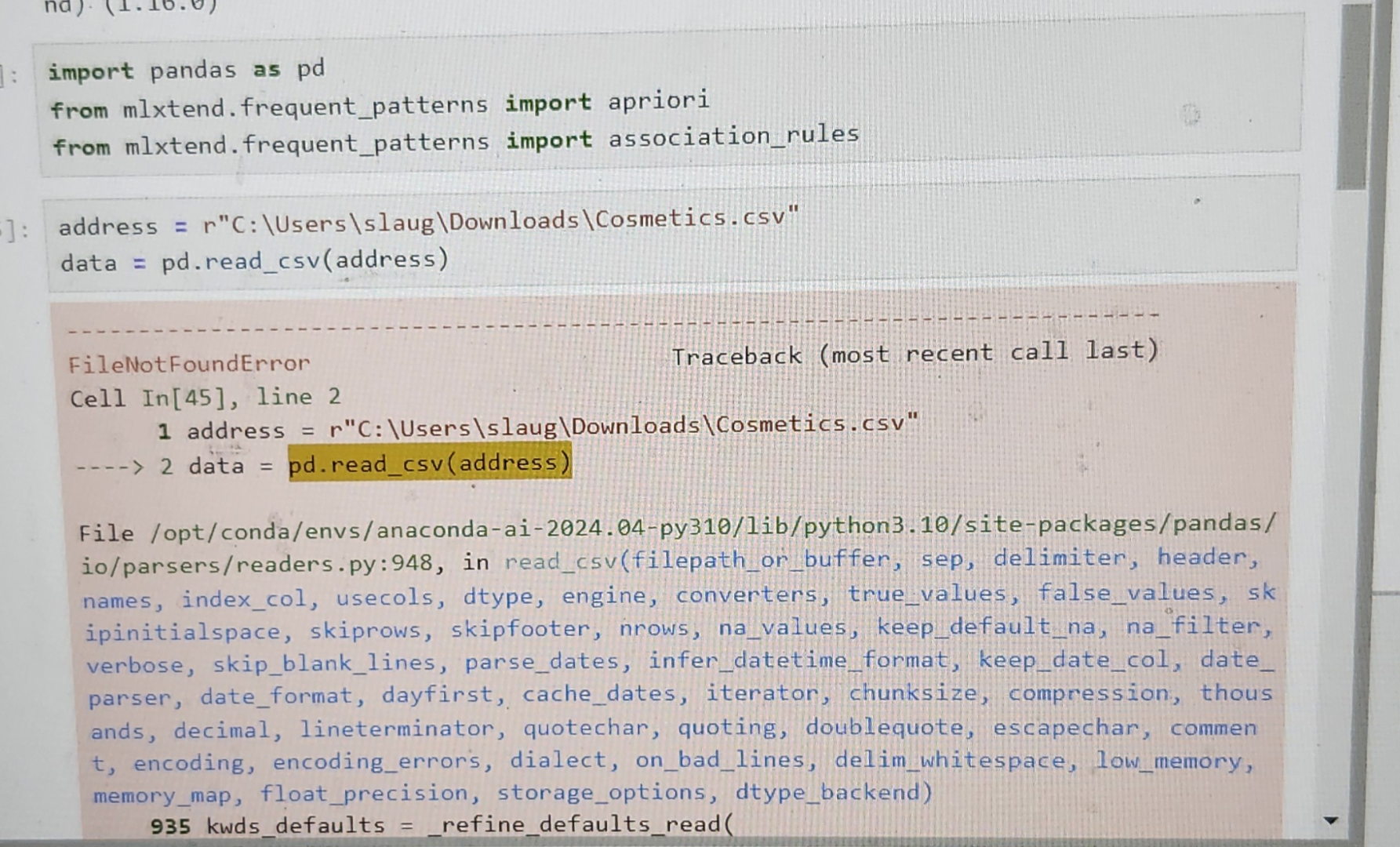
Question: File / opt / conda / envs / anaconda - ai - 2 0 2 4 . 0 4 - py 3 1 0 /
File optcondaenvsanacondaaipylibpythonsitepackagespandas ioparsersreaderspy: in readcsvfilepathorbuffer, sep, delimiter, header, names, indexcol, usecols, dtype, engine, converters, truevalues, falsevalues, sk ipinitialspace, skiprows, skipfooter, nrows, navalues, keepdefaultna nafilter, verbose, skipblanklines, parsedates, inferdatetimeformat, keepdatecol, date parser, dateformat, dayfirst, cachedates, iterator, chunksize, compression, thous ands, decimal, lineterminator, quotechar, quoting, doublequote, escapechar, commen t encoding, encodingerrors, dialect, onbadlines, delimwhitespace, lowmemory, memorymap, floatprecision, storageoptions, dtypebackend kwdsdefaults refinedefaultsread
What is coded wrong? This is exactly as the youtube video says and i took the file from the properiess.
Step by Step Solution
There are 3 Steps involved in it
1 Expert Approved Answer
Step: 1 Unlock

Question Has Been Solved by an Expert!
Get step-by-step solutions from verified subject matter experts
Step: 2 Unlock
Step: 3 Unlock
 Study Help